






To run Livonia, set the server’s mission to dayzOffline.enoch. In the panel that is the Livonia choice on the Map (mission) row of the Config Editor. Then restart the server. Players need no extra download for Livonia (see below).
Checked on DayZ 1.29. Update 1.30 is due on 15 October 2026.
What the map is
Steam’s DayZ page describes Livonia as a 168 km² map with lush, dense forests. It says the map “may seem more habitable” but that it hides “a deep secret”. enoch is the name Bohemia uses for the Livonia terrain.
What players need
Steam’s DayZ page says the base game includes two maps: Chernarus and Livonia. So players need nothing extra for Livonia beyond DayZ itself.
In the ArthOS panel
- Open your server and choose Config Editor.
- Under Server, set Map (mission) to Livonia.
- Choose Save, then Restart now.
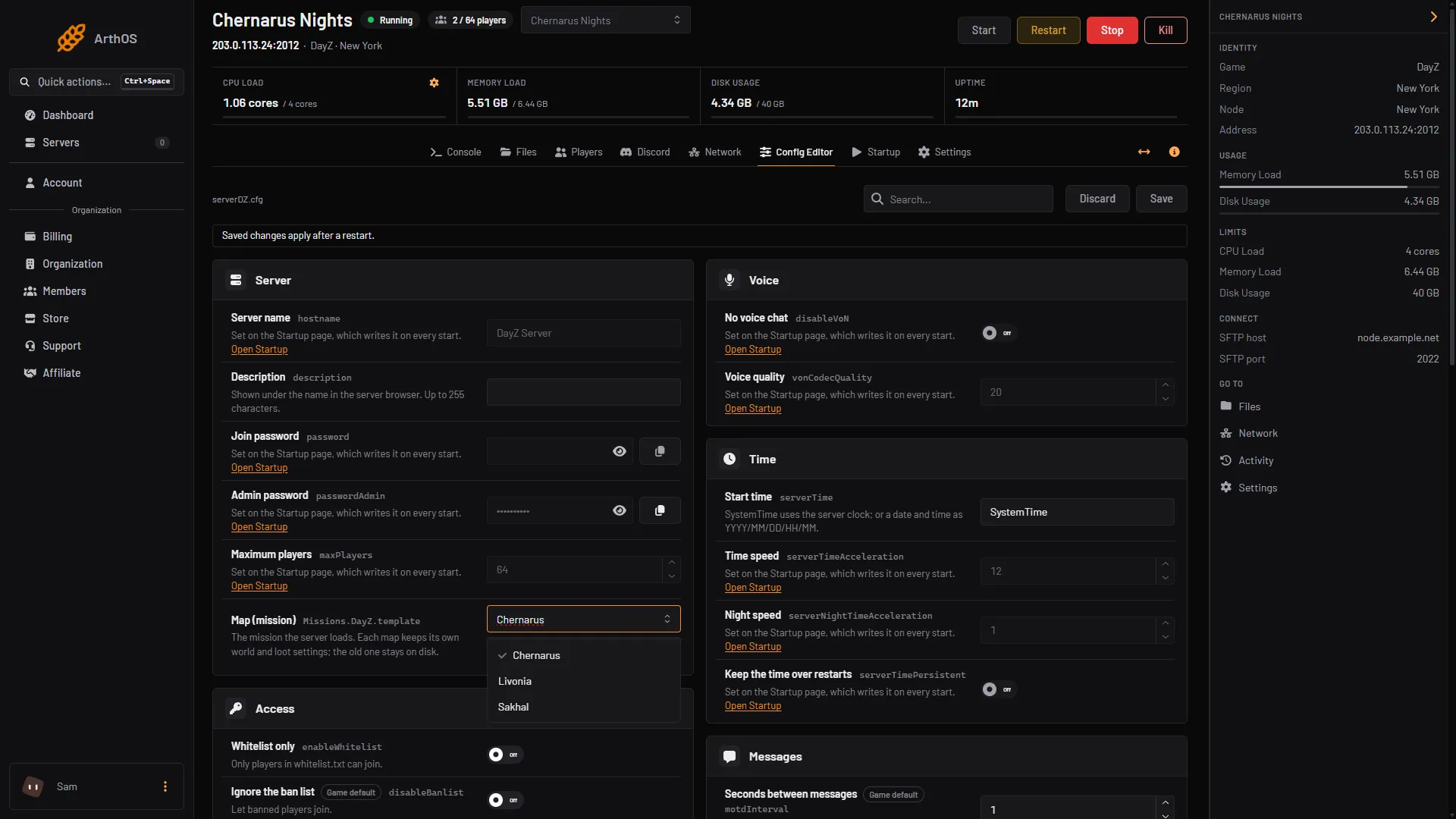
- Choose Livonia
Choose Livonia from the list (1). Its mission ID, dayzOffline.enoch, shows under the list.
Livonia keeps its own world and its own loot files. If you used another map before, that world stays on disk. See change the map.
Where the loot files are
They are in the mission folder, mpmissions/dayzOffline.enoch. Bohemia’s Central Economy repository lists db/types.xml, db/events.xml, db/globals.xml, cfggameplay.json, cfgspawnabletypes.xml, cfgplayerspawnpoints.xml and init.c there. Open them in Files.
By hand
In serverDZ.cfg:
class Missions
{
    class DayZ
    {
        template = "dayzOffline.enoch";
    };
};
Restart the server afterwards.
If it does not work
- The map did not change. Save, then restart. The map is read when the server starts.
- The server shows Chernarus. Check that Map (mission) says Livonia, or that
templateends in.enoch, and that you saved. - A different map needs different settings. Chernarus, Livonia and Sakhal each have their own mission folder. Edit the files in the folder the server is running.
Other maps: Chernarus, Sakhal. More about the game: DayZ servers.
Sources: Bohemia wiki: Server Configuration, github.com: DayZ Central Economy, store.steampowered.com: DayZ