






“Client not responding” is a BattlEye kick. It means the traffic between the player and the server stopped for too long. BattlEye’s own FAQ says it “can happen if the server’s or your connection times out for quite a while or breaks up completely.”
Large network packets are a cause on this network and are handled for you. Loafhosts servers start with a 1300-byte packet limit in basic.cfg, which avoids this kick on our network. If a player is still kicked, the cause is usually on their side. If many players are kicked at once, see server lag.
What the setting does
Loafhosts starts DayZ with -cfg=basic.cfg. The first line of that file is:
class sockets { maxPacketSize = 1300; };It tells the server to send packets of at most 1300 bytes. Larger packets could be dropped on the way to the player. When enough of them go missing, BattlEye stops hearing from the player and kicks them with this message.
You do not need to set this. It is part of every Loafhosts DayZ server. The setting is not described on Bohemia’s DayZ pages.
You can see the file in Files, in the server’s top folder (1).
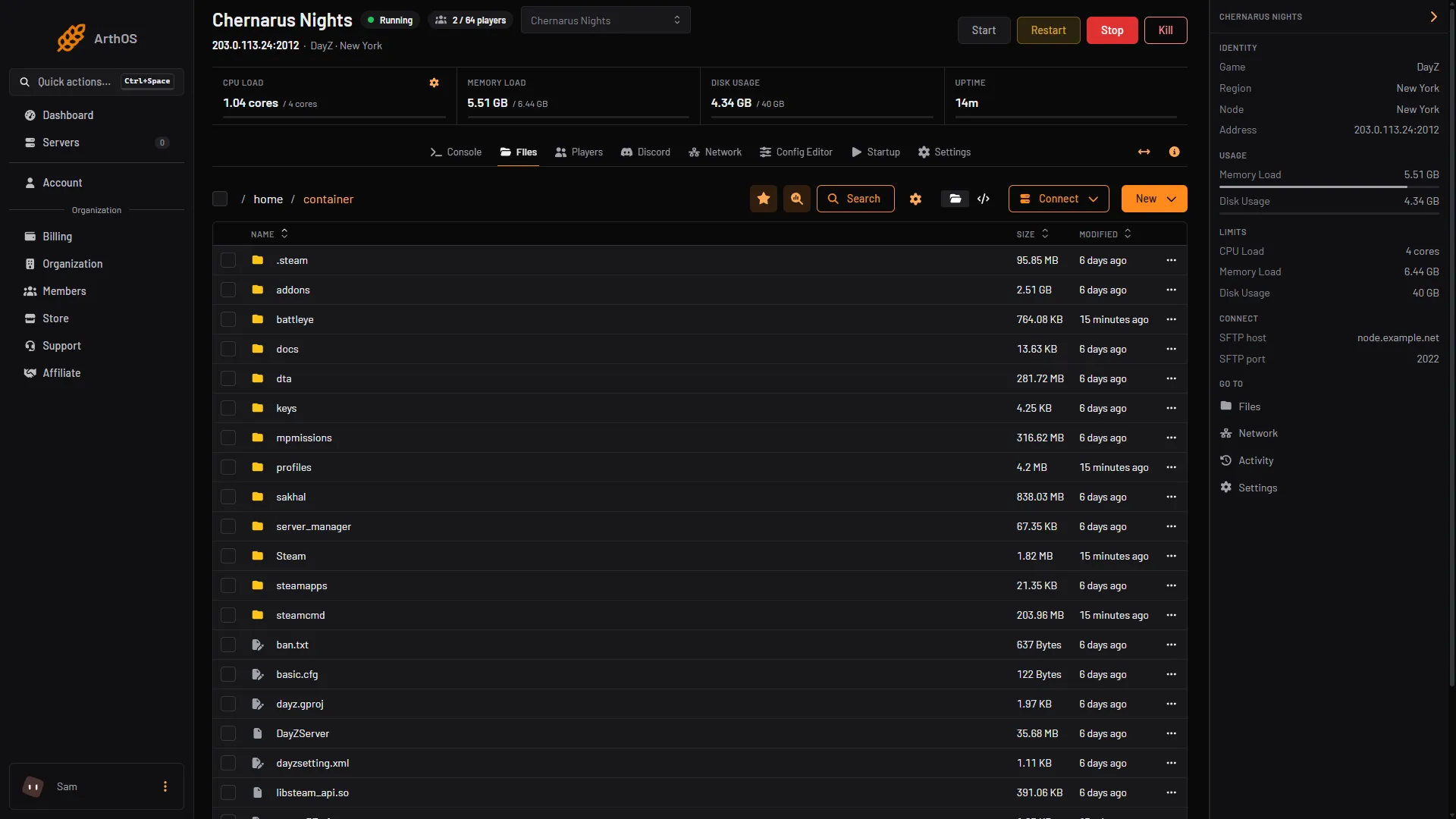
- basic.cfg
What players can check
BattlEye’s FAQ names these:
- Router and modem. “A common solution is to update your modem/router’s firmware.”
- Net Guard. Make sure “Cucusoft Net Guard” is not installed. BattlEye says it is incompatible.
- Your connection. Make sure there is nothing wrong with your internet connection. BattlEye suggests asking your internet provider if it keeps happening.
A related kick is Query Timeout. BattlEye says it means the client is not answering the server’s queries. Check your connection, and close other programs that could get in the way of BattlEye.
In the ArthOS panel
The Players page lists who is on. A player BattlEye has not checked yet shows the tag GUID not checked yet.
Do not use Kick or Ban on a player who was dropped this way. They did nothing wrong. They can rejoin straight away.
If it does not work
- It happens to one player only. The cause is on their side. Go through the list above.
- It happens to many players at once. The server may be overloaded. See server lag.
- The player is kicked for ping, not for a stall. That is a different setting. In the Config Editor the row Kick above ping (ms) (
MaxPing) removes players whose ping stays over the value. The error list calls it “Server has a ping limit and player went over it”. - A different error shows on the screen. Look it up in DayZ connection lost errors.
More about the game: DayZ servers.
Sources: battleye.com: Faq, Bohemia wiki: Error Codes, Bohemia wiki: Server Configuration