






globals.xml holds the global limits of DayZ’s economy. It sets how many infected and animals can exist, how long dead things stay, and how long a player’s character lingers after logging out. Each setting is one line.
The file is db/globals.xml inside your map’s folder in mpmissions. For Chernarus: mpmissions/dayzOffline.chernarusplus/db/globals.xml. The Config Editor does not edit it. Use Files. More about the game: DayZ servers.
The format
<var name="ZombieMaxCount" type="0" value="1000"/>name is the setting. value is what you change. type says what kind of number it is: 0 whole number, 1 decimal, 2 text. Do not change type. Bohemia says types of existing variables should never be modified.
The main values
These are the values in Bohemia’s Chernarus mission, with Bohemia’s descriptions.
| Setting | Value | What it does |
|---|---|---|
ZombieMaxCount | 1000 | Most infected that can exist across the whole map. |
AnimalMaxCount | 200 | Most animals (not ambient ones) across the whole map. |
ZoneSpawnDist | 300 | Distance in metres at which infected spawn in a nearby zone. |
TimeLogin | 15 | Default login time in seconds. Maximum 65536. |
TimeLogout | 15 | Default logout time in seconds. Maximum 65536. |
TimePenalty | 20 | Extra seconds for a player who is still in a play session. |
TimeHopping | 60 | Penalty seconds for server hoppers. |
CleanupAvoidance | 100 | Metres a player must be away from an item before it can be deleted. |
CleanupLifetimeDeadPlayer | 3600 | Seconds a dead player’s body stays. |
CleanupLifetimeDeadAnimal | 1200 | Seconds a dead animal stays. |
CleanupLifetimeDeadInfected | 330 | Seconds a dead infected stays. |
CleanupLifetimeRuined | 330 | Seconds ruined loot stays. |
CleanupLifetimeDefault | 45 | Seconds for things with no setup of their own that are dead (damage 1.0 or more). |
CleanupLifetimeLimit | 50 | How many items can be deleted at once in a normal cleanup. |
FlagRefreshFrequency | 432000 | Seconds between refreshes of item lifetimes near a territory flag. That is 5 days. |
FlagRefreshMaxDuration | 3456000 | Seconds a flag keeps refreshing items. That is 40 days. |
InitialSpawn | 100 | Percent of loot spawned at the first start with no storage. |
RestartSpawn | 0 | Percent of loot respawned at each restart, up to nominal. |
IdleModeCountdown | 60 | Seconds after the server empties before the economy goes idle. |
FoodDecay | 1 | 1 lets food decay. Needs WorldWetTempUpdate set to 1. |
Other lines in the file, such as RespawnLimit, RespawnTypes and LootSpawnAvoidance, control how loot respawns. See loot respawn and cleanup.
Change a value
- Stop the server.
- In Files, open
mpmissions/<your map>/db/globals.xml. - Open
globals.xml(1) and change the number invalue="...". For example, to cap infected at 600, setZombieMaxCountto600. - Choose Save File, then start the server.
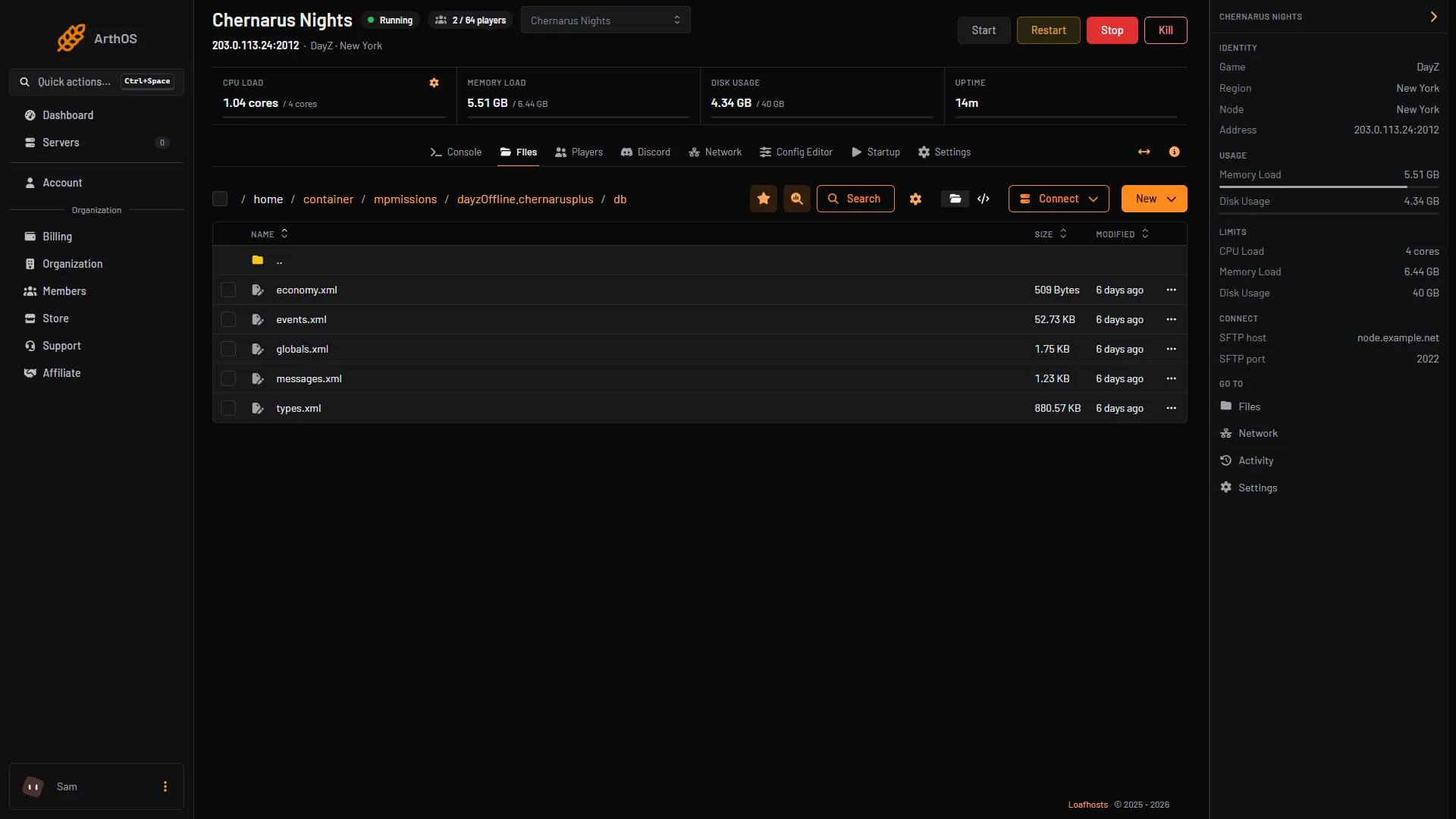
- Open globals.xml
Bohemia does not say that a new value needs any step beyond a restart, but check in game after it starts.
By hand, without editing the original
Bohemia lets a mission add a replacement file. In cfgeconomycore.xml, add a ce folder with <file name="my_globals.xml" type="globals" />. A replacement must define every attribute of a variable it changes.
If it does not work
- The server fails to start. The XML has a typo. Compare your line with the ones above: every line ends in
/>. - Nothing changes in the game. You may have edited another map’s folder. The Map (mission) row in the Config Editor shows which mission loads.
- Players log out and their character stays too long. That is
TimeLogout. It is the default logout time in seconds.
Sources: Bohemia wiki: Central Economy Configuration, Bohemia wiki: Central Economy setup for custom terrains, Bohemia wiki: Central Economy mission files modding, github.com: DayZ Central Economy