






To run Sakhal, set the server’s mission to dayzOffline.sakhal. In the panel that is the Sakhal choice on the Map (mission) row of the Config Editor. Sakhal also has its own night lighting, which the Darker Nights switch cannot select. The section on lighting below explains how to get it.
Checked on DayZ 1.29. Update 1.30 is due on 15 October 2026.
What the map is
Sakhal is the map of DayZ Frostline. Steam describes a snow-covered archipelago called Sakhal, 83 km² not counting ice sheets, with harsher survival and cold to manage. Frostline came out on 15 October 2024.
What players need
Frostline is a DLC. Its Steam page says: “This content requires the base game DayZ on Steam in order to play.” Steam’s pages do not say what happens when a player without Frostline joins a Sakhal server. Tell your players the server runs Sakhal before they try to join.
In the ArthOS panel
- Open your server and choose Config Editor.
- Under Server, set Map (mission) to Sakhal.
- Choose Save, then Restart now.
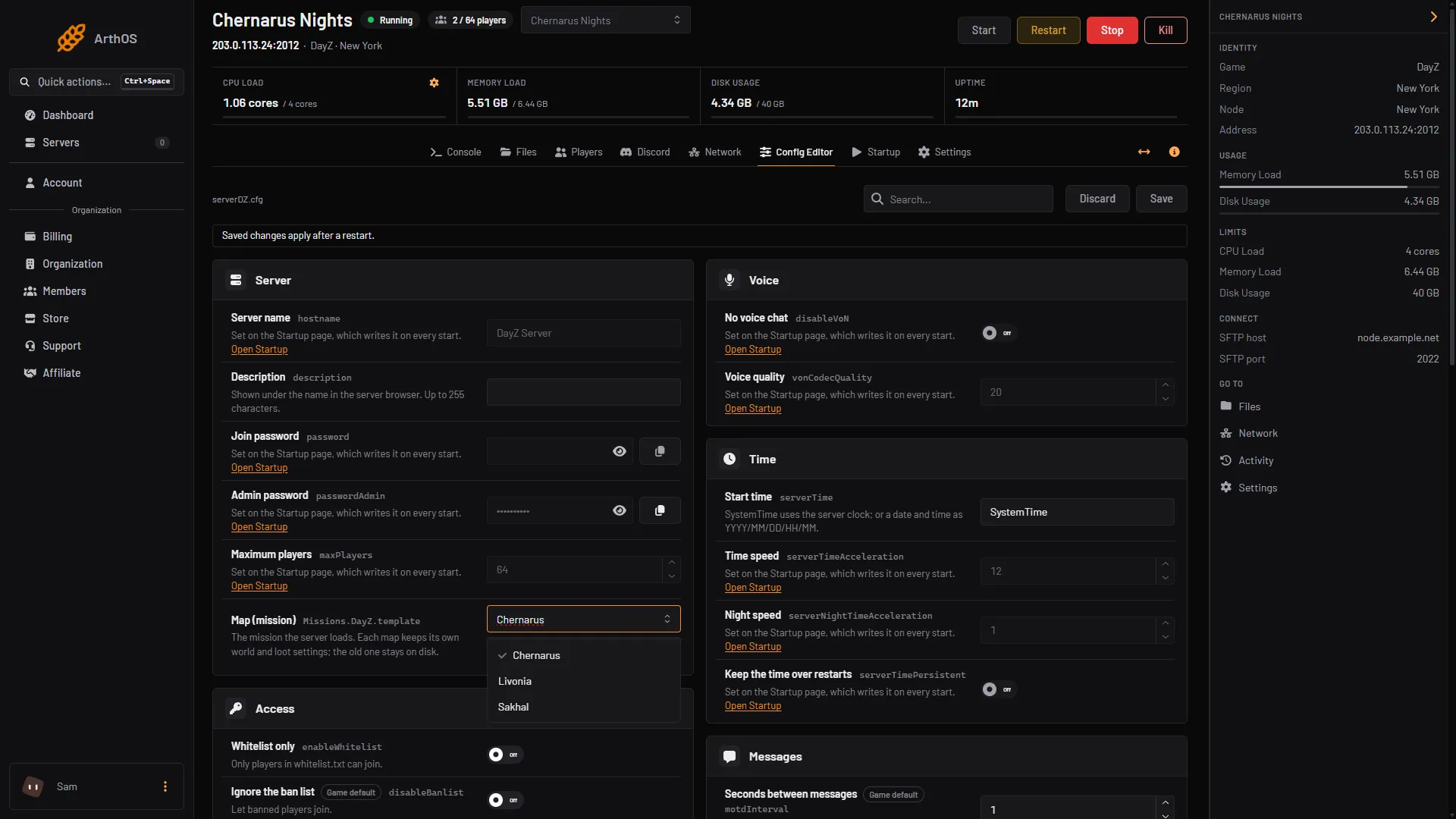
- Choose Sakhal
Choose Sakhal from the list (1). Its mission ID, dayzOffline.sakhal, shows under the list.
Sakhal keeps its own world and loot files. The world on your old map stays on disk. See change the map.
Sakhal lighting
Bohemia’s lightingConfig has three values: 0 for brighter nights, 1 for darker nights, and 2 for “Sakhal-specific lighting”. Bohemia also says that when enableCfgGameplayFile is on, the lightingConfig in the mission’s cfggameplay.json overrides the one in serverDZ.cfg.
On Startup, the Darker Nights switch writes lightingConfig into serverDZ.cfg at every start. A switch has two positions, so it writes 0 (off) or 1 (on), never 2. The Config Editor row Night brightness is locked to Startup for the same reason. Editing that line in the file does not help: the next start writes it again.
So on Startup alone you cannot reach value 2. Bohemia’s own dayzOffline.sakhal/cfggameplay.json carries it instead, under WorldsData:
"WorldsData":
{
    "lightingConfig": 2,
To use that value:
- In the Config Editor, under Gameplay, switch on Use cfggameplay.json. Save.
- Open
mpmissions/dayzOffline.sakhal/cfggameplay.jsonin Files and check thatlightingConfigunderWorldsDatais 2. - Restart the server.
With Use cfggameplay.json on, Darker Nights no longer decides the lighting. The same file also holds Sakhal’s temperature lists, and it is read as a whole, so keep its other values unless you mean to change them. More on the file: the cfggameplay.json guide and night brightness.
By hand
In serverDZ.cfg:
class Missions
{
    class DayZ
    {
        template = "dayzOffline.sakhal";
    };
};
enableCfgGameplayFile = 1;
Restart the server afterwards.
If it does not work
- The map did not change. Save, then restart. The map is read when the server starts.
- Nights look the same as on other maps. Check that Use cfggameplay.json is on and that the file’s
lightingConfigis 2. - Your
lightingConfigedit inserverDZ.cfgdisappeared. Startup rewrites it at every start, as 0 or 1. - The mission folder is missing. Look in
mpmissionsin Files. The server install should containdayzOffline.sakhal.
Other maps: Chernarus, Livonia. More about the game: DayZ servers.
Sources: Bohemia wiki: Server Configuration, Bohemia wiki: Gameplay Settings, github.com: DayZ Central Economy, store.steampowered.com: DayZ Frostline