






Bohemia’s -mod option loads mods in the order you give them. Its server page says the mods are “separated by semi-colons” and that an absolute path and multiple stacked folders are possible. On a Loafhosts DayZ server, you do not give the order. The start script sorts the list first, and the server loads the mods in that sorted order.
What the server does
The server builds one list from two places: the mods in your Modlist File (Exported from DayZ Launcher) and the mods in Additional Mods (box 1 in the picture below). Then it:
- Removes duplicates.
- Sorts the list as text, from left to right, character by character.
- Starts the game with that list in
-mod=.
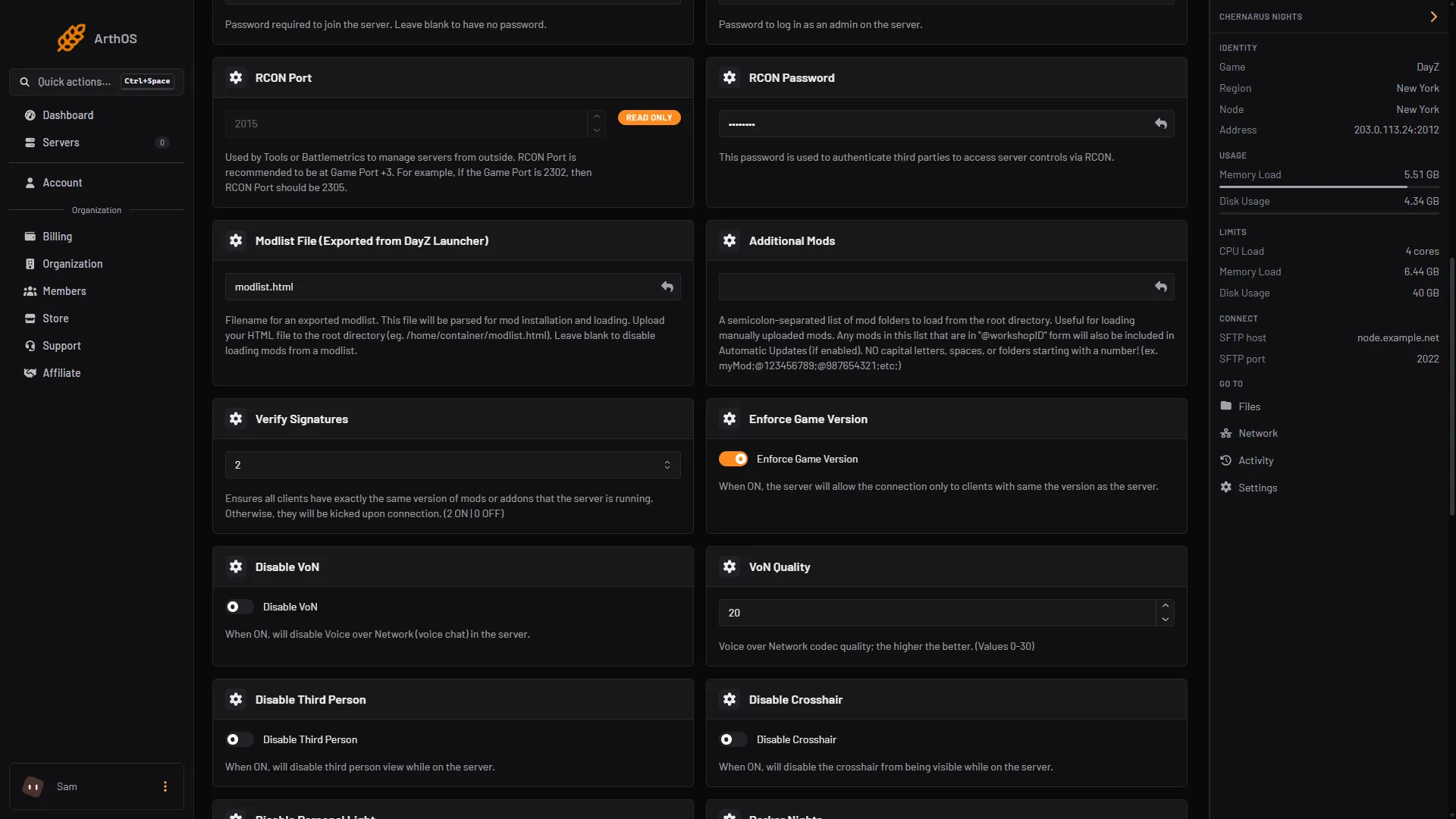
- Additional Mods
For IDs of equal length, text order is the same as number order: the smallest ID loads first. For example, @1559212036 loads before @1564026768.
Community Framework (1559212036) loads first in these guides only because its ID sorts before the others. A mod whose ID sorts before 1559212036 loads before Community Framework.
So the order of lines in your Launcher list, or of IDs in Additional Mods, makes no difference. Neither does the order of mods in the Launcher preset.
See the order your server used
- Restart the server from Console.
- Open Files and open the
profilesfolder. - Open the newest
.RPTfile. Its first line is the full start command. The part after-mod=is the list, in the order the game got it.
Most mods work in any order. Some mods say on their Workshop page that they need another mod, a framework or a core mod. Read that page. Load order only matters for a mod that depends on another.
What you can change
You cannot set the order of the -mod list in the panel. These help:
- Remove a mod you do not need, so fewer mods depend on each other.
- Move a mod to [Advanced] Server-Side Only Mods if its author says it can run there. That list keeps your order.
- If a mod needs a set order to work, contact Loafhosts support with the mod’s name.
By hand
If you host DayZ yourself, the order in -mod= is the order you type. Put the framework or core mod first, then the mods that need it:
-mod=@1559212036;@1564026768;If it does not work
- A mod fails to load and the log mentions a missing class or addon. The mod may need another mod that is not in your list. Read its Workshop page for required mods and add them.
- The order in the log is not the order you typed. That is expected. The list is sorted before it starts.
- Players are kicked. That is not an order problem. See mismatched mods kick.
Sources: github.com: Entrypoint.sh, Bohemia wiki: Server Configuration