






Put the mods in the Modlist File (Exported from DayZ Launcher) or in Additional Mods, then restart the server. It downloads every mod itself while it starts. You do not need a Steam login. Players get the same mods through the DayZ Launcher. See the DayZ game page for what a server includes. Hosting it yourself? See By hand below.
Every mod on the Steam Workshop has a number, its Workshop ID. It is the number after id= in the mod’s web address. For example, https://steamcommunity.com/sharedfiles/filedetails/?id=1559212036 is mod 1559212036.
In the ArthOS panel
There are two ways to say which mods to load. Use either one, or both. If a mod appears in both, it is loaded once.
Way 1: a mod list from the DayZ Launcher
- In the DayZ Launcher, put the mods you want in one preset and export the preset as an HTML file. The file must be made by the DayZ Launcher. The server checks the file for the words “Created by DayZ Launcher” and ignores any other file.
- Open Files and go to the top folder of your server.
- Upload the HTML file there. Keep the name
modlist.html. - Open Startup. Check that Modlist File (Exported from DayZ Launcher) (1) says
modlist.html. If you used another file name, type that name here instead. - Choose Save.
Way 2: type the mods in Additional Mods
- Open Startup.
- In Additional Mods (2), type each mod as
@plus its Workshop ID, with a semicolon after it:
@1559212036;@1564026768;- Use no spaces and no capital letters. Choose Save.
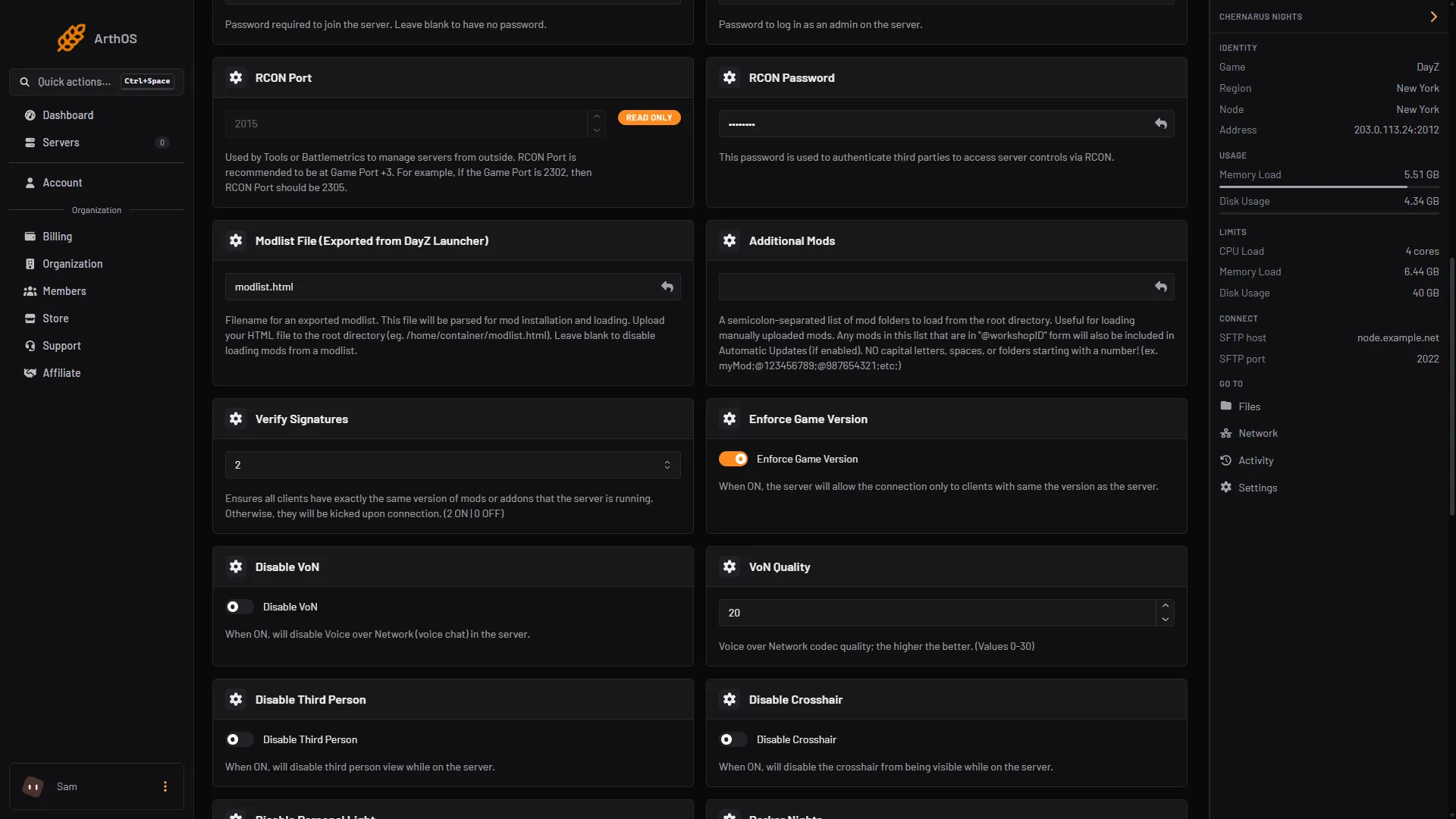
- Modlist File
- Additional Mods
Restart and wait
- Check that Automatic Updates is on. It is on by default. The server downloads mods only when it is on.
- Go to Console and choose Restart. A change on Startup applies at the next start.
- Watch the console. For each new mod it prints
Downloading new Mod:with the mod’s name and ID. The first start with several large mods can take a long time. Wait until the server finishes starting.
Mods are saved in your server’s top folder as @<ID>, for example @1559212036. The server makes the file names lowercase. It also copies each mod’s .bikey file into the keys folder (box 1 in the picture below), for example jacob_mango_v3.bikey for Community Framework. See mod keys and signatures.
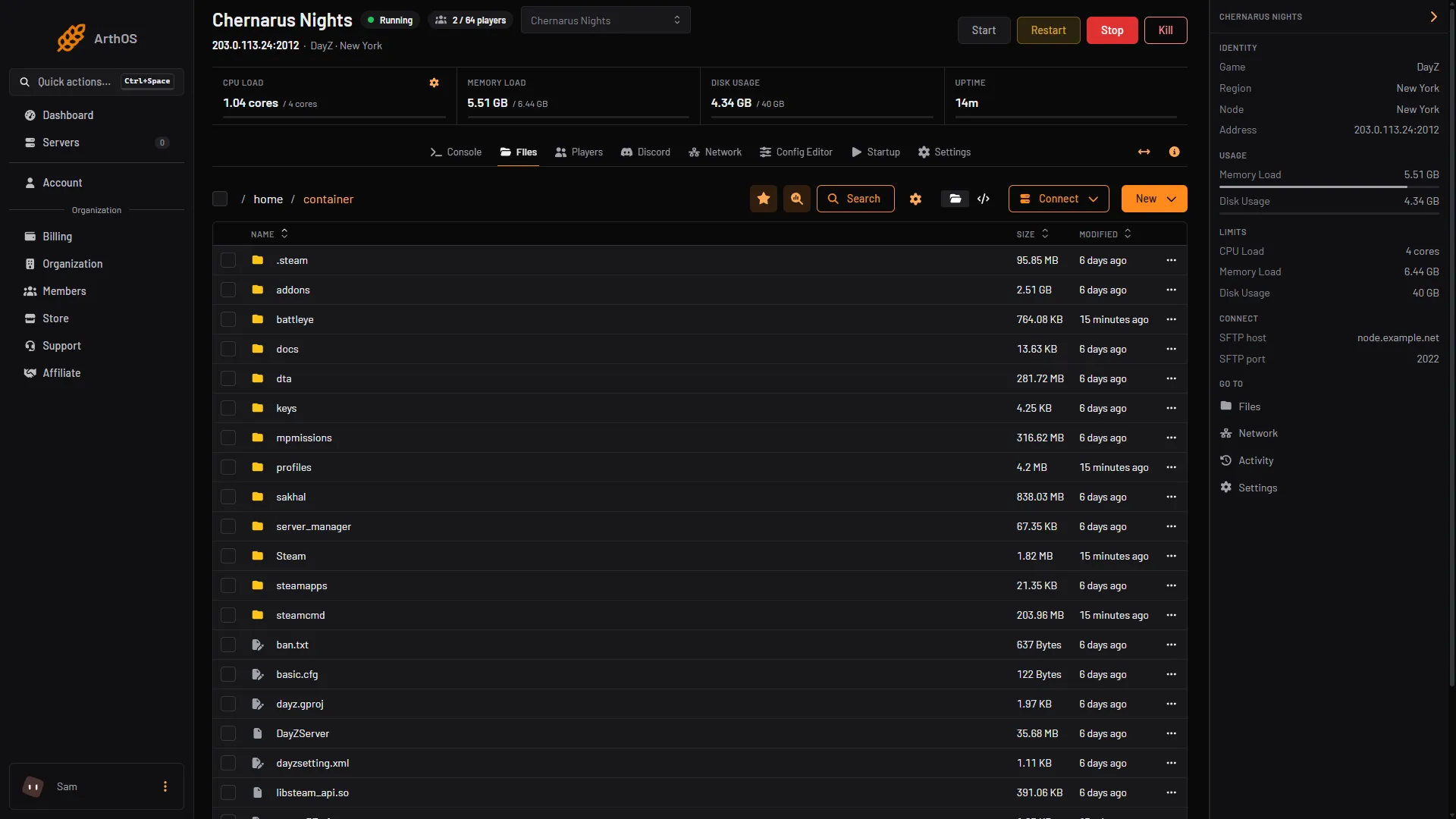
- keys folder
At the start, the game writes the exact command it was run with on the first line of its .RPT file in the profiles folder. Look for the part after -mod=. It shows which mods are loaded.
Players
Players need the same mods, at the same version, as the server. They get them in the DayZ Launcher, which installs them from the Workshop.
A player who is missing a mod, or has an older one, cannot join. See mismatched mods kick.
Mods you upload yourself
A mod that is not on the Workshop can be loaded too.
- Upload its folder to your server’s top folder with Files. Use a name with no capital letters, no spaces and that does not start with a number, for example
mymod. - Put the folder name in Additional Mods:
mymod; - Copy the
.bikeyfile from the mod’skeysfolder into the server’skeysfolder. The server does this for Workshop mods only.
Uploaded mods are never updated by the server. You replace the folder yourself.
By hand
If you host DayZ yourself, download each mod with SteamCMD, using the DayZ game ID 221100 and the mod’s ID. The Steam account you log in with must own DayZ:
steamcmd +login your_login +workshop_download_item 221100 1559212036 +quitOn Linux, file and folder names inside a mod must be lowercase, so make them lowercase after the download. Link or copy each mod folder into the server folder, copy its .bikey files into keys, and start the server with the mods in -mod, separated by semicolons:
"-mod=1559212036;1564026768;"Bohemia describes this on its Linux server page.
If it does not work
The console lines below come from the server’s start script, so their wording is the script’s.
- The mod did not download. Check that Automatic Updates is on. Check that the mod is written as
@plus the ID, with a semicolon after it. A name without@is treated as a folder you uploaded. - The console says
DayZ Modlist file ... could not be found, or is invalid. The file name on Startup does not match the uploaded file, or the file did not come from the DayZ Launcher. The server then uses only Additional Mods. - A mod times out. Very large mods sometimes time out. The server tries again a few times, then skips the mod. Restart to try again.
- The console says
Not enough storage. Your server is out of disk space. Remove mods you do not use, or move to a plan with more storage. - The console says
Cannot login to Steam. The start stops. This is on Loafhosts’ side, not yours. Contact Loafhosts support with that line. - The console says
Cannot download mod - Download failed. The start stops. This is also on Loafhosts’ side. Contact Loafhosts support with that line. - Players are kicked. Their mods or versions differ from the server’s, or a mod key is missing. See mod keys and signatures.
Sources: github.com: Entrypoint.sh, Bohemia wiki: Server Configuration, steamcommunity.com: Workshop