






The file cfgplayerspawnpoints.xml decides where players appear in the world. You change a spawn by editing the positions in it. The panel’s Config Editor does not edit this file, so you use Files.
Bohemia describes it as the file that “contains base positions for the player spawn point generation (only for the multiplayer mission)”. See also the DayZ servers page.
Where the file is
It is in the root of your map’s folder in mpmissions, next to init.c. For Chernarus: mpmissions/dayzOffline.chernarusplus/cfgplayerspawnpoints.xml. Each map has its own copy.
What is in it
The file has three sections, <fresh>, <hop> and <travel>. By their names, fresh is for a new character and hop is for a player moving between servers. Bohemia’s pages do not define the three sections, so check your own result in game.
Each section has the same parts:
<spawn_params>: distances the spawn must keep. For examplemin_dist_infected30 andmax_dist_infected70 infresh, in the Chernarus file.<generator_params>: how the game builds spawn spots around your positions, such asgrid_widthandgrid_height(200 infresh).<group_params>: grouping of spawns. Infresh,enablegroupsistrue.<generator_posbubbles>: the list you edit. It holds named<group>blocks, each with<pos x="..." z="..." />lines.
Bohemia says the positions are two-dimensional coordinates, put “into <generator_posbubbles>”. A position is an x and a z number, the two map coordinates.
A fresh group in the Chernarus file looks like this:
<group name="WestCherno">
    <pos x="6063.018555" z="1931.907227" />
    <pos x="5933.964844" z="2171.072998" />
</group>
(The real group has more pos lines.)
Change where new players start
- Stop the server.
- In Files, open
mpmissions/<your map>/cfgplayerspawnpoints.xml(1). - In the
<fresh>section, change thexandznumbers of a<pos>line, or delete the groups you do not want. Keep at least one group with at least onepos. - Choose Save File, then start the server.
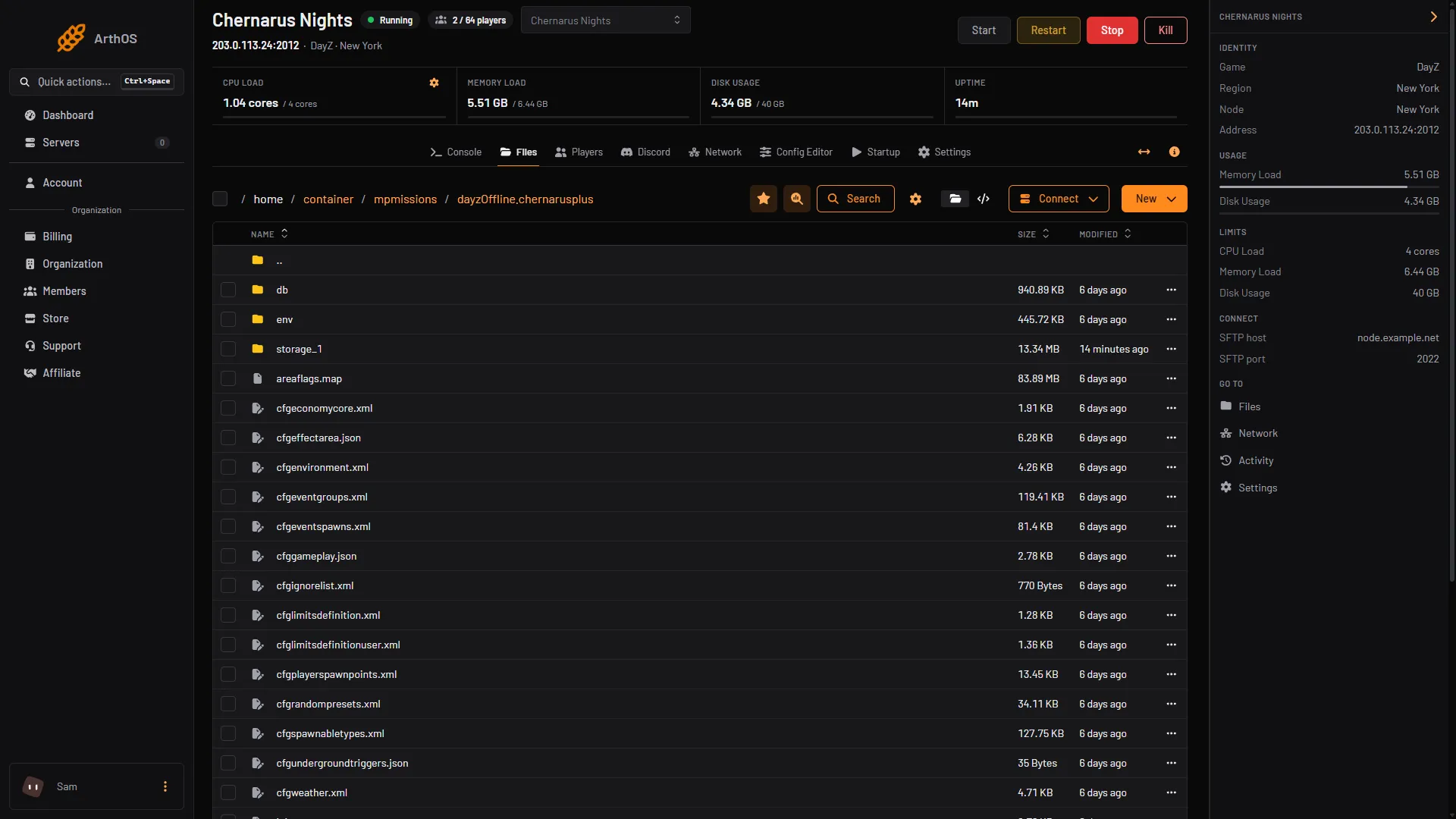
- Open cfgplayerspawnpoints.xml
To add a spot, copy a <pos x="..." z="..." /> line and change the numbers. Keep each position on land, away from water and steep ground.
Check it worked
Bohemia says a binary file is made “into the storage folder during first new-player connection” from this XML. That file is what the server keeps. Bohemia does not say whether an edit is picked up at the next start with no other step, so test with a character that has no saved position. See persistence and wipe.
If it does not work
- Players still start at the old places. Edit the section that matches how they join. Check you edited the map the server loads. The Map (mission) row in the Config Editor shows it.
- The server fails to start. The XML has a typo. Look for a missing
/>or an unclosed<group>. - Players start in the sea or inside a wall. One of your positions is off. Move it.
Sources: Bohemia wiki: Central Economy setup for custom terrains, github.com: DayZ Central Economy