






A whitelist lets only the players you list join your DayZ server. Turn on Whitelist only in Config Editor, put each allowed player’s ID in whitelist.txt, and restart the server once for the switch.
With the whitelist on, only players in whitelist.txt can join. The format is in the file’s own instructions, which Bohemia ships at the top of whitelist.txt: add the player’s 44-character ID, which can be found in the admin log (.ADM). Players can be added or removed while the server is running, the change takes effect immediately, and a removed player is kicked. For comments use the // prefix; it can be used after an inserted ID.
Before you start
Add yourself first. A whitelist with nobody in it, switched on, leaves everybody out. That includes you. Join once with the switch off, and keep your ID first in the list.
Get each player’s ID
The admin log (.ADM file in the profiles folder) records every player who joins. Its lines look like this:
Player "Survivor" is connected (id=AAAAAAAAAAAAAAAAAAAAAAAAAAAAAAAAAAAAAAAAAAA=)The id= value is the 44-character ID that whitelist.txt takes. It is neither the Steam ID nor the BattlEye GUID shown on the Players page, so do not copy it from there. See find a DayZ player’s ID for the difference.
- While the whitelist is still off, ask each player to join once. The admin log is on by default (the
-adminlogstartup option is in [Advanced] Extra Startup Parameters). - Open Files, go to the
profilesfolder and open the newest.ADMfile. - Copy each player’s
id=value, without theid=and without the bracket.
In the ArthOS panel
- Open Files. In the server’s main folder (next to
serverDZ.cfg) a new server already has awhitelist.txt. Open it. - Put one ID on each line, yours first. A
//after an ID starts a comment, for example the player’s name. - Save the file.
- Open Config Editor and the
serverDZ.cfgfile. Typewhitelistin Search, or find the Access group, and turn on Whitelist only (1). Its note reads “Only players in whitelist.txt can join.” - Choose Save, then Restart now. The switch is read at start, so restart after turning it on or off.
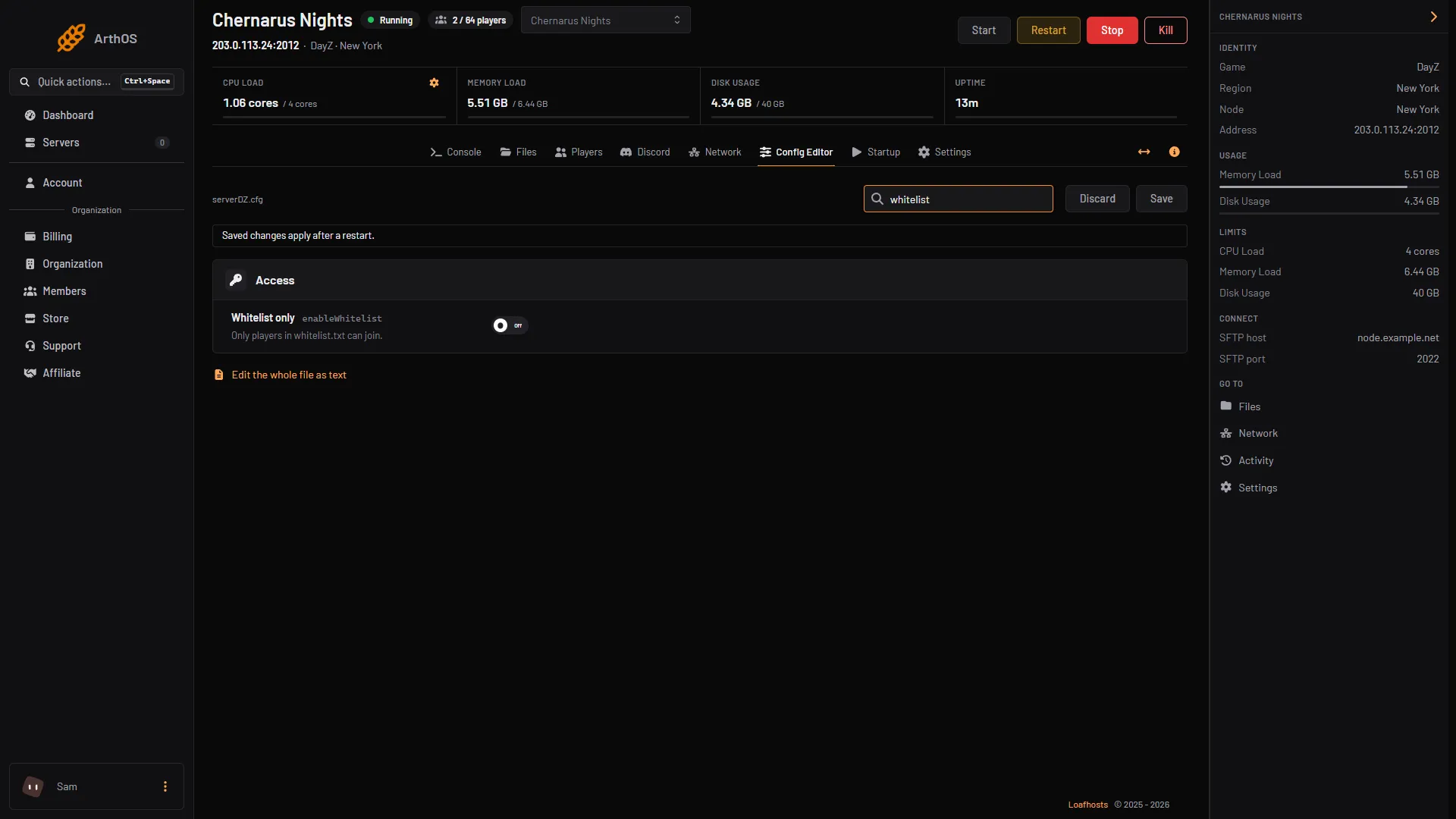
- Whitelist only
To add or remove a player later, edit whitelist.txt. No restart is needed for a list change: it applies at once while the server runs, and a removed player is kicked.
By hand
On a server you run yourself:
- In
serverDZ.cfg, setenableWhitelist = 1;(the value is 0 or 1). - Put one 44-character player ID per line in
whitelist.txtin the server folder. - Restart the server.
To let everyone back in, set enableWhitelist = 0; and restart.
If it does not work
- Nobody can join, even you. The list is empty, or the IDs in it are not the ones the server sees. Turn Whitelist only off, restart, and check your ID in the newest
.ADMfile. - A listed player is still refused. Compare their ID in the log with the line in
whitelist.txt, character by character. Use theid=value from the log, not a Steam ID or a BattlEye GUID. - Turning the switch on or off changed nothing. Restart the server. The switch is read at start. List changes need no restart.
- You want a password instead. See set a DayZ server password.
More about the game: DayZ servers.
Sources: Bohemia wiki: Server Configuration, Bohemia wiki: Administration Logs