






Type the password in Server Password on the Startup page, choose Save, and restart. Players then have to type it to join. Leave the box empty and the server is public.
In the ArthOS panel
- Open your server and choose Startup.
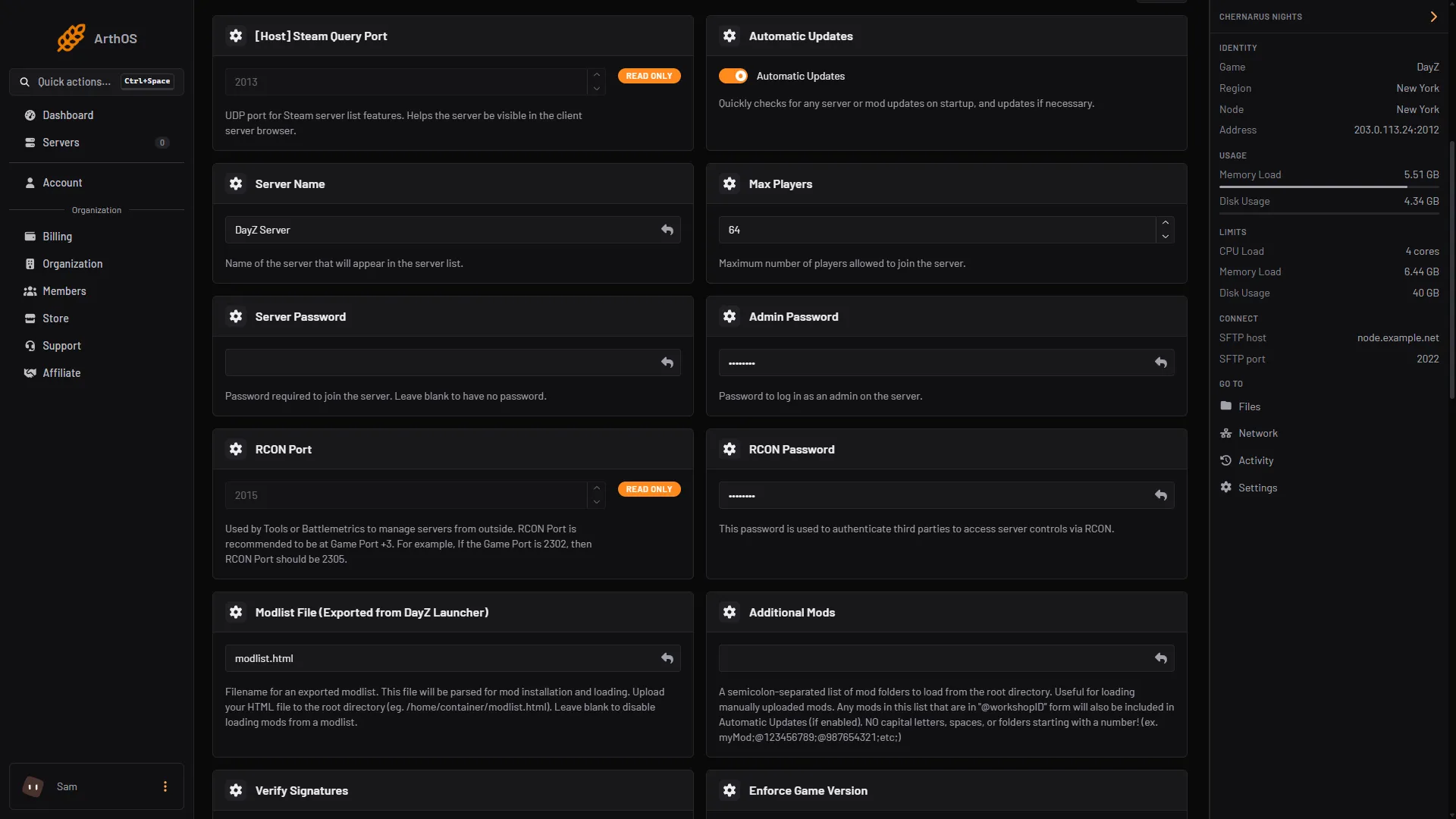
- In the Variables list, find the Server Password card. It reads “Password required to join the server. Leave blank to have no password.”
- Type the password. To remove it, empty the box.
- Choose Save at the top right of the list.
- Restart the server. The password is written into
serverDZ.cfgaspasswordat every start.
- Type the password
A server ordered from the Loafhosts store starts with a random 20-character value in Server Password, Admin Password and RCON Password. So a new DayZ server already has a join password. Players need it, or empty Server Password for a public server.
Config Editor shows Join password as a locked row that says “Set on the Startup page, which writes it on every start.” Set it on Startup, not there.
Use letters and numbers. The panel writes the password between double quotes, so do not use a double quote " in it.
What players see
A player who joins a server with a password is asked for it, and a new Loafhosts server has one. See connect to a DayZ server. The restart that applies the password disconnects everyone, so tell your players the new password first.
The admin password is different
Server Password lets players in. Admin Password is the one an admin types in the game chat to get admin rights. Do not give players the admin password. See admin login and commands.
To let only chosen players in, a password is not enough, because anyone who learns it can join. Use a whitelist.
By hand
If you host DayZ yourself, set password in serverDZ.cfg:
password = "letmein2026";An empty password = ""; means no password. Restart the server. Bohemia documents it as “Password to connect to the server” in its server configuration page.
If it does not work
- Players can still join without a password. Check you chose Save on Startup and restarted the server.
- The password prompt does not accept the password. Check for a space at the start or end of what you typed, and send it again as plain text.
- I changed it in the file and it went back. On Loafhosts the file is rewritten from Startup at each start.
Sources: Bohemia wiki: Server Configuration, store.steampowered.com: 221100