
















Only factorio.com accounts (require_user_verification in server-settings.json) makes every player sign in with a factorio.com account before they can join. Leave it on. Bans and the admin list work by player name, and the name only means something when it comes from a real account. A change applies at once, while the server runs.
A new Loafhosts Factorio server starts with it on.
Where it is
- Open the Config Editor tab of your server.
- Choose the source Server settings.
- Find the group Joining.
- Look at Only factorio.com accounts.
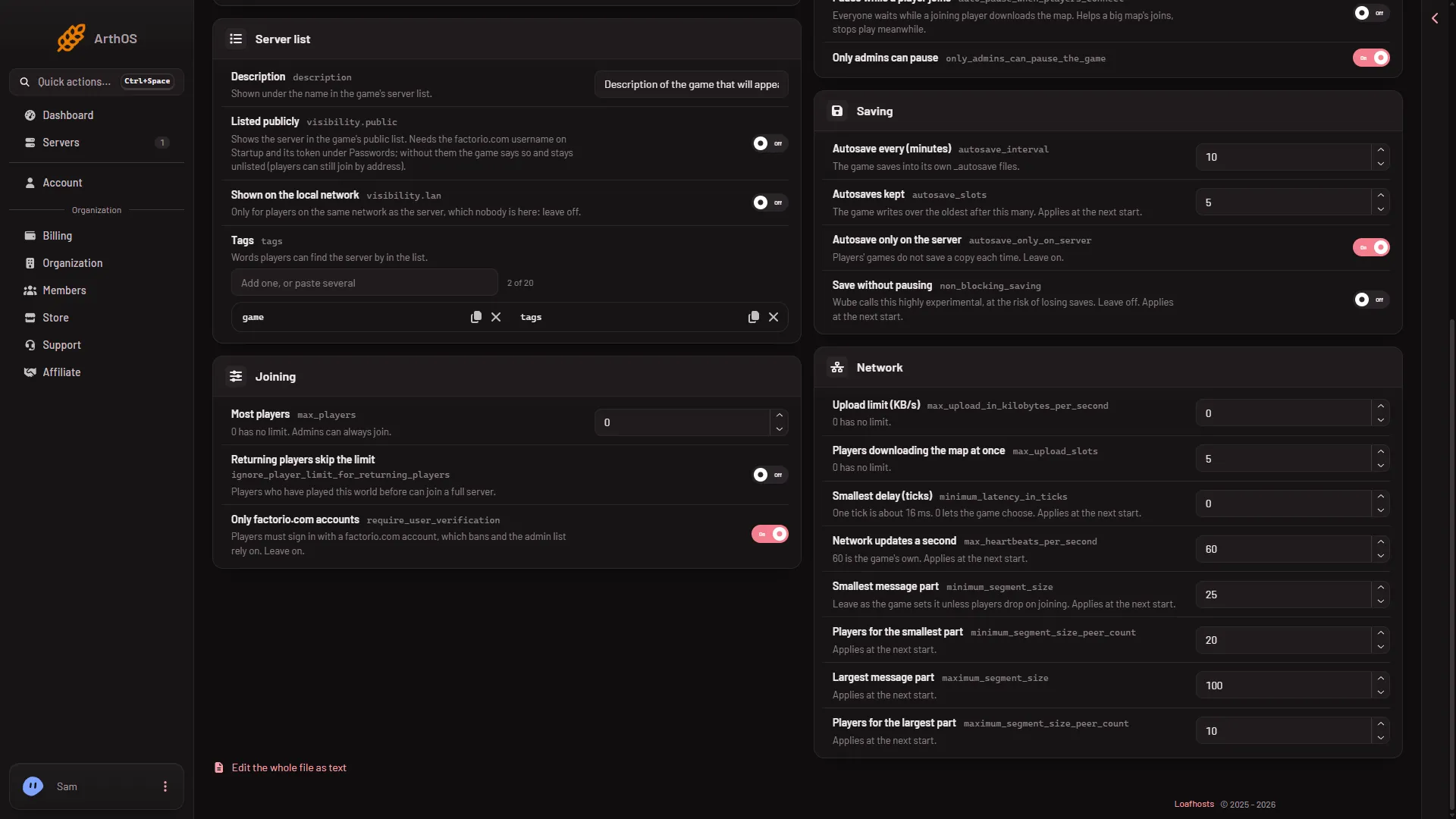
- Leave this on
Why leave it on
Your bans and your admin list name players. If anyone could join under any name, a banned player could come back under another name, and a name on your admin list could be taken by someone else. With the setting on, a name belongs to one factorio.com account.
The panel’s own advice for this setting is short: “Leave on.”
Turn it off
The panel lets you switch it off. If you do, know the cost: names are no longer tied to accounts, so bans and admin rights are easy to get around. Switch it off only for a private server where you trust everyone with the address and the join password.
Change the switch, then save the file. The panel shows that it took effect at once.
If it does not work
- A friend cannot join. Their game must be signed in to factorio.com. Ask them to sign in and try again. They also need the same game version as the server.
- Names in the lists look different. Bans are by factorio.com username, written in lower case in the list file.
More about the game: Factorio servers.
Sources: wiki.factorio.com: Multiplayer