
















Every Loafhosts Factorio server gets two ports in a row. The first is the game port. It uses UDP, and it is the one players join on. The second is the RCON port. It uses TCP, and only the panel uses it. You do not need to open or forward anything: the ports are already set up.
The two ports
- Game port, UDP. Factorio’s own default is 34197, and the game uses UDP only. Loafhosts gives each server its own port, so yours is probably not 34197. Players need your port, not the default.
- RCON port, TCP. RCON is the game’s remote console. It is the port right after the game port, and the panel sets it for you. On the Startup page it is shown as “Set by the panel: the port after the game port” and you cannot edit it.
Each server gets a block of two ports. Blocks are handed out from a range that starts at the game’s default port.
Why there are two
Players only play on the game port. The remote console is a separate channel that the game opens when it starts. The panel uses it to read who is on the server, to kick and ban players, to save the world, and to send chat messages. The game logs it as Starting RCON interface, and the Console page shows that line when the server is ready.
The RCON password is made at random when you order. You can see and change it under Passwords in the Config Editor. Players never need it.
Find your ports
- Open the Network page.
- Look at the Allocations table. Its columns are Hostname, Port, Notes and Created. The game port has a star.
- No row says what it is for. The port after the game port is RCON.
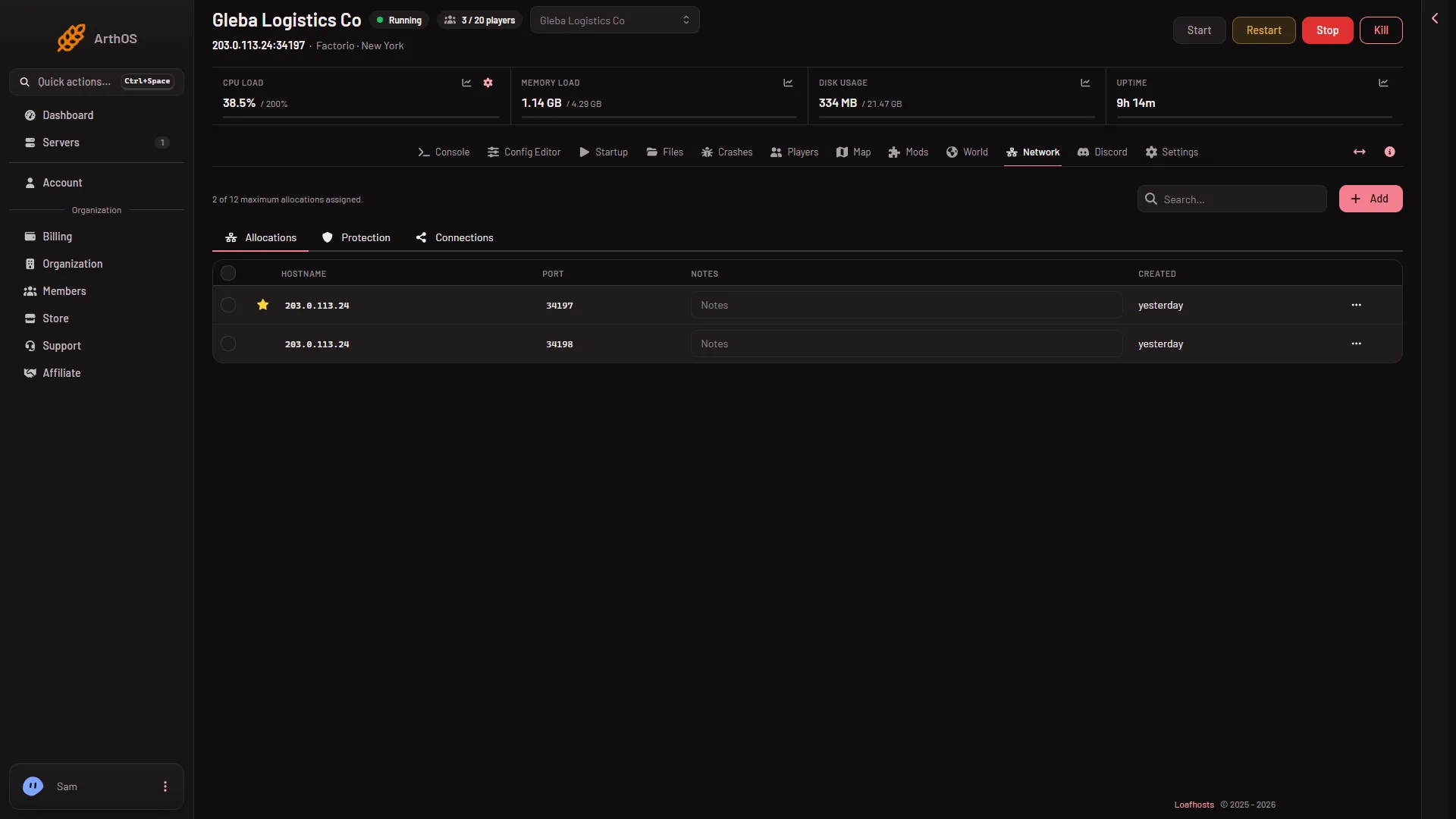
The easier way to get what players need is the Join card on the Players page. It has a Copy button that copies the address players paste into Connect to address. See connect to a Factorio server.
If it does not work
- A friend cannot join with 34197. That is the game’s default, not your server’s port. Send the address from the Join card.
- The server says it is starting and nothing joins. The game port only answers after the server is ready. Look for
Starting RCON interfaceon the Console page. - The Players page says the server is not answering yet. RCON opens once the world has loaded. Wait for it.
Sources: wiki.factorio.com: Multiplayer