









A Valheim player ID is the platform, an underscore, then the player’s number on that platform. For a Steam player it looks like Steam_76561190000000000: Steam_ and then a 17-digit Steam ID. The easiest place to read it is the Players page. More about the game: Valheim servers.
What an ID looks like
- Steam player:
Steam_and the 17-digit Steam ID. It starts with7656. - Xbox player:
Xbox_and the player’s number on Xbox. The game writes it in the same form, platform, underscore, number. Not checked on 1.0.20 as of 21 October 2026: what an Xbox number looks like. - The ID is case sensitive.
Steam_has a capital S.
The game uses these IDs in its three lists: admins, banned players and permitted players. See the permitted list and ban and kick players.
On the Players page
- Open the Players page.
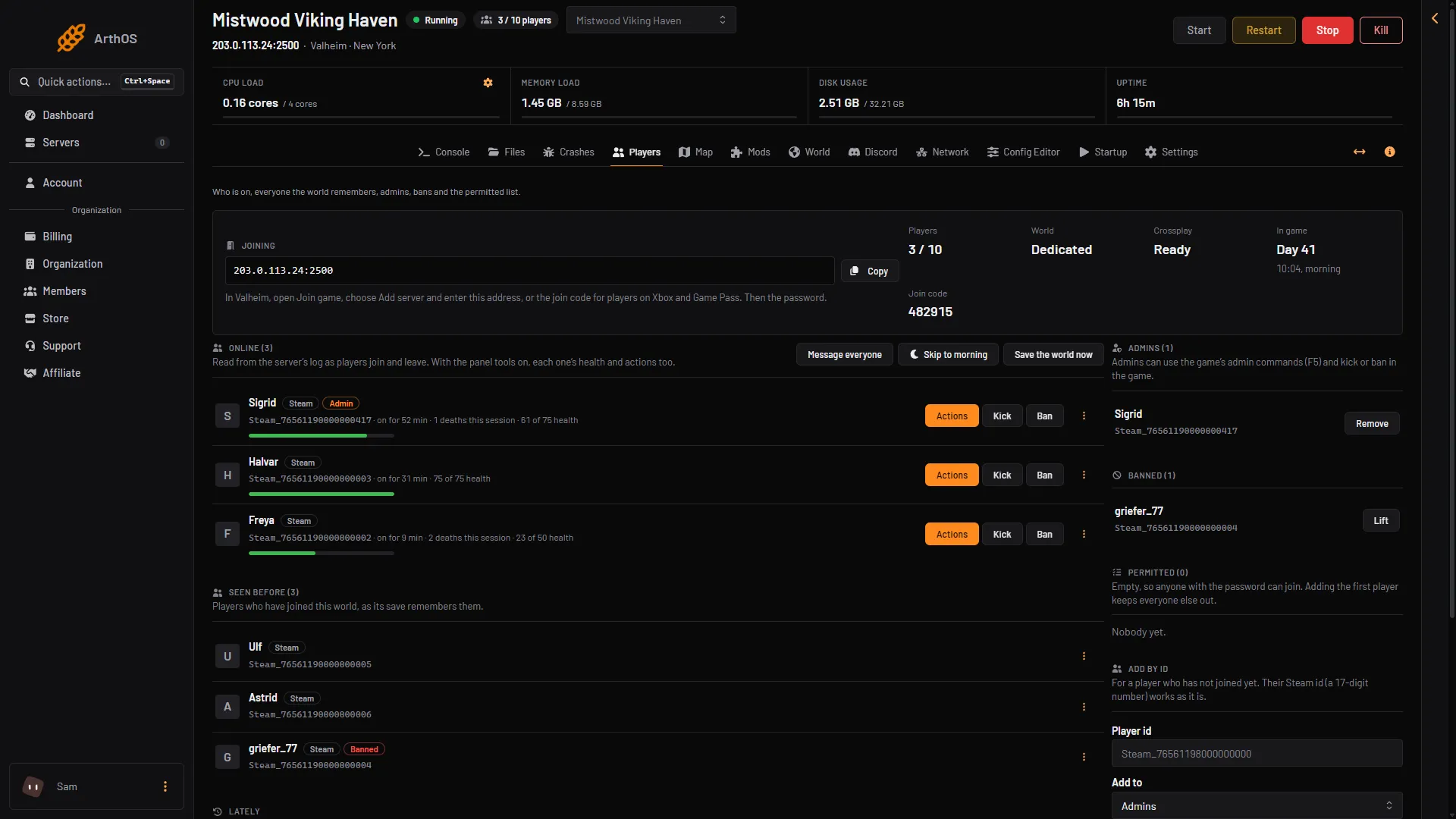
- Find the player under Online (N) if they are on now, or under Seen before (N) if they have joined this world before.
- Read the ID in their row.
- Online
- Seen before
Look in box 1 for players on now and in box 2 for players seen before.
A player who has never joined is not in either list. Ask them to find their own ID (next section), then add it by hand.
In the game
The player presses F2 in Valheim while they are on any server. The game’s F2 panel shows their platform ID. Iron Gate, the studio that makes Valheim, names the F2 panel in its server manual as the place to get it. It works on any server, so the player does not need to have joined yours. Not checked on 1.0.20 as of 21 October 2026: what the F2 panel looks like.
In the server log
On a server that uses Steam, the game writes a line when a player connects. It reads “Got connection SteamID” and then the number, for example Got connection SteamID 76561190000000000....
Open the Files page, open the logs folder and open the newest valheim_ file. Search for “Got connection SteamID”. The number after it is the Steam ID. Put Steam_ in front of it to make the player ID.
Add a player who has not joined yet
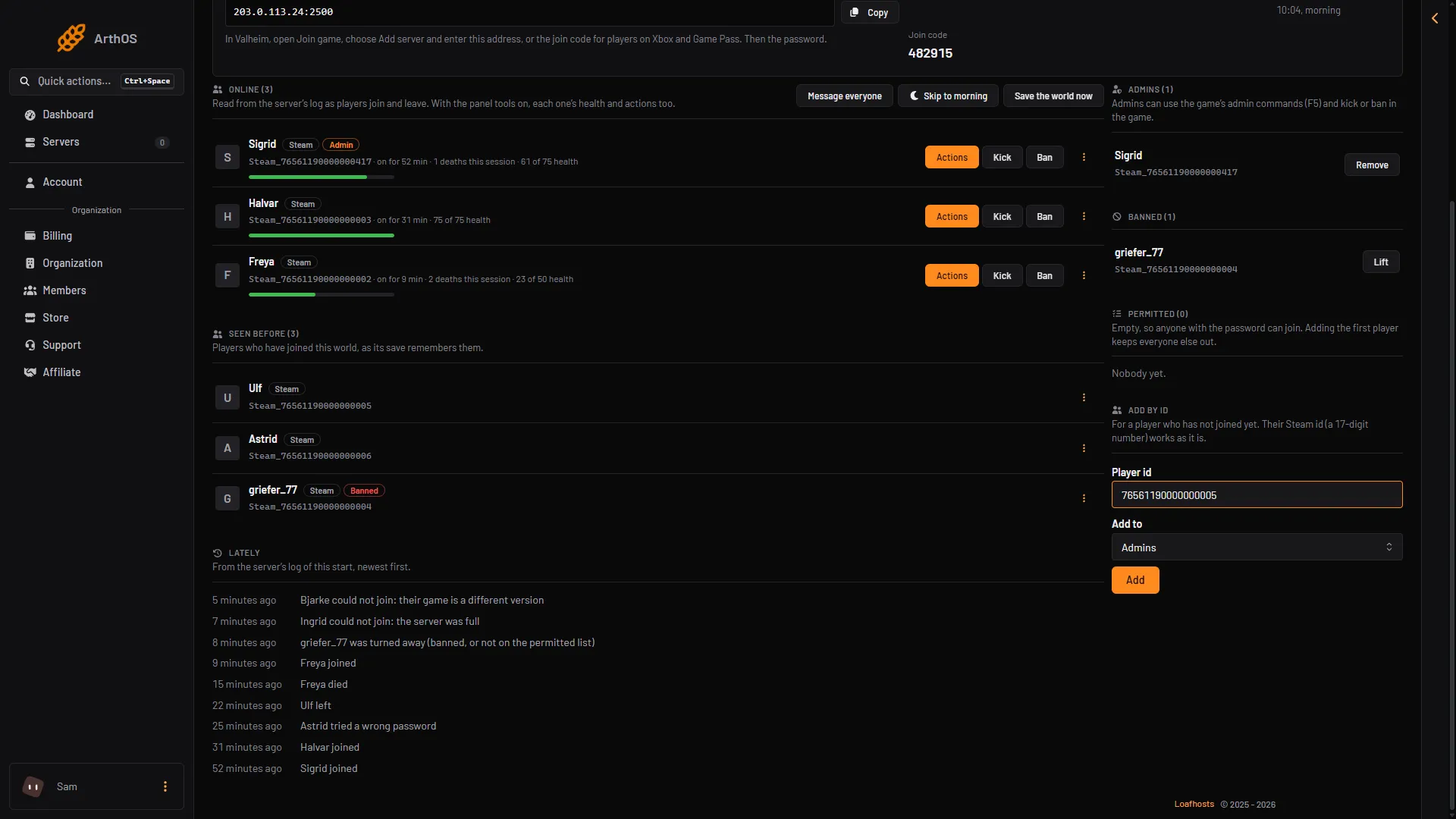
- On the Players page, find the Add by id card.
- Type the ID in Player id.
- Choose the list in Add to: Admins, Banned or Permitted.
- Choose Add.
For a Steam player you can type only the 17-digit Steam ID. The panel adds Steam_ for you. For any other platform, type the whole ID: the platform, an underscore and the number.
- Add by id
- Player id
- Add to
- Add
Type the ID in Player id (2), pick the list in Add to (3) and choose Add (4). Player ids are case sensitive.
List changes apply at once. You do not need to restart the server.
If it does not work
- The panel says the ID is not valid. A Steam ID is 17 digits. Check for a missing digit or a space. Any other ID needs the platform, an underscore and the number.
- The ID is added but nothing changes for the player. Check the capitals.
steam_is not the same asSteam_. - Nobody shows under Online. The server may be stopped or still starting. The page reads players from the server’s log, so it fills in once the world has loaded.
- The log has no “Got connection SteamID” line. The server may use crossplay, where the game writes other lines. Use the Players page or the F2 panel instead.