









The permitted list is Valheim’s whitelist. When it is empty, anyone with the server password can join. The first time you add a name, only the players on the list can join. Everyone else cannot join. Admins who are not on the list cannot join either. Add yourself first.
Before you start
The game’s own manual says: “adding a person on the permitted list will ban everyone else from the server.” Admins are not an exception. An admin who is not on the list cannot join either. Put your own id on the list before you add anyone else.
In the panel
- Open the Players page.
- Find yourself. You are under Online if you are in the game, or under Seen before if you are not.
- Open the menu on your row (the three dots) and choose Add to the permitted list.
- A box asks “Start a permitted list with (name)?”. The box tells you what the list does. Choose Add to the list to agree.
- Do the same for each friend you want to allow.
The row now shows the tag Permitted, and the name is in the Permitted list on the right. The box warns that anyone who is in the game now and not on the list is removed.
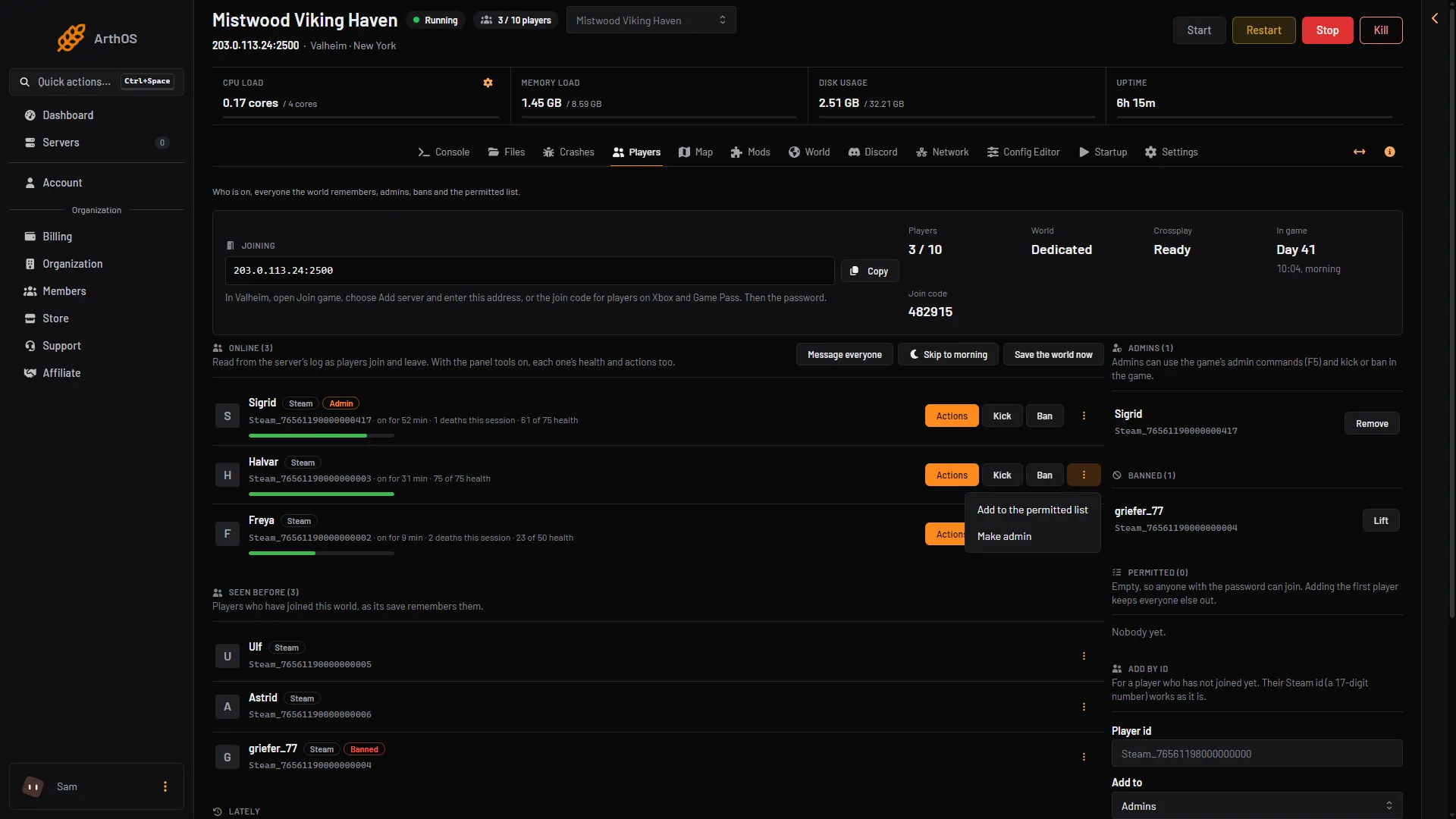
- Add to the permitted list
The picture shows another player. For the first name, use your own row.
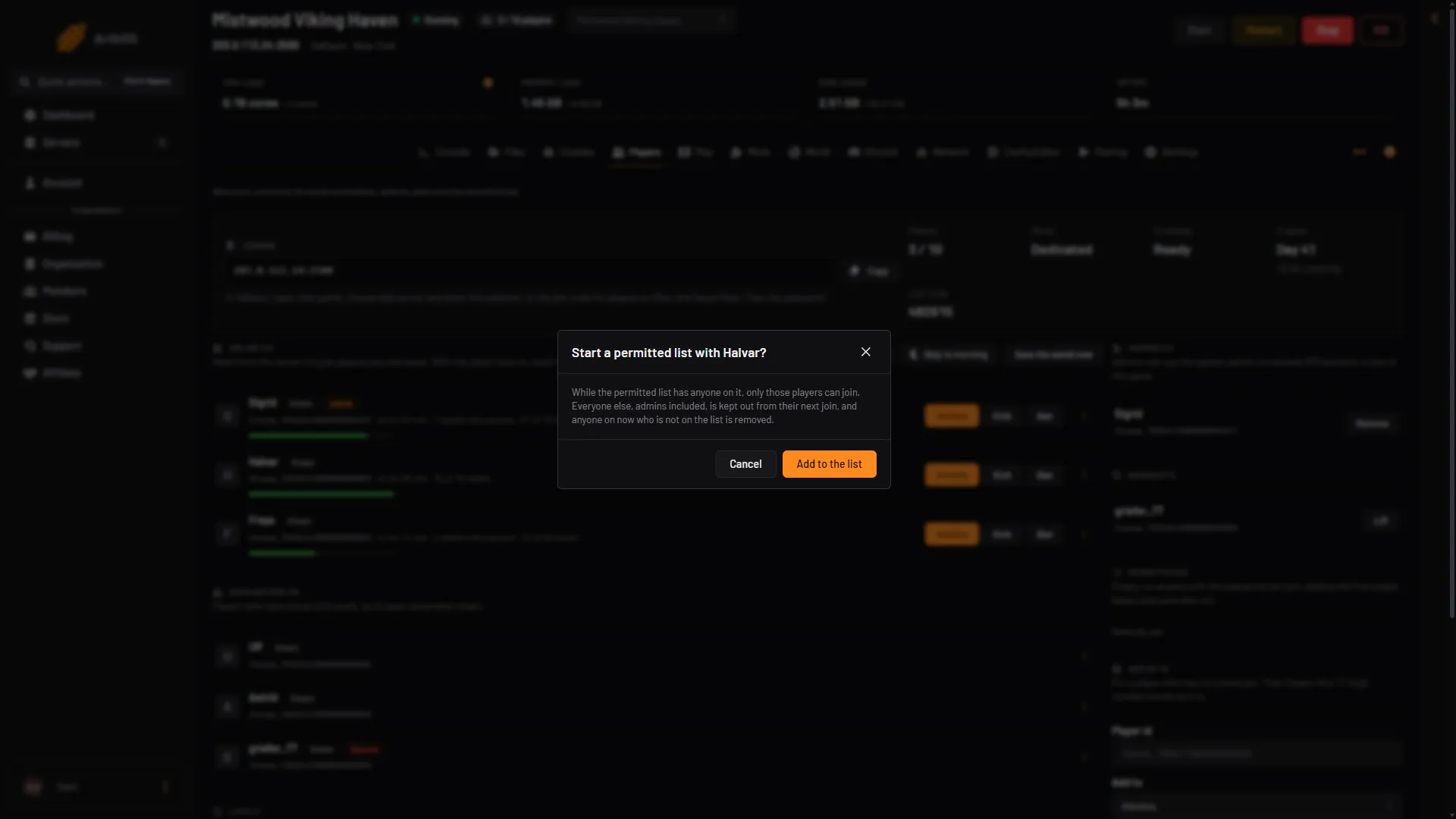
- What it does
- Add to the list
Every change applies at once. No restart is needed.
A friend who has not joined yet
Use Add by id.
- Get their id. It looks like
Steam_76561190000000000. A Steam id as a 17-digit number works as it is. See find a player id. - In the card Add by id, type it in Player id.
- In Add to, choose Permitted.
- Choose Add.
Take someone off the list
In the Permitted list on the right, choose Remove next to the name.
To let everyone in again, take every name off. The list is then empty, and anyone with the password can join. The page says so: “Empty, so anyone with the password can join.”
By hand
The list is a text file with one id per line.
- Find the save folder. On a server of your own, the game’s manual gives the default as
~/.config/unity3d/IronGate/Valheimon Linux and%USERPROFILE%\AppData\LocalLow\IronGate\Valheimon Windows, and-savedir (path)changes it. On Loafhosts, open Files and go to.config/unity3d/IronGate/Valheim. - Open
permittedlist.txt. - Add each id on its own line, such as
Steam_76561190000000000. Ids are[Platform]_[User ID]and case sensitive. Add your own id first. To add many players at once, paste all their ids here, one per line. - Save. The running game reads the file again within 10 seconds (measured on 1.0.20).
The game ships the file with one // comment line, for example // List permitted players ID ONE per line. Leaving it is fine. To empty the list, delete the id lines.
A password or a list
A password lets in anyone who knows it. The permitted list lets in only the names on it. The server can have both. To change the password, see set a server password.
If it does not work
- You locked yourself out. You were not on the list. Open Files, add your id to
permittedlist.txt, and save. Or take every name off the list. - A friend cannot join. They are not on the list, or their id is written wrongly. The Lately list shows “was turned away (banned, or not on the permitted list)”.
- Add to the permitted list is missing. Your role on the panel may not allow moderating players.
- The Players page shows nobody. A server started long ago may need one restart before the page can read who is on.
More about the game: Valheim servers.