









Open the Mods page, choose Add a mod, choose Modpacks and install the pack you want. The panel installs every mod the pack lists, and everything those mods need. It shows you the whole list before it installs anything. More about the game: Valheim servers.
What a modpack is
A modpack is a set of mods made to play together, often with their settings. You install one thing and get all of them. Without a pack you would install each mod by hand.
Install a modpack
- Open the Mods page.
- Choose the Add a mod tab.
- Choose Modpacks (box 1).
- Search or browse. Use the search box, and a sort such as Most downloaded. Packs carry a Modpack chip (box 3).
- Choose Install (box 4) on the pack.
- Read the list in the box. It says how many packages it installs and about how big the download is. Every mod the pack needs is on it.
- Confirm.
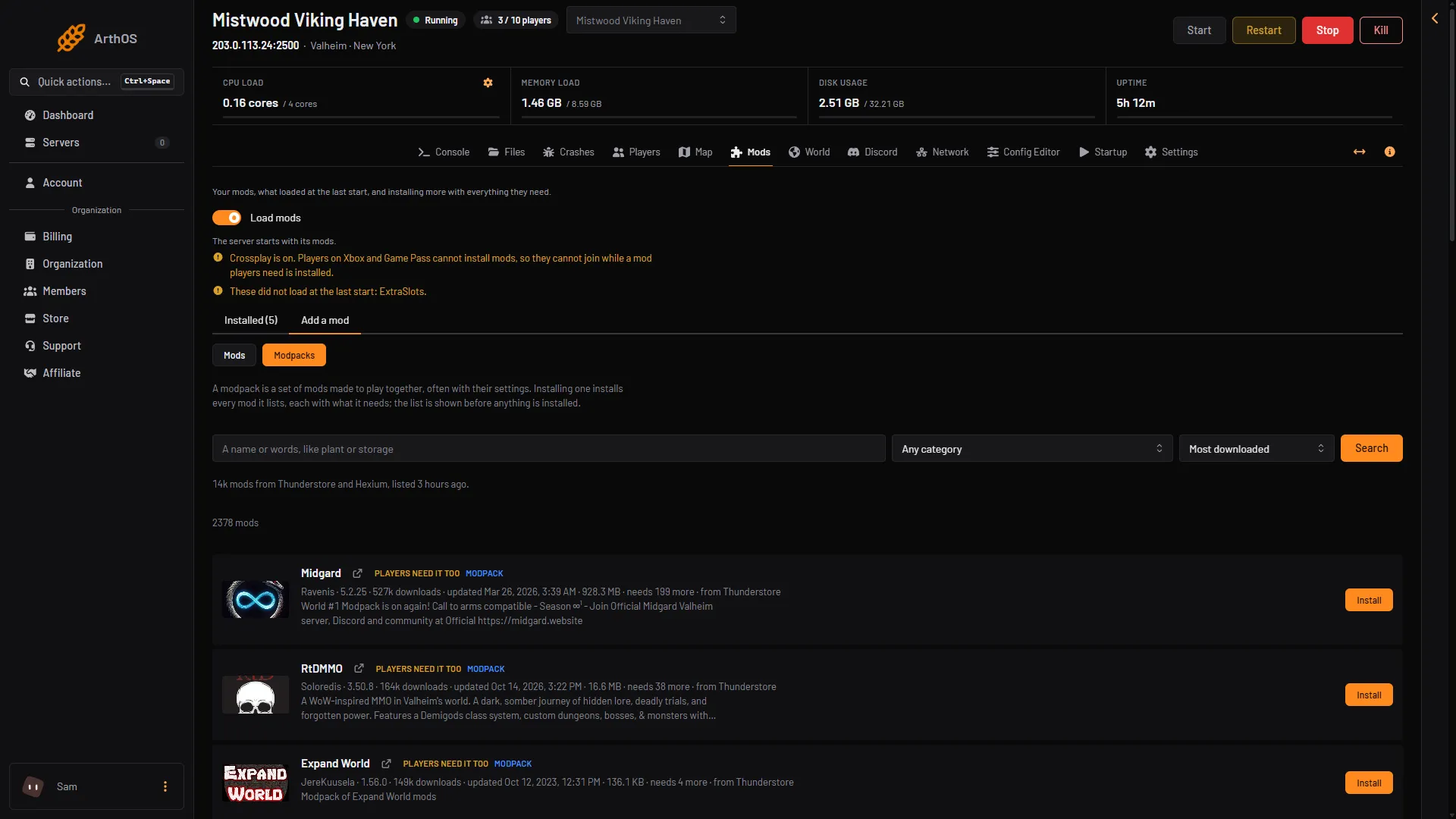
- Modpacks
- What a modpack is
- Modpack chip
- Install
The box starts with a line like “This installs 39 packages:” and lists each package with its version, size and “needed” for a dependency.
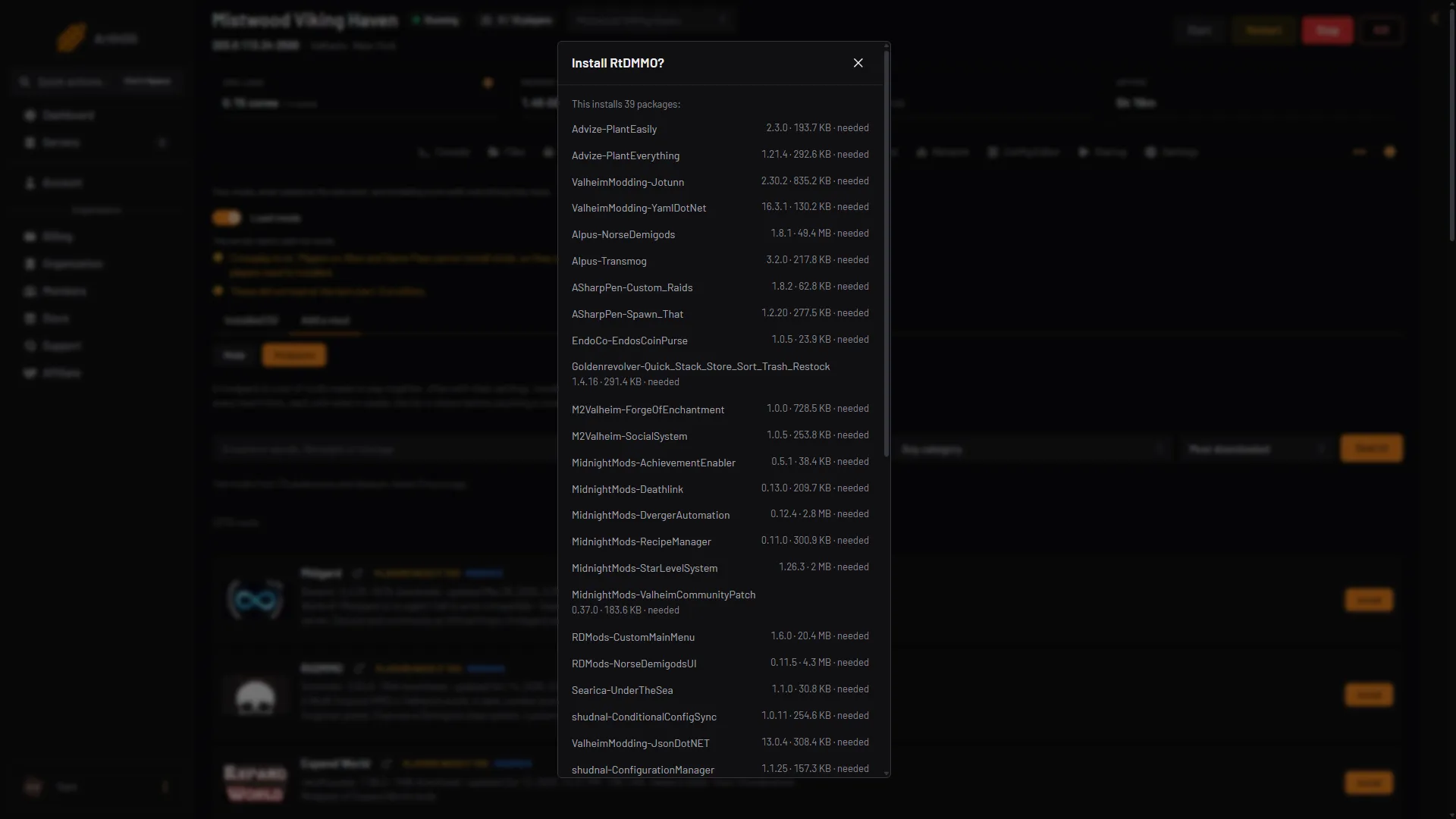
- Packages
The server stops, the packages are put in place, and it starts again if it was running. Settings files you already have are kept.
A big pack can list many packages. One install brings at most 150 packages: the pack and every package it needs that the server does not have yet. A pack over that is refused before anything happens.
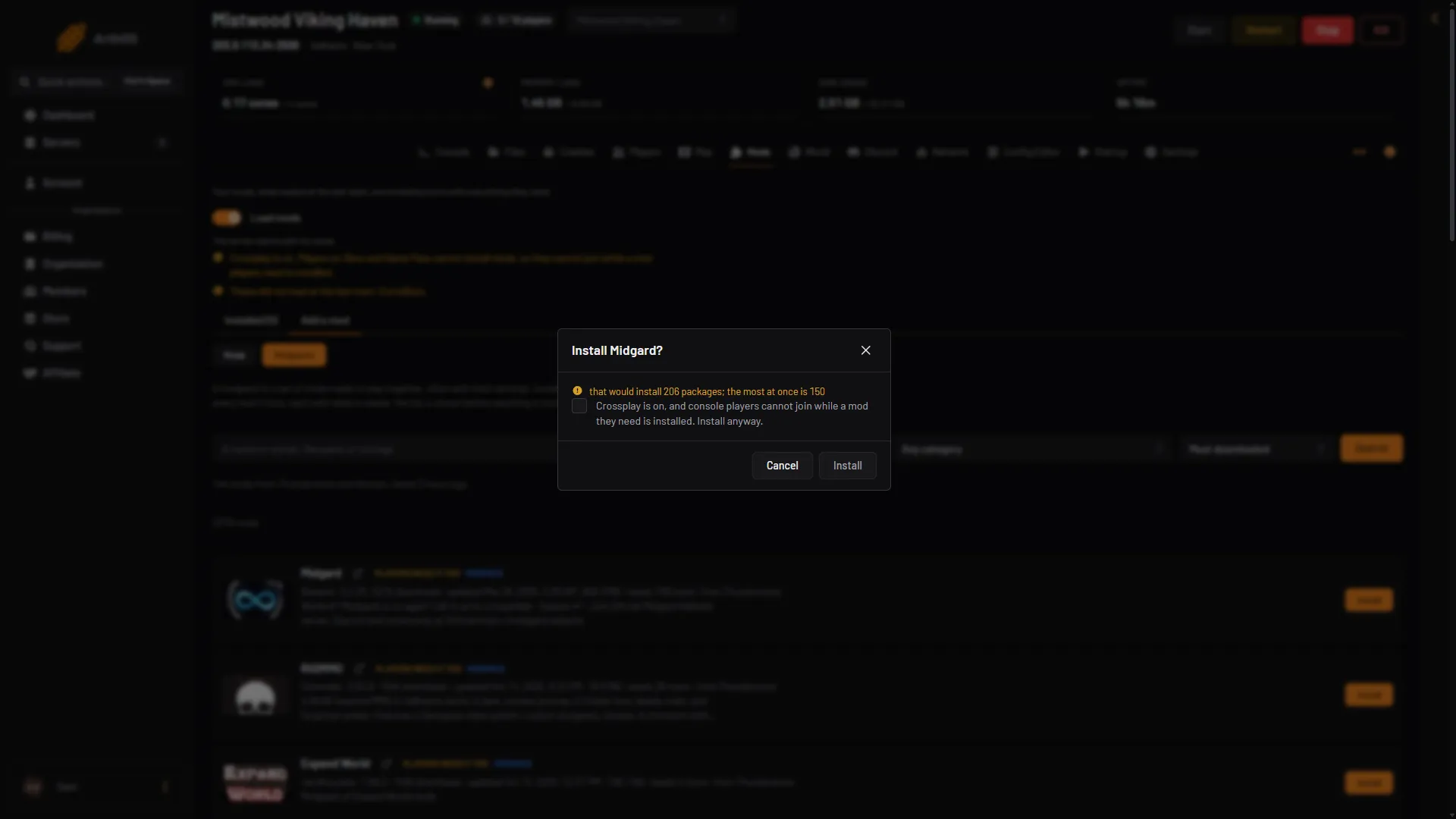
- Too many packages
- Cancel
Here the box says “that would install 206 packages; the most at once is 150” (seen for one pack on 21 October 2026). Choose Cancel (box 2). Then open the pack’s own page, with the link beside its name on the card, to read the mods it lists. Install the ones you want by name. See install mods.
Not checked on 1.0.20 as of 21 October 2026: uploading a whole pack zip with Upload a mod.
After the install
- Wait for the server to start. A pack with many mods takes longer than the plain game.
- Open the Installed tab. The pack carries the chip Modpack. Its mods are listed with their own chips.
- Check that the mods show Loaded.
- Open the Config Editor if you want to change a mod’s settings. Each mod has its own settings file there.
See the Valheim mod manager for what each chip means.
Players need the same pack
A pack usually has mods that players must install too. Check for the chip Players need it too. If you have it, tell your players to use the same pack and the same versions. The easiest way is to take the pack from Thunderstore, or from a mod manager profile that you share with them. A mod manager such as r2modman can export a profile so friends get the same mods and settings.
Players should only take the pack from Thunderstore or from a mod manager you trust. See how players install Valheim mods.
With crossplay on, players on Xbox and Game Pass cannot install mods. They cannot join while a mod players need is installed. With crossplay on, the install box has a tick box you must tick before Install works.
Memory
Mods make the server work harder. Valheim’s own wiki says a modded server needs better hardware than a plain one. A big pack can use much more memory than the plain game. If the server runs out of memory, the Crashes page reports it with the finding “The server ran out of memory”. Remove some mods, or choose a smaller pack.
If it does not work
- The panel says it would install too many packages. The pack and what it needs come to more than 150 packages, so nothing is installed. Open the pack’s own page to read its mods, then install the ones you want by name.
- A mod shows Did not load. See Valheim mods not loading.
- Players cannot join. Their mods or versions differ from the server’s. They need the same pack.
- You want the plain game back. Turn Load mods off on the Mods page. Nothing is removed. The next start runs the game without mods.
Sources: github.com: R2modmanPlus, valheim.fandom.com: Dedicated servers