






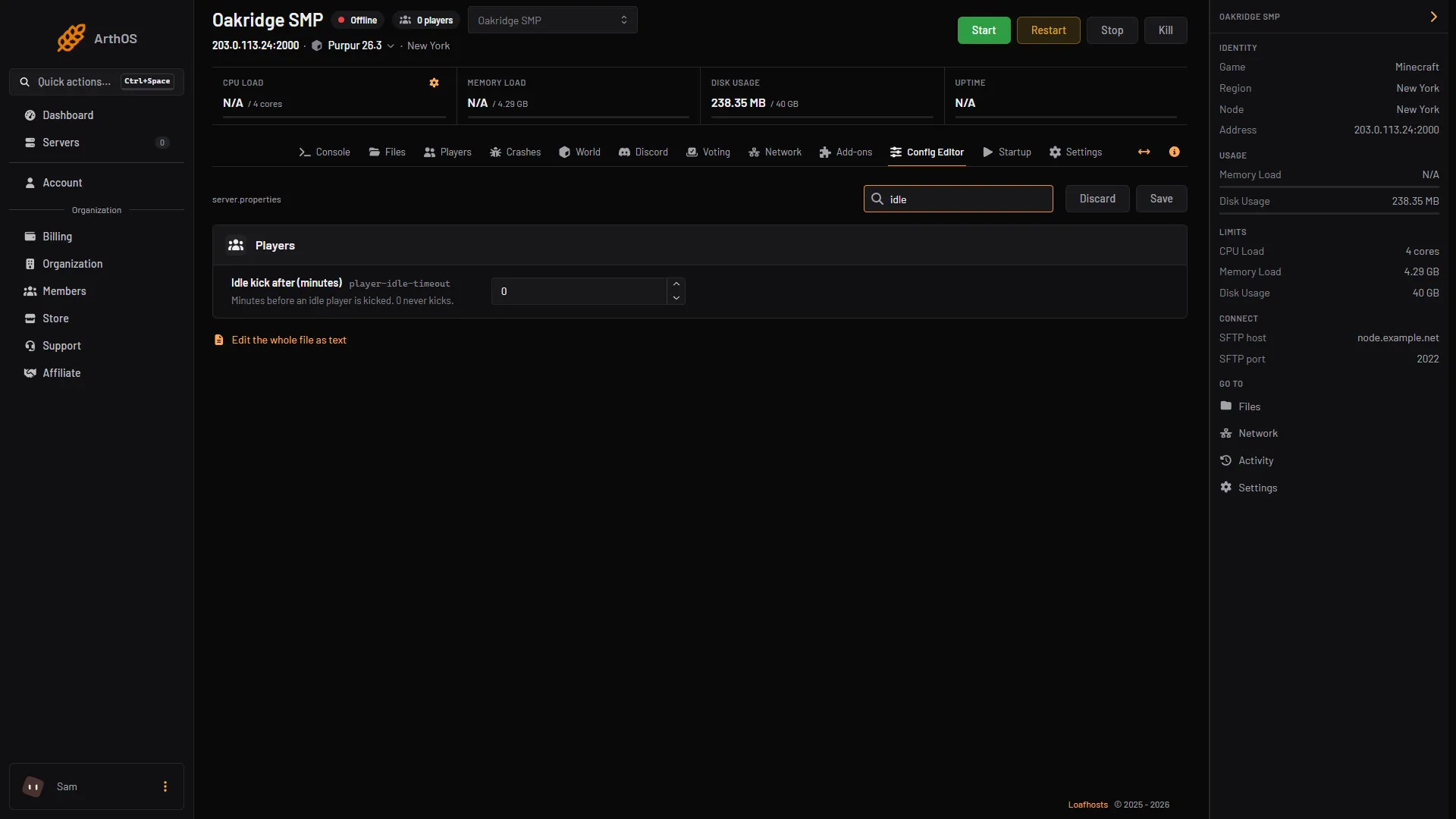
To kick players who are away from the keyboard, set Idle kick after (minutes) in the Config Editor to the number of minutes you allow. Save and restart. A value of 0 never kicks anyone, and 0 is the default for a Java server.
An idle player is kicked with the message “You have been idle for too long!” This is the game’s own text. It frees a slot on a full server (see maximum players).
What counts as idle
The Minecraft Wiki says the timer is reset when the server receives one of these from the player:
- an action such as breaking a block,
- using an item, or using an item on a block,
- changing the held item,
- a chat message,
- swinging an arm,
- interacting with something,
- clicking in a container, or a container button,
- placing a recipe,
- editing a sign.
Moving is not on the wiki’s list. A player who only walks, runs or flies around can still be counted as idle.
In the ArthOS panel
- Open your Minecraft server and choose Config Editor.
- Type “idle” in Search….
- Type the number of minutes in Idle kick after (minutes) (1). It sits in the Players group. The panel’s help says: “Minutes before an idle player is kicked. 0 never kicks.”
- Choose Save (2). The banner says “Saved changes apply after a restart.”
- Restart the server.
- Idle kick after minutes
- Save
By hand
- Stop the server.
- Open
server.propertiesin Files. - Set
player-idle-timeoutto the number of minutes. The wiki says: “If set to 0, idle players are never kicked.” - Start the server. A change to
server.propertiesneeds a restart.
For example, player-idle-timeout=15 kicks a player after 15 minutes without any of the actions above.
If it does not work
- Nobody is ever kicked. The value is still 0, or you did not restart after Save.
- A builder was kicked while working. Placing and breaking blocks reset the timer. Moving alone does not. Raise the number of minutes.
- A player is kicked while only walking. See the list above. Walking is not on it.
- Operators. The wiki does not say whether operators are exempt. Not checked on 26.3 as of 11 October 2026.
- You want to remove someone for another reason. See ban and kick players.
On a Bedrock Dedicated Server the same key exists. Its file says the default is 30 minutes, and 0 lets players idle indefinitely.
More on the game: Minecraft servers.
Sources: minecraft.wiki: Server.properties, raw.githubusercontent.com: En us.json