






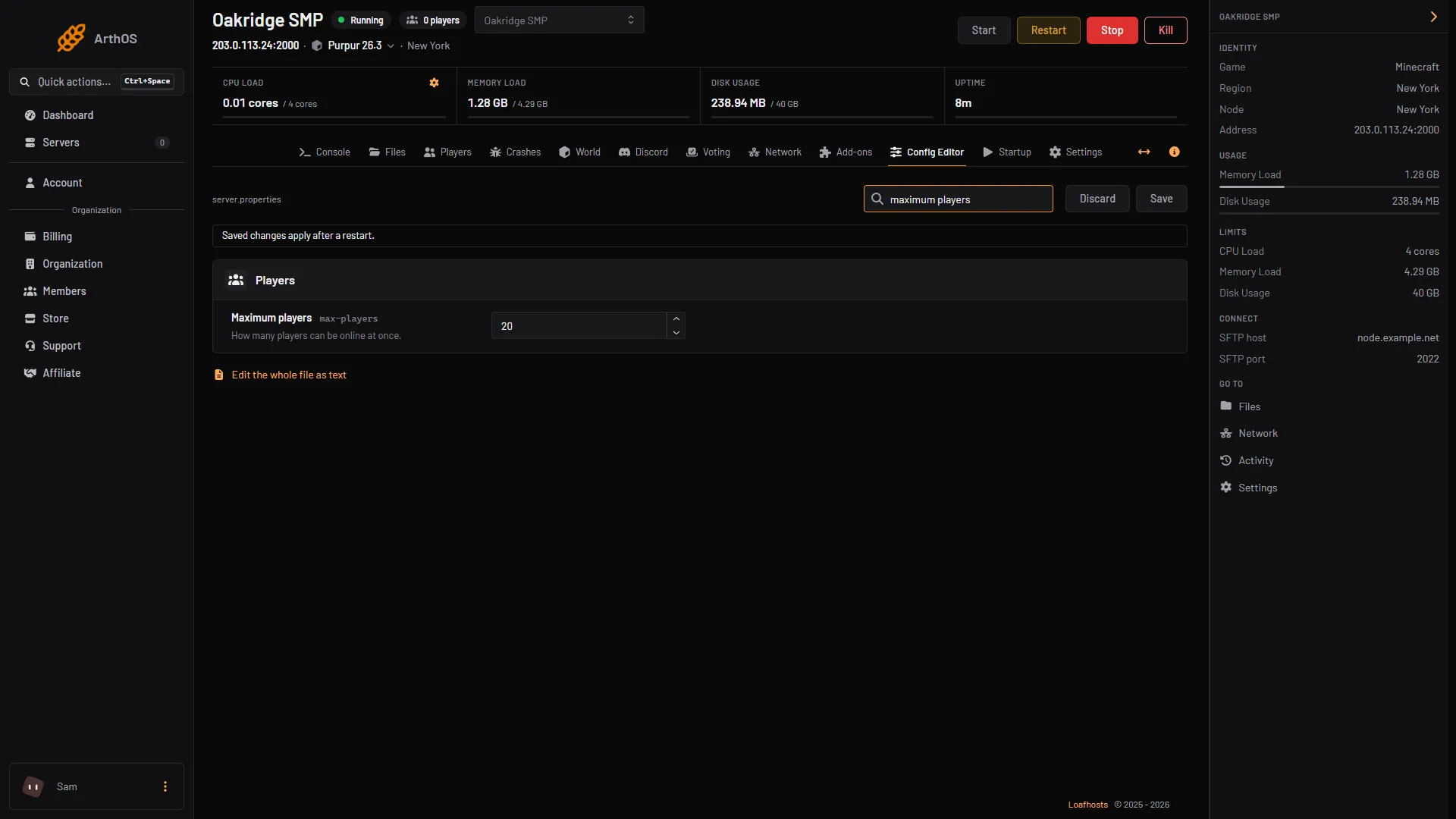
Open the Config Editor, change Maximum players in the Players group, choose Save and restart the server. The default is 20. The number is the most players that can be online at the same time; it is a cap, not extra memory.
What the number counts
max-players is “the maximum number of players that can play on the server at the same time” (Minecraft Wiki). It counts players online right now, not how many have ever joined. When the server is full, the next player is refused until someone leaves.
The cap does not give your server more memory or processor time. A server built for ten friends does not become a server for a hundred players because the number says so. Each extra player adds load, and a large view distance multiplies it, so size the server for the players you expect. See view distance for the setting that matters most.
In the ArthOS panel
- Open your Minecraft server and choose Config Editor. Type “maximum players” in Search (1).
- In the Players group, change Maximum players (2). The help text reads “How many players can be online at once.”
- Choose Save (3). The editor reminds you: “Saved changes apply after a restart.”
- Restart the server.
- Search
- Maximum players
- Save
To check the limit the running server uses, type list in the Console. On a new server it answers “There are 0 of a max of 20 players online:”, and the number after “max of” is your limit.
By hand
Open Files, then server.properties, and set the line:
max-players=30Save and restart. The setting is read at start, so it never changes on a running server.
Bedrock servers
A Bedrock Dedicated Server has a max-players key too, with a default of 10 and the note that higher values have a performance impact. In the panel, edit it in Files, then server.properties, and restart.
If it does not work
- Players are refused before the number is reached. Check Maximum players was saved and the server was restarted. Also check the whitelist is not on: see the whitelist guide.
- The server lags with many players. Lower the view distance first, then think about a bigger size. See view distance.
- The Config Editor refuses the number. It must be a whole number, not text.
- The limit did not change. Type
listin the Console and read the number after “max of”. If it is the old one, the server has not restarted since you saved.
More on the game: Minecraft servers.
Sources: minecraft.wiki: Server.properties