






Type list in the server console, or /list in game chat. It prints how many players are online, the maximum, and each name. Anyone can use /list in chat: it needs no operator rights.
In the ArthOS panel you do not need a command: the server header shows the count, and the Players tab lists the names.
In the ArthOS panel
- Open your server. Next to the server name, the header has a chip with the number of players online (1).
- Open the Players tab. The subtitle under the title shows the same count.
- Choose the Online chip (2). The chip lists who is on right now, with the number beside the chip.
- Read the names in the list (3). Choose Offline or Everyone to see players who joined before.
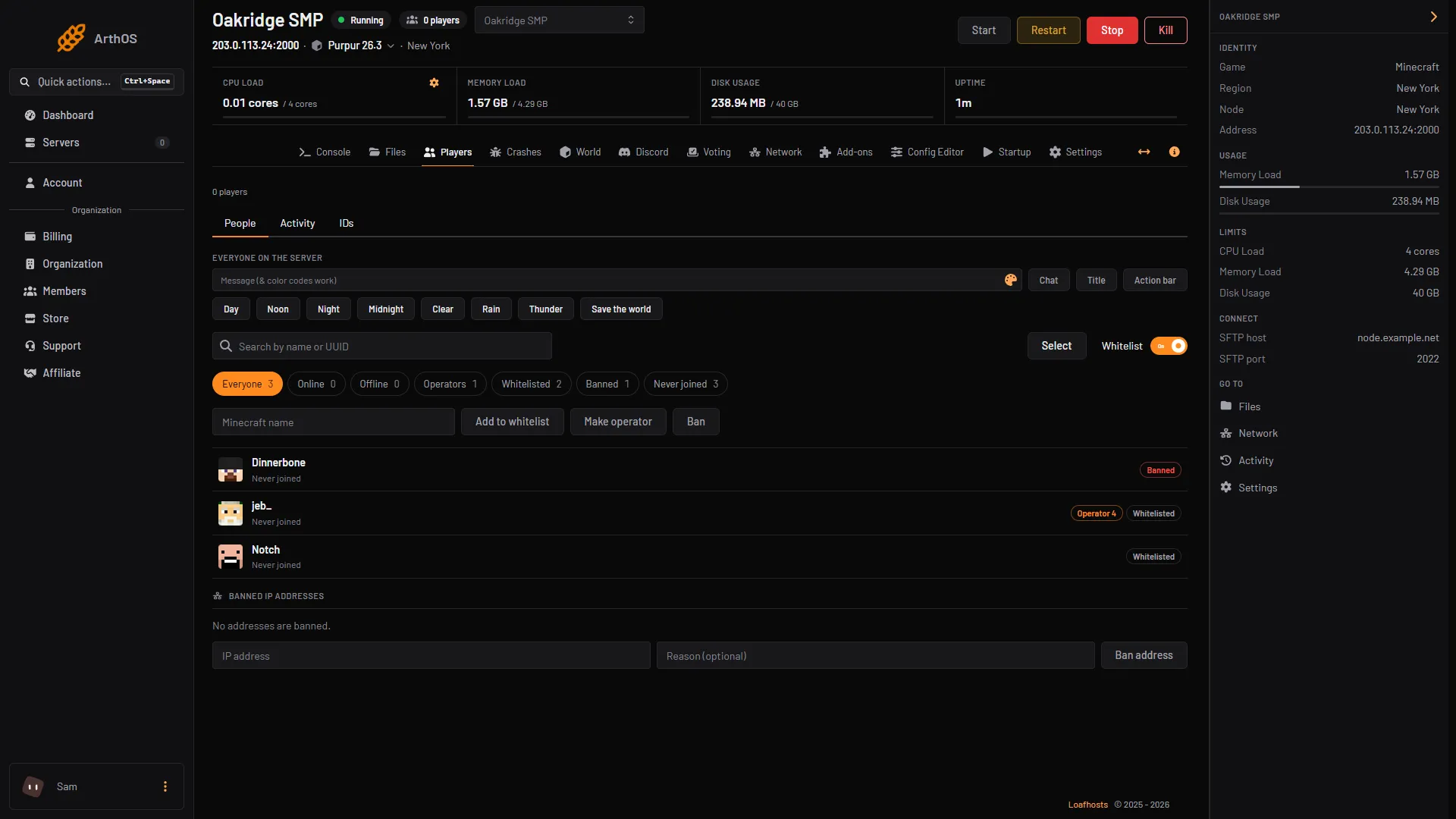
- Players online
- Online chip
- Player list
When the server is stopped, the subtitle says Stopped and the Online chip shows a dash. Nobody is on a stopped server.
By hand
Use the Console tab, or the console of wherever you host.
- In the console, type
listand press Enter. No slash. - Read the answer. It looks like this:
There are 3 of a max of 20 players online: Alex, Steve, Notch- To see each player’s UUID as well, type
list uuids. Every name is followed by its UUID in brackets.
In game, the same commands work with a slash: /list and /list uuids.
The command shows who is on at that moment. Run the command again for a fresh answer.
What players see in the server list
The multiplayer menu shows the same count under your server. In the Config Editor, under Server list, you can change two settings:
- Hide player names keeps the names out of the server list.
- Show in the server list, when off, makes the server show as offline there. Players can still join.
Saved changes apply after a restart.
If it does not work
- The Players page says Stopped. Start the server first. The count and names only exist while it runs.
- The count shows 0 but people are on. The panel reads the count the same way the multiplayer list does. If Show in the server list is off, the count can read 0. Type
listin the console instead. - A name is missing from the Online list. The game tells the panel at most 12 names. When more players are on, the panel reads the rest from the server log and says so on the page. Type
listin the console to see every name.
More on the game: Minecraft servers. Other commands are in the server commands guide.
Sources: minecraft.wiki: List, raw.githubusercontent.com: En us.json