






Open Players, type the name, choose Make operator. To take it away, click the player and choose Remove operator. The console commands op and deop are under By hand.
An operator can run commands in game. How much they can do depends on their level, from 1 to 4. Only make players operators if you trust them.
In the ArthOS panel
Open your server and the Players tab.
- Type the player’s name in the Minecraft name box (1).
- If the server is stopped, choose the level in the select beside it (2), Level 1 to Level 4. It starts on Level 4. A running server has no level select.
- Choose Make operator (3).
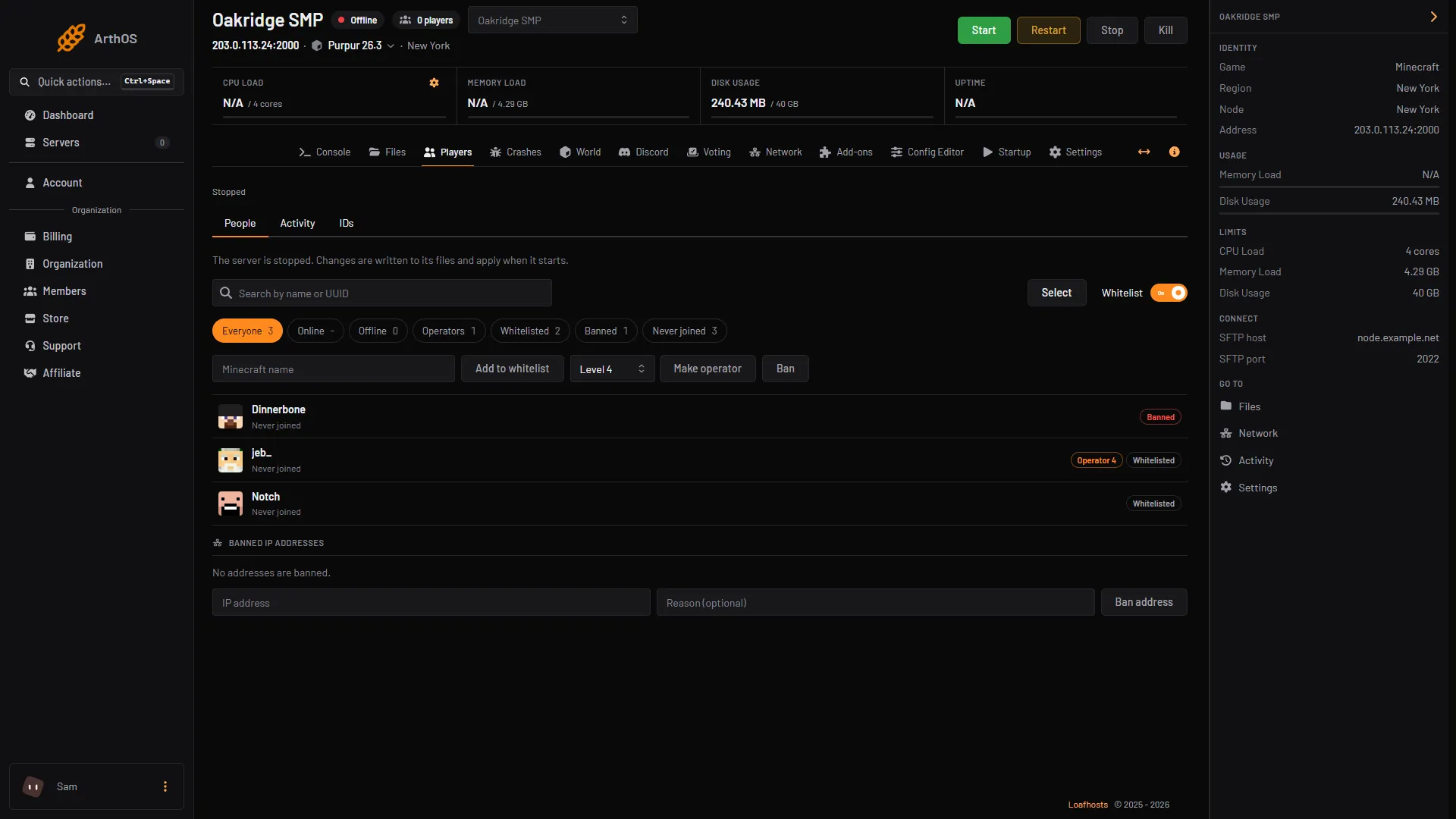
- Type the name
- Choose the level
- Make operator
If the server is running, the player becomes an operator at the level set by Operator permission level in the Config Editor. A running server cannot be given a different level from the Players page.
To find operators, choose the Operators chip. Each one carries a tag such as Operator 4.
To remove one, click the player and choose Remove operator (1).
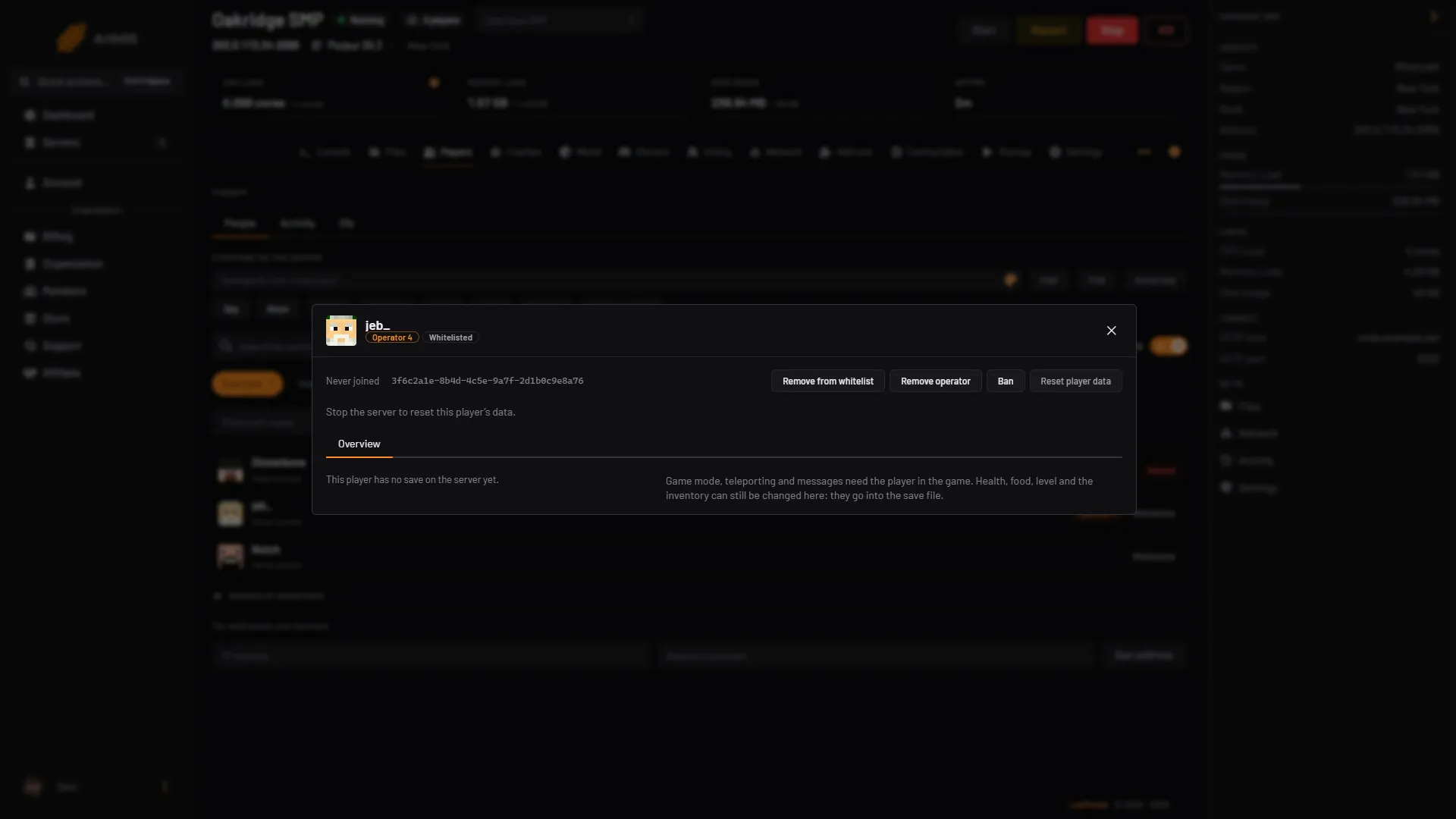
- Remove operator
To change several at once, choose Select, tick the players, and choose Make operator or Remove operator.
Set the default level
- Open the Config Editor.
- Under Players, find Operator permission level (1). Choose a number from 0 to 4.
- Choose Save. The change applies after a restart.
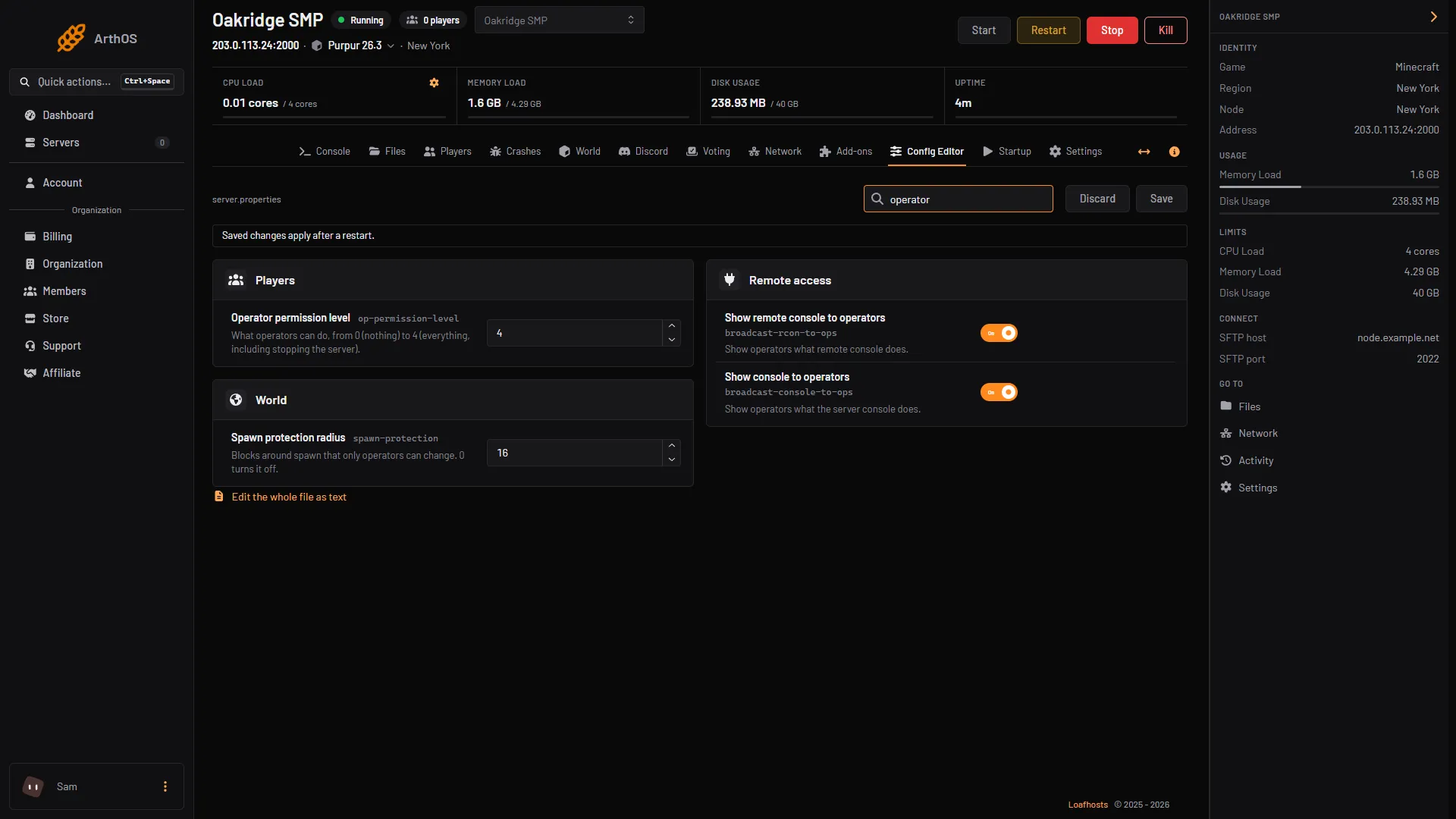
- Operator permission level
Give a lower level
- Open the Config Editor, find Operator permission level, choose the level and choose Save.
- Restart the server.
- On the Players tab, choose Make operator. Or, with the server stopped, pick the level in the select on the Players page first.
By hand
In the server console, with no slash:
op Alexmakes Alex an operator. The game answersMade Alex a server operator.deop Alexremoves them. The game answersMade Alex no longer a server operator.
In game, a player of level 3 or higher can type the same with a slash.
The operators live in ops.json:
[
  {
    "uuid": "11111111-1111-1111-1111-111111111111",
    "name": "Alex",
    "level": 2,
    "bypassesPlayerLimit": false
  }
]
op always gives the default level, which is op-permission-level in server.properties. It is 4 unless you changed it. To give one player another level, stop the server, change level in ops.json, and start it again. bypassesPlayerLimit lets the player join when the server is full. To bring an ops.json from another server, stop this server and upload the file in Files.
What each level can do
Each level includes everything below it.
| Level | Name | What it adds |
|---|---|---|
| 1 | Moderator | Can build in the area around spawn that other players cannot change. |
| 2 | Gamemaster | More commands, such as changing game mode or giving items. |
| 3 | Admin | The commands that manage players, such as ban, pardon, whitelist and op. |
| 4 | Owner | Every command, including the ones that manage the server. |
Operators can join even when the whitelist is on.
If it does not work
- The game says
Nothing changed. The player is already an operator.opdoes not change the level of an operator. Rundeop, thenopagain, or changelevelinops.jsonwhile the server is stopped. - The panel says there is no Minecraft account with that name. Check the spelling.
- The panel will not add a player while the server is stopped. A stopped server needs Check Minecraft accounts on, because the panel looks the name up. Start the server and try again.
- An operator cannot use a command. Their level is too low. Level 3 is needed for commands such as
banandop. - Operators have more power than you want. Lower Operator permission level, or use a permission plugin. See LuckPerms ranks.
Other player tasks
Looking for the player manager? In the ArthOS panel these all live on the Players tab: see who is online, whitelist players, and unban someone.
More on the game: Minecraft servers.
Sources: minecraft.wiki: Op, minecraft.wiki: Server, minecraft.wiki: Server.properties, minecraft.wiki: Permission level, raw.githubusercontent.com: En us.json, github.com: Wiki