






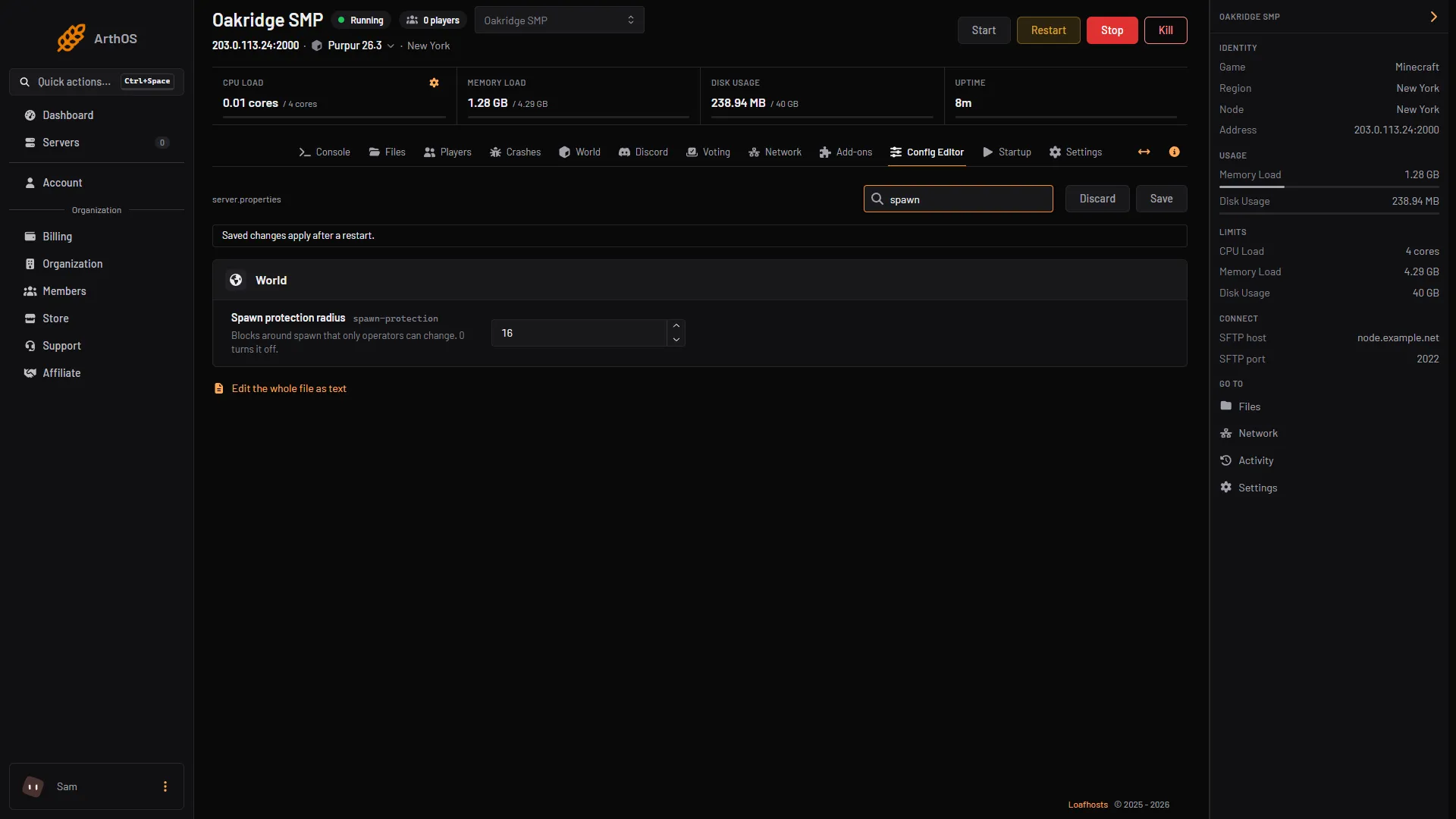
Open the Config Editor, set Spawn protection radius in the World group to 0, choose Save and restart. That turns spawn protection off. The default is 16, which protects a square of 33 by 33 blocks around the spawn point where only operators can place or break blocks.
What it protects
Spawn protection stops players from building around the spawn point: they cannot place or break blocks there. It exists only on servers, not in singleplayer or LAN worlds, and only in the Overworld.
The number is a radius, but the area is a square. The side length is twice the number plus one:
| Setting | Protected area |
|---|---|
0 | Off |
1 | 3 by 3 blocks |
2 | 5 by 5 blocks |
16 (default) | 33 by 33 blocks |
The square is centered on the spawn point. The Minecraft Wiki also notes that the game disables spawn protection for a negative number.
Two things do not apply:
- Operators are not affected. Players in
ops.jsoncan build inside the area. See op and deop players. - A server with no operators has no protection. With nobody opped, spawn protection does not apply at all, whatever the number is.
In the ArthOS panel
- Open your Minecraft server and choose Config Editor. Type “spawn” in Search (1).
- In the World group, change Spawn protection radius (2). The help text reads “Blocks around spawn that only operators can change. 0 turns it off.”
- Choose Save (3), then restart the server. The editor says “Saved changes apply after a restart.”
- Search
- Spawn protection radius
- Save
The Config Editor shows the row either way.
WorldGuard can protect spawn instead. If you use it, set the radius to 0 here. See WorldGuard regions.
By hand
Open Files, then server.properties, and set:
spawn-protection=0Save and restart. The Minecraft Wiki notes that this line is not generated on the very first start. It appears after the first player joins, so if you cannot find it yet, add the line yourself.
If it does not work
- Players still cannot build near spawn. Check the value was saved and the server was restarted. A value above 0 protects a square, so players who walk a long way from the spawn point can build again.
- I cannot find the setting in
server.properties. It is created after the first player has joined. Addspawn-protection=0yourself and restart. - Spawn protection does nothing for me. You are an operator, or the server has no operators. Both bypass it.
- Someone breaks blocks anyway. The Minecraft Wiki lists indirect ways around spawn protection, such as pistons, dispensers, explosives and mobs that change blocks.
More on the game: Minecraft servers.
Sources: minecraft.wiki: Server.properties, minecraft.wiki: Spawn protection