






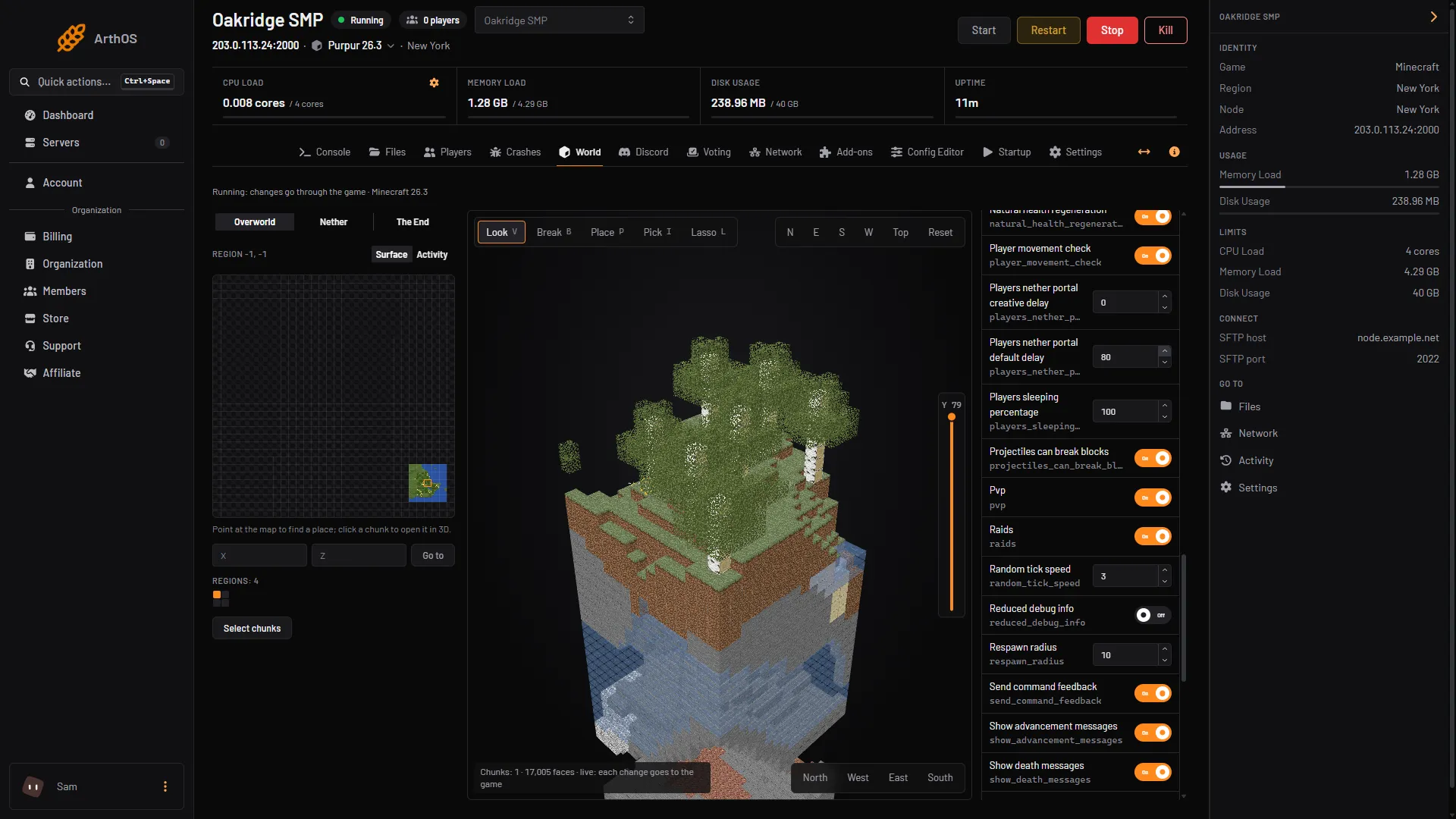
PvP means players can hurt each other. To turn it off, type gamerule pvp false in the Console. Type gamerule pvp true to turn it back on. You can also use the Pvp switch in the Rules tab of the World tab.
The Config Editor has no PvP setting. Searching it for “pvp” shows “No settings match your search.”
Why there is no setting in the Config Editor
PvP is a game rule (the command word is gamerule). A game rule is a setting that belongs to one world.
pvp=false in server.properties was the old way. On 26.3 the line no longer exists. The Minecraft Wiki’s server.properties page lists “Property pvp replaced with game rule pvp” in its history. The game rule is on by default: “Whether players can damage other players.”
A new world starts with PvP on again.
In the ArthOS panel
With the Console
- Open your Minecraft server and choose Console.
- Type
gamerule pvpto read the value. The reply is “Game rule pvp is currently set to true”. - Type
gamerule pvp falseto turn PvP off, orgamerule pvp trueto turn it on. Type no slash.
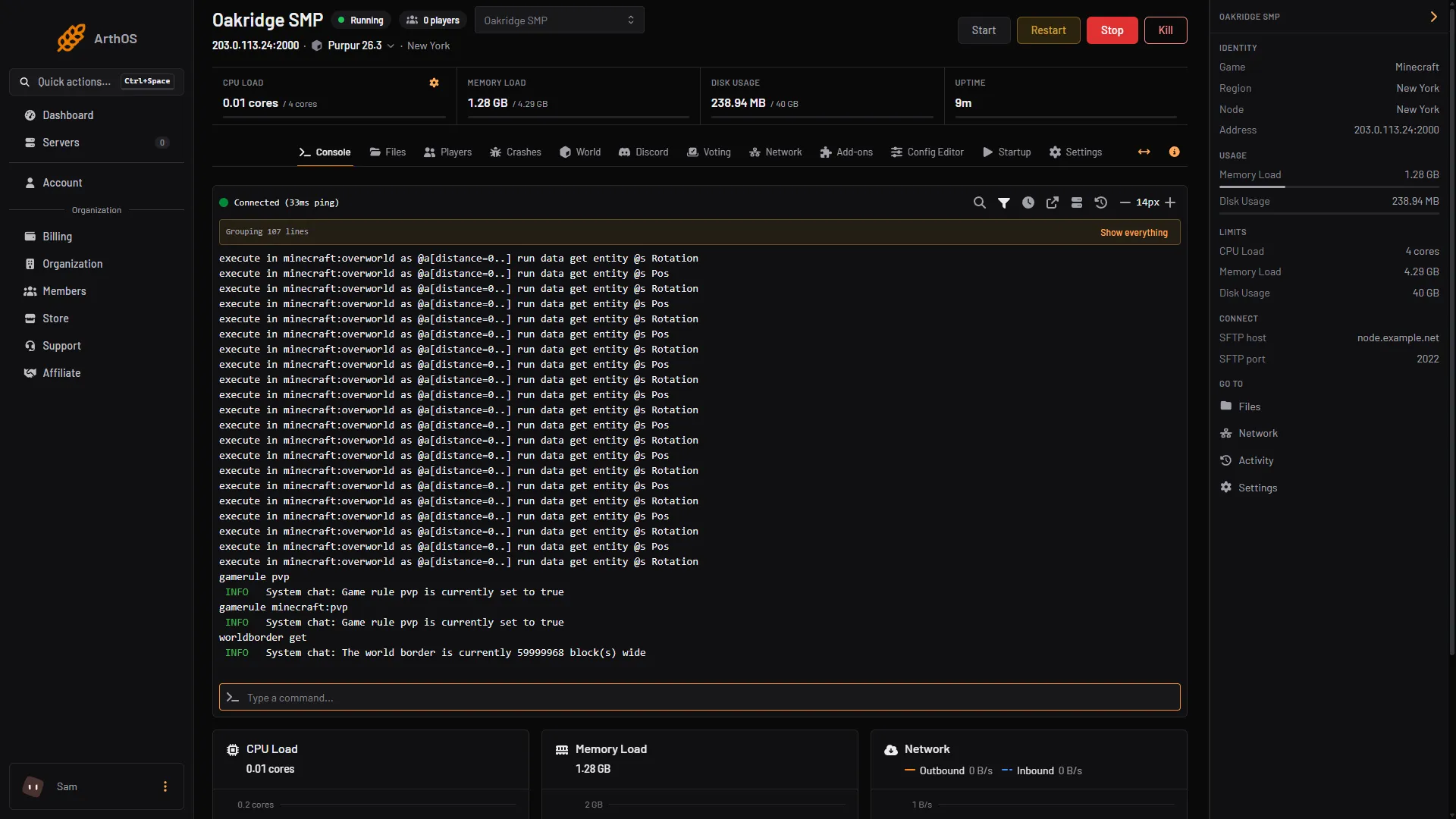
gamerule minecraft:pvp gives the same answer.
With the World tab
- Choose the World tab and click a chunk on the region map. It opens in 3D.
- In the side panel, choose Rules. It lists every game rule by name with its id.
- Find Pvp (1) and use its switch. It is On on a new world.
- Pvp switch
While the server is running, the tab says: “A change goes through the game and counts when the game confirms it.”
With the server stopped, the Rules switches still work once the world exists. The panel edits the world’s rule files itself, keeps a copy and reads the file back. The rules are listed in alphabetical order.
By hand
In game, an operator types the same command with a slash: /gamerule pvp false. Because the rule is stored in the world, nothing in server.properties sets it.
If it does not work
- Players still hurt each other. Type
gamerule pvpin the Console and check it says false. Also check the damage is not from something other than players, such as mobs, fire or explosions the players set off. - PvP is on again in a new world. Rules belong to the world. Set it again after you reset the world or switch worlds.
- The Rules tab shows no chunk. Click a chunk on the region map first. The side panel with Rules belongs to the 3D view.
More on the game: Minecraft servers.
Sources: minecraft.wiki: Server.properties, minecraft.wiki: Game rule