









Open the Config Editor, choose the sandbox file and change Day length. The default is 1 hour 30 minutes, which means one in-game day takes 1 hour 30 minutes of real time. The start date matters mainly when you begin a new world. Restart the server to apply any change.
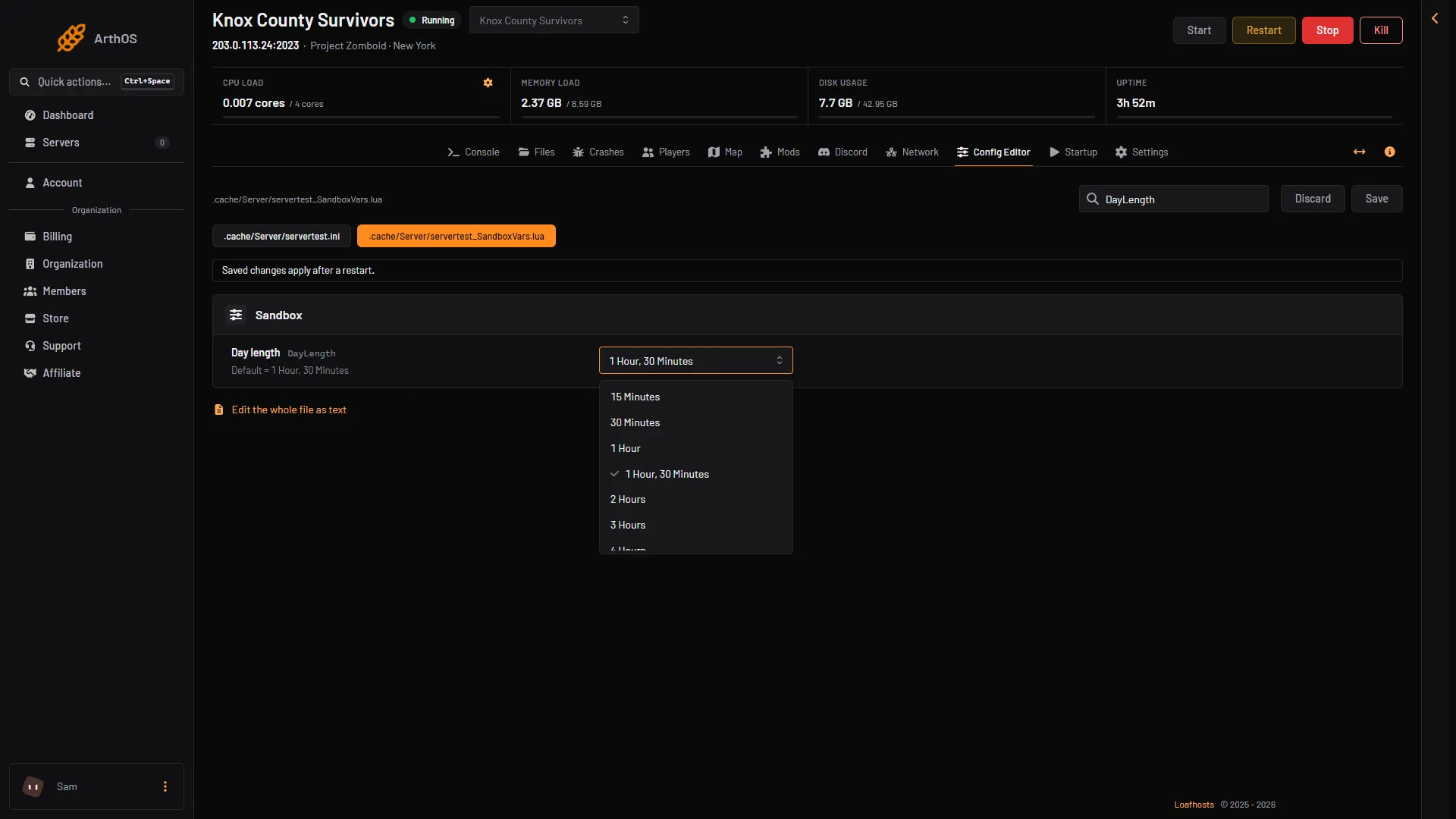
Day length
Day length (DayLength) is a list. Each choice is how long one in-game day lasts in real time:
- 15 Minutes
- 30 Minutes
- 1 Hour
- 1 Hour, 30 Minutes (the default)
- 2 Hours
- then every hour from 3 Hours up to 23 Hours
- Real-time
A longer day also slows everything tied to time. Hunger and thirst grow more slowly, and actions that take a set amount of time follow the same pace.
- Open the Config Editor and choose the sandbox file.
- Find Day length.
- Pick a choice.
- Save, then restart the server.
- Day length
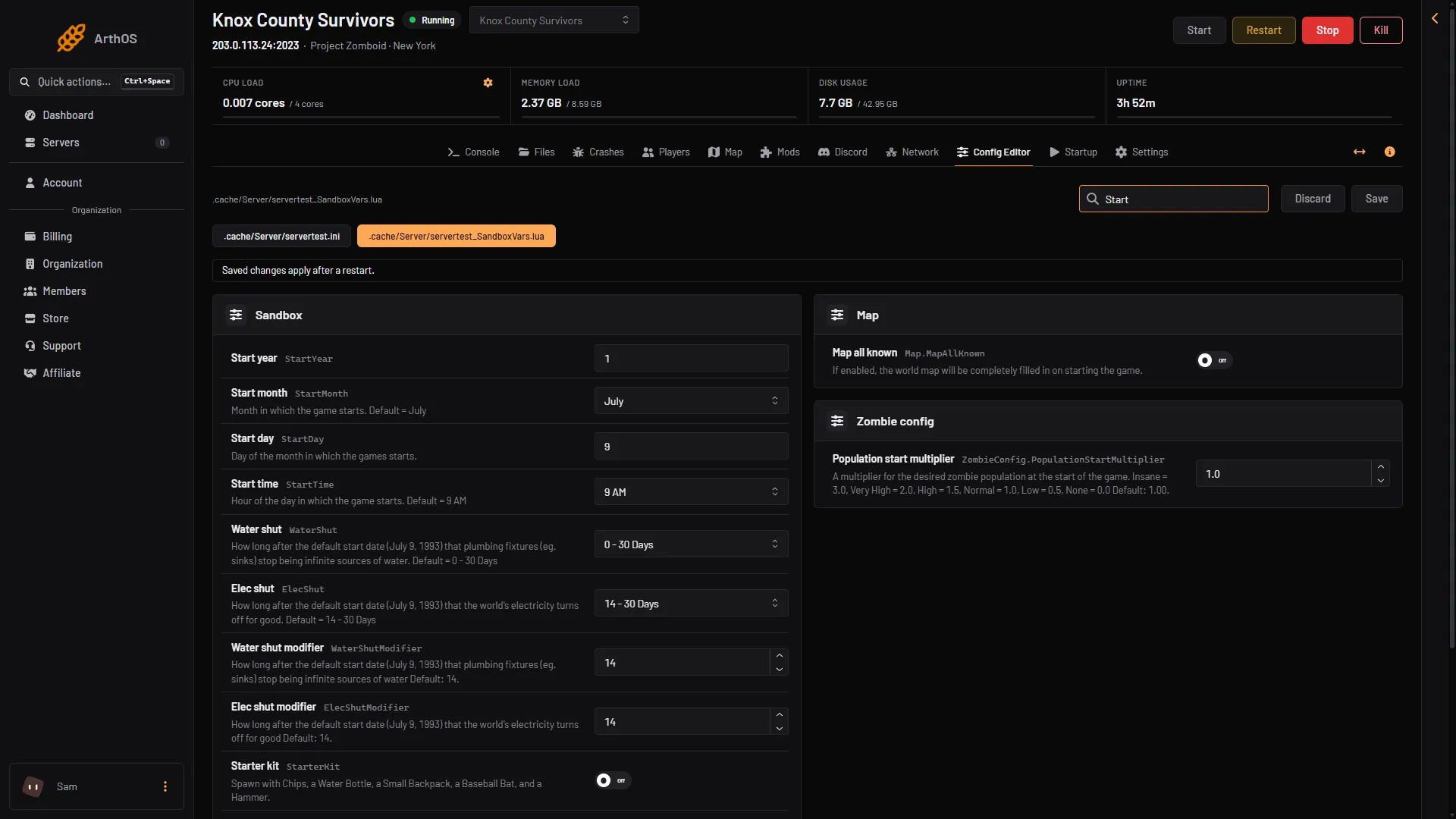
Start month, day and hour
These rows set when the game starts:
- Start month (
StartMonth). January to December. The default is July. The month affects the weather and what you can forage, fish and farm. - Start day (
StartDay). The day of the month. The game’s own scenarios use the 9th. - Start time (
StartTime). The hour of day the game starts. The choices are 7 AM, 9 AM (the default), 12 PM, 2 PM, 5 PM, 9 PM, 12 AM, 2 AM and 5 AM. A late start leaves less daylight on the first day.
- Start month
- Start day
- Start time
The game counts its calendar from July 9, 1993. The water and power shut-off rows are measured from that date.
These settings are counted in game time, so Day length changes how long they take on the clock:
- Days survived before claiming a safehouse
- Days survived before a faction
- Population peak day
- Loot respawn hours
- The water and power shut-off ranges
Time since the apocalypse
Time since apo (TimeSinceApo) decides how long the world has been abandoned when you start. It changes how overgrown the world is and how spoiled the food is. It does not change the start date. The game lists 13 choices. The first stands for 0 months, the default, and the last for 12.
Always day or always night
Day night cycle (DayNightCycle) has three choices: Normal, Endless Day and Endless Night.
Pause time when nobody is on
The server ini has a row for this. In the Config Editor choose the server ini and find Pause time when nobody is on (PauseEmpty). When it is on, game time stops while no players are online. The panel’s help text says the world clock stops while the server is empty.
When it takes effect
Every change in this guide applies after a restart. Start month, day and time are about the beginning of a world. Not checked on Build 42.21 as of 18 October 2026: what changing them does to a world that is already running. Set them before players start a new world.
By hand
In servertest_SandboxVars.lua (the file name starts with your server name) the day length is a number:
DayLength = 4,1 = 15 Minutes, 2 = 30 Minutes, 3 = 1 Hour, 4 = 1 Hour, 30 Minutes (default), 5 = 2 Hours, 6 = 3 Hours, and so on up by one hour per number to 26 = 23 Hours, then 27 = Real-time.
If it does not work
- The day length did not change. Restart the server. The sandbox file is read at the start.
- The row is not where you expect. Sandbox rows are in the group Sandbox. The server ini rows are in a separate file in the same editor.
- The server will not start after an edit. Open Crashes. The panel restores the last sandbox copy that worked and keeps the broken one beside it as
.broken.
More about the game: Project Zomboid servers.
Sources: pzwiki.net: Custom Sandbox