









To make every zombie run, set Speed to Sprinters. To make only some of them run, set Speed to Random and choose a Sprinter percentage. Both rows are in the sandbox file, and both apply after a restart.
What each Speed choice means
Speed (ZombieLore.Speed) is how fast zombies move when they chase you. The game’s default is Random.
- Sprinters: every zombie runs. PZwiki says this is the only choice where zombies run faster than a walking player.
- Fast Shamblers: zombies are quick, but not sprinters.
- Shamblers: zombies are slow.
- Random: each zombie gets a speed by chance. The row Sprinter percentage decides how many of them are sprinters.
In the ArthOS panel
- Open the Config Editor page of your server.
- Choose the second tab, the file
.cache/Server/<Server Name>_SandboxVars.lua. - In the group Zombie lore, set Speed (
ZombieLore.Speed) to the choice you want. - For a mix of runners and walkers, choose Random and type a number from 0 to 100 in Sprinter percentage (
ZombieLore.SprinterPercentage). The game’s default is 0, so no zombie runs until you raise it. A value of 100 makes them all sprinters. The game uses this number only when Speed is Random. The game’s help text for this row mentions an “Advanced” box. That box is on the game’s own sandbox screen. The server’s sandbox file has no row for it, so use the panel row. - Choose Save, then restart the server. The page says “Saved changes apply after a restart.”
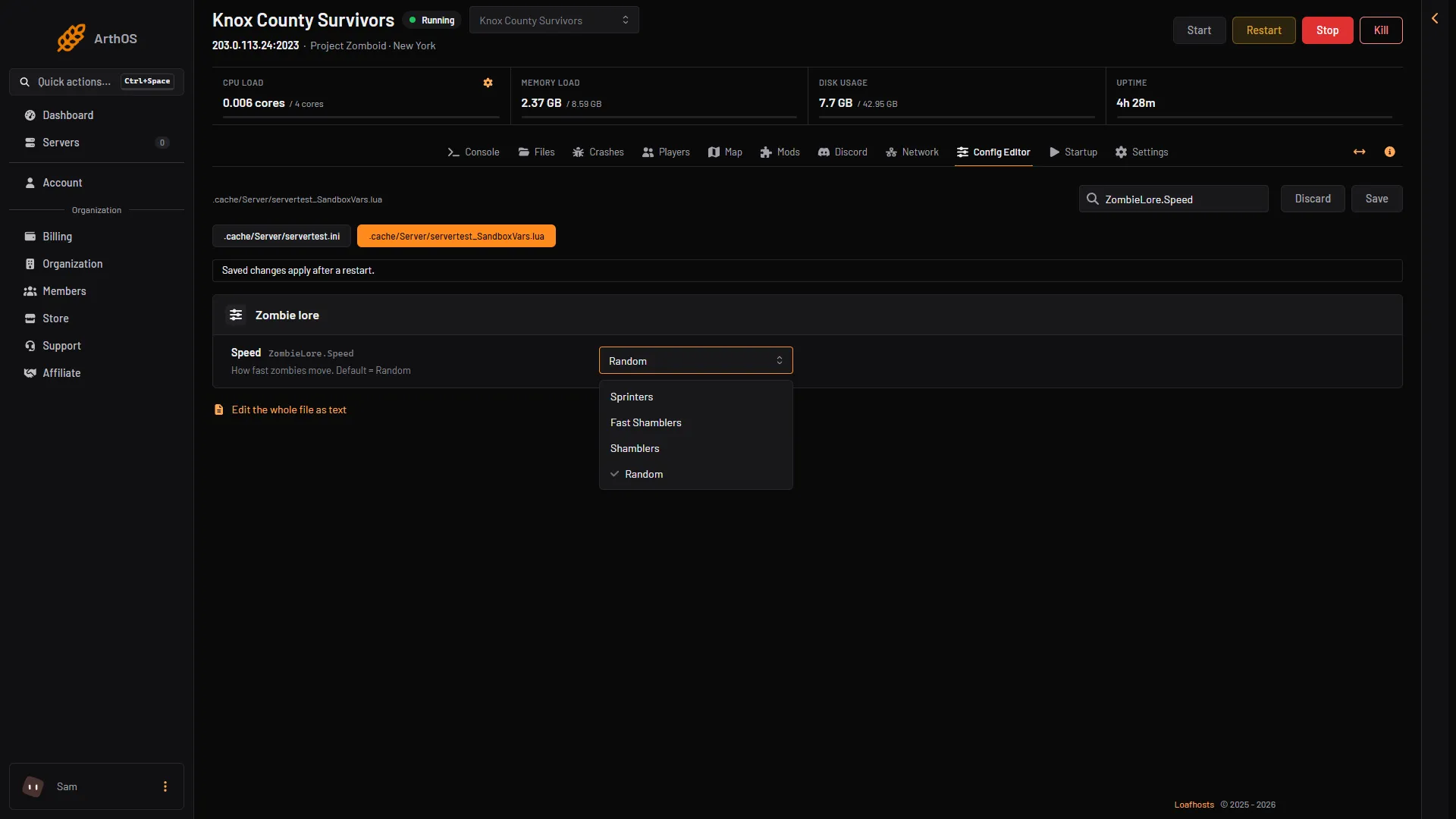
- Speed
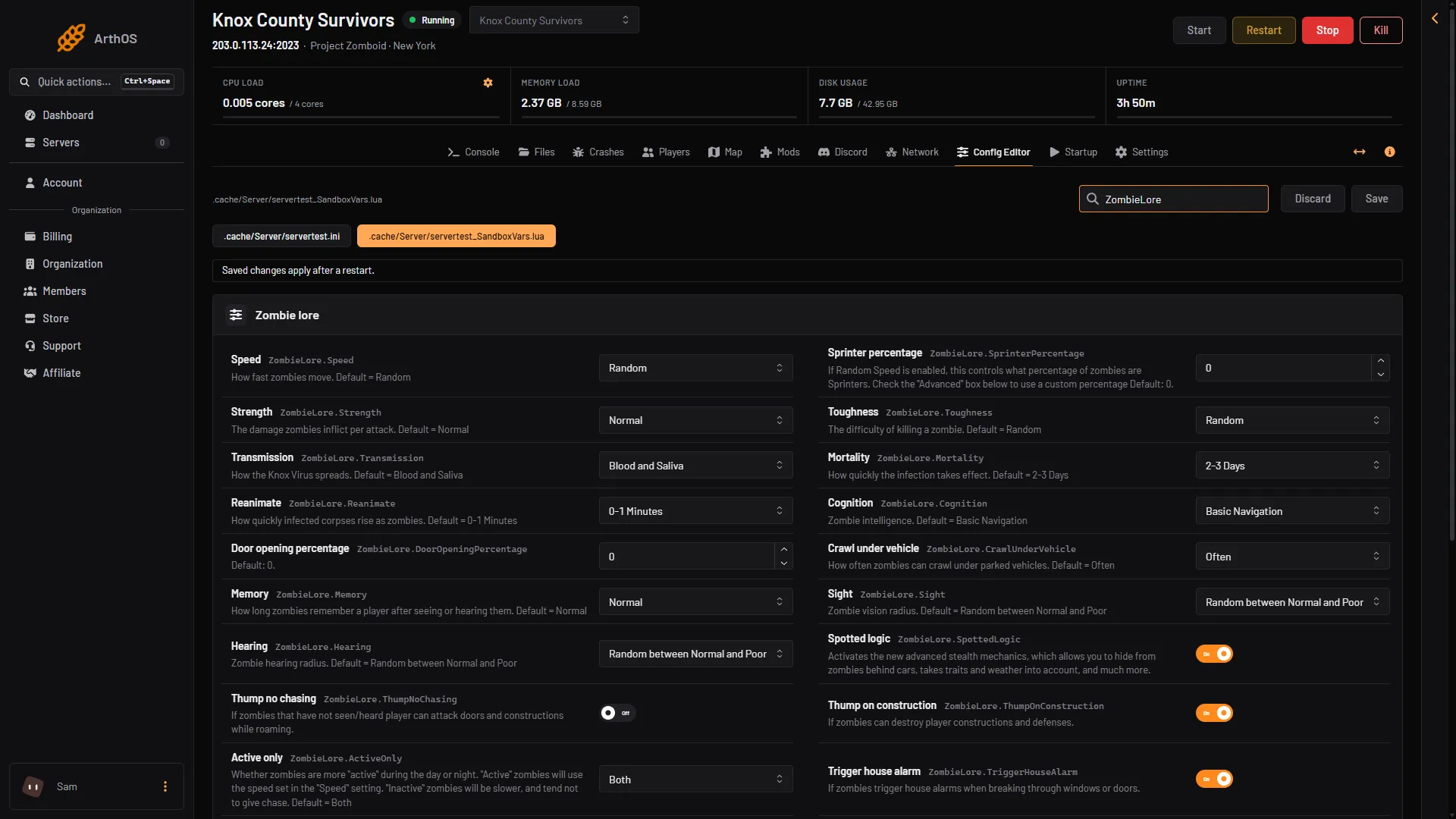
- Speed
- Sprinter percentage
- Active only
In the second picture, box 2 is Sprinter percentage. It counts only when Speed is Random.
Pick a percentage
PZwiki lists these presets for Random speed, which give an idea of the scale:
| Preset | Sprinter percentage |
|---|---|
| None | 0 |
| Low | 6 |
| Normal | 33 |
| High | 50 |
| Very High | 90 |
| Insane | 100 |
Sprinters by day or night
Active only (ZombieLore.ActiveOnly) decides when zombies use the speed you set. With Both, they always do. With Night or Day, zombies are active only then. At other times they are slower and tend not to give chase.
By hand
Stop the server, open .cache/Server/<Server Name>_SandboxVars.lua in Files and find the ZombieLore table. Set Speed to 1 for sprinters, 2 for fast shamblers, 3 for shamblers or 4 for random. With 4, set SprinterPercentage to a number from 0 to 100.
        Speed = 4,
        SprinterPercentage = 0,
Save the file and start the server.
If it does not work
- Nothing changed. Restart the server. Sandbox settings are read when it starts.
- Zombies are still slow with a percentage set. Speed must be Random for Sprinter percentage to count.
- Zombies already in the world. Not checked on Build 42.21 as of 18 October 2026: whether zombies that already exist change speed, or only new ones.
More zombie rows are in the zombie settings guide. To get more or fewer zombies, see the zombie population guide.
Sources: pzwiki.net: Custom Sandbox