









Open Config Editor and find Voice chat (VoiceEnable) and Global chat (GlobalChat). Each is a switch in the server ini. Turn one on or off, choose Save, then restart the server. This guide also covers the other voice and chat keys in the same file.
Voice chat
| Key | Config Editor label | What it does | Default |
|---|---|---|---|
VoiceEnable | Voice chat | Voice chat (VOIP) is on when this is on. | true (new file) |
VoiceMinDistance | Voice min distance | The smallest tile distance over which voices can be heard. 0 to 100000. | 10 |
VoiceMaxDistance | Voice max distance | The largest tile distance over which voices can be heard. 0 to 100000. | 100 |
Voice3D | Voice3 d | Directional audio for voice chat. | true (new file) |
Voice chat is in the Gameplay group. The other three rows are in the Advanced card. Choose Show them, or type the key in the Search box.
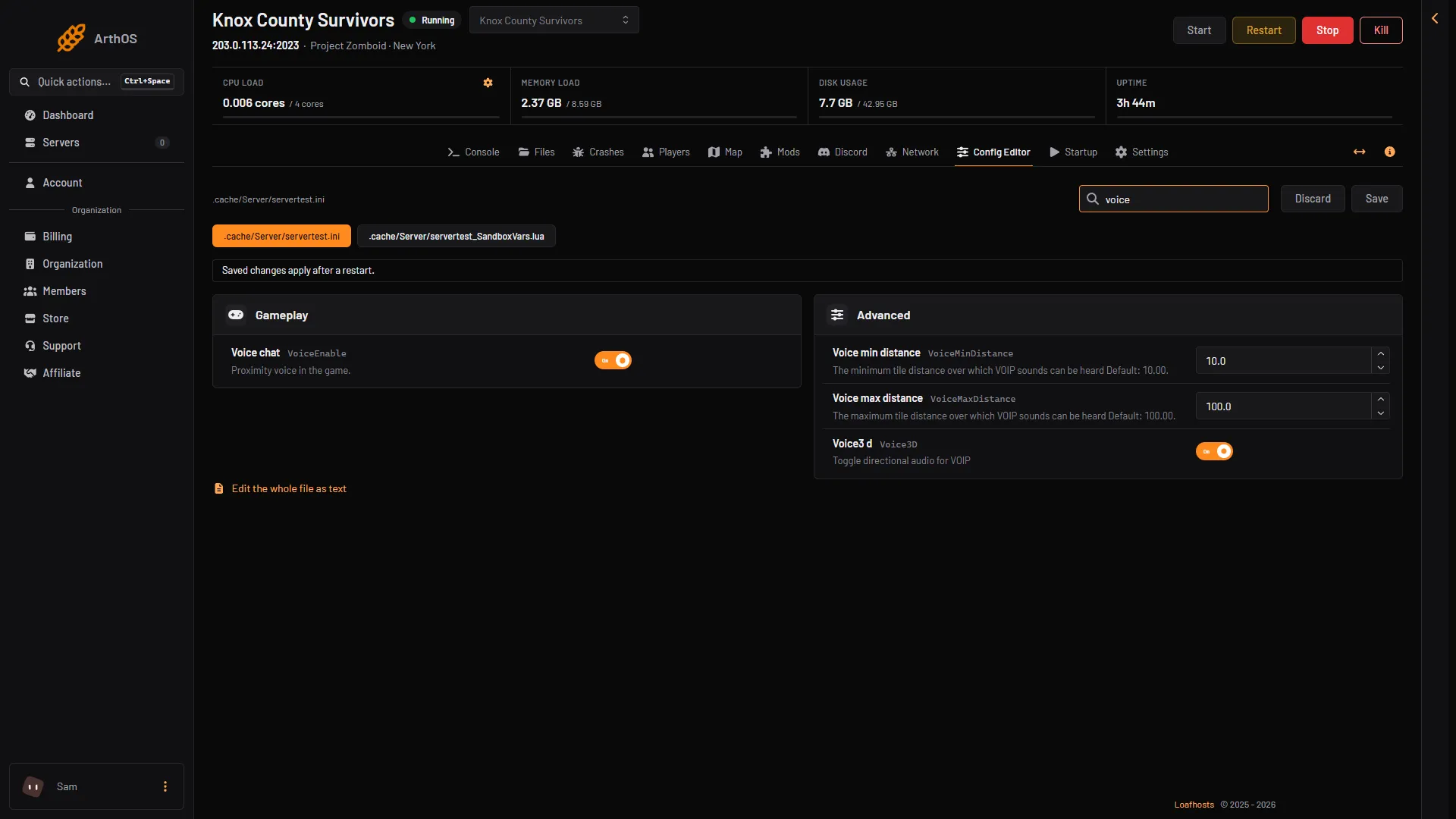
- Voice chat
- Voice min distance
- Voice max distance
A player can also switch voice chat off on their own computer. PZwiki lists the game start option -novoip, which stops the game’s voice manager from starting.
To block one player’s voice, send voiceban "<name>" -true in the Console (-false undoes it). PZwiki lists this command.
Global chat and chat streams
| Key | Config Editor label | What it does | Default |
|---|---|---|---|
GlobalChat | Global chat | Turns global chat on or off. | true (new file) |
ChatStreams | Chat streams | The chat streams players can use. | s,r,a,w,y,sh,f,all (new file) |
ChatMessageCharacterLimit | Chat message character limit | The longest message a player can send. 64 to 1024. | 200 |
ChatMessageSlowModeTime | Chat message slow mode time | Slow mode time between messages. 1 to 30. | 3 |
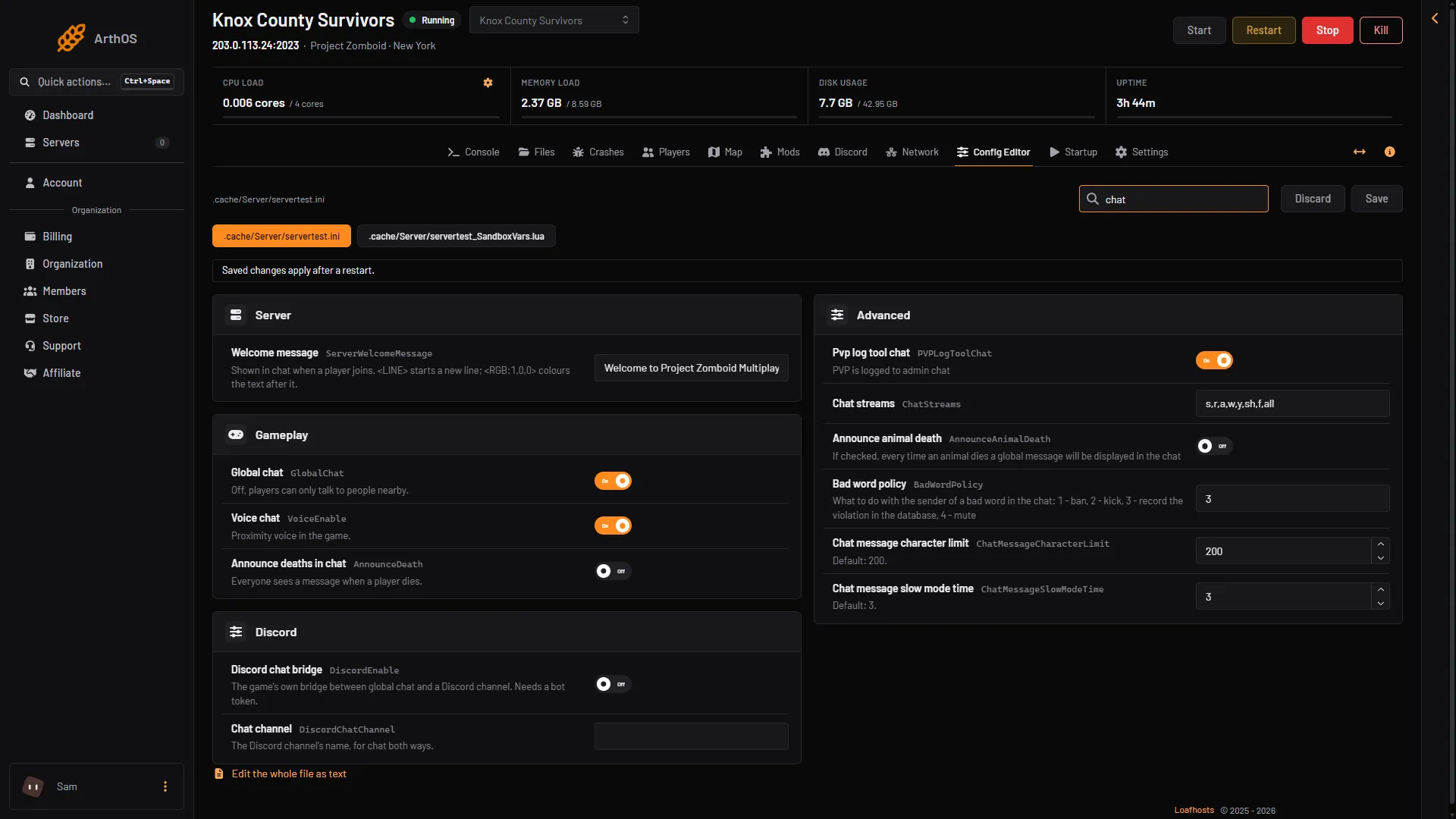
- Global chat
- Chat streams
PZwiki explains each stream in ChatStreams:
stalk to people on the screen, including the deadra transcript of radio broadcastsatalk to an adminwwhisper to someone, at any distanceyyell to people on screen and a bit further away, which also attracts zombiesshtalk to people who share your safehouseftalk to people in your factionalltalk safely to everyone online
Removing a stream from the list should switch that stream off. For example, to switch off whispers, remove w, from the line. Not checked on Build 42.21 as of 18 October 2026.
The game’s comment for GlobalChat says only that it toggles global chat. The game does not say how it relates to the all stream. Not checked on Build 42.21 as of 18 October 2026.
Chat can also be filtered for bad words. The keys are BadWordListFile, GoodWordListFile, BadWordPolicy and BadWordReplacement. The game’s comment for BadWordPolicy lists what happens to the sender of a bad word: 1 ban, 2 kick, 3 record the violation in the database, 4 mute. A new file holds 3. The two list keys name files with one word per line.
Radio
These keys stop radio transmissions from certain players. Each is a switch.
DisableRadioStaff: any player with an access level (new file: off)DisableRadioAdmin: players with the admin level (new file: on)DisableRadioGM: players with the gm level (new file: on)DisableRadioModerator: players with the moderator level (new file: off)DisableRadioOverseer: players with the overseer level (new file: off)DisableRadioInvisible: invisible players (new file: on)
The labels are the key split into words, such as Disable radio admin.
The ini’s radio comment names an overseer level. The game’s accounts list and the panel’s Access level list have no overseer, so that row has no player to apply to on a Loafhosts server.
Change it
- Open Config Editor and choose the
.initab. - Change the row and choose Save.
- Restart the server. The change applies after a restart.
PZwiki lists a reloadoptions command that reloads the server options while the server runs. Which of these keys it applies is not checked on Build 42.21 as of 18 October 2026.
If it does not work
- Players hear no voices. Check Voice chat is on, and that Voice max distance is not tiny. A player who started the game with
-novoiphas no voice chat. - A chat command does nothing. The stream may be missing from
ChatStreams. - A change did not apply. Restart the server after Save.
Sources: pzwiki.net: Server settings, pzwiki.net: Admin commands, pzwiki.net: Startup parameters