









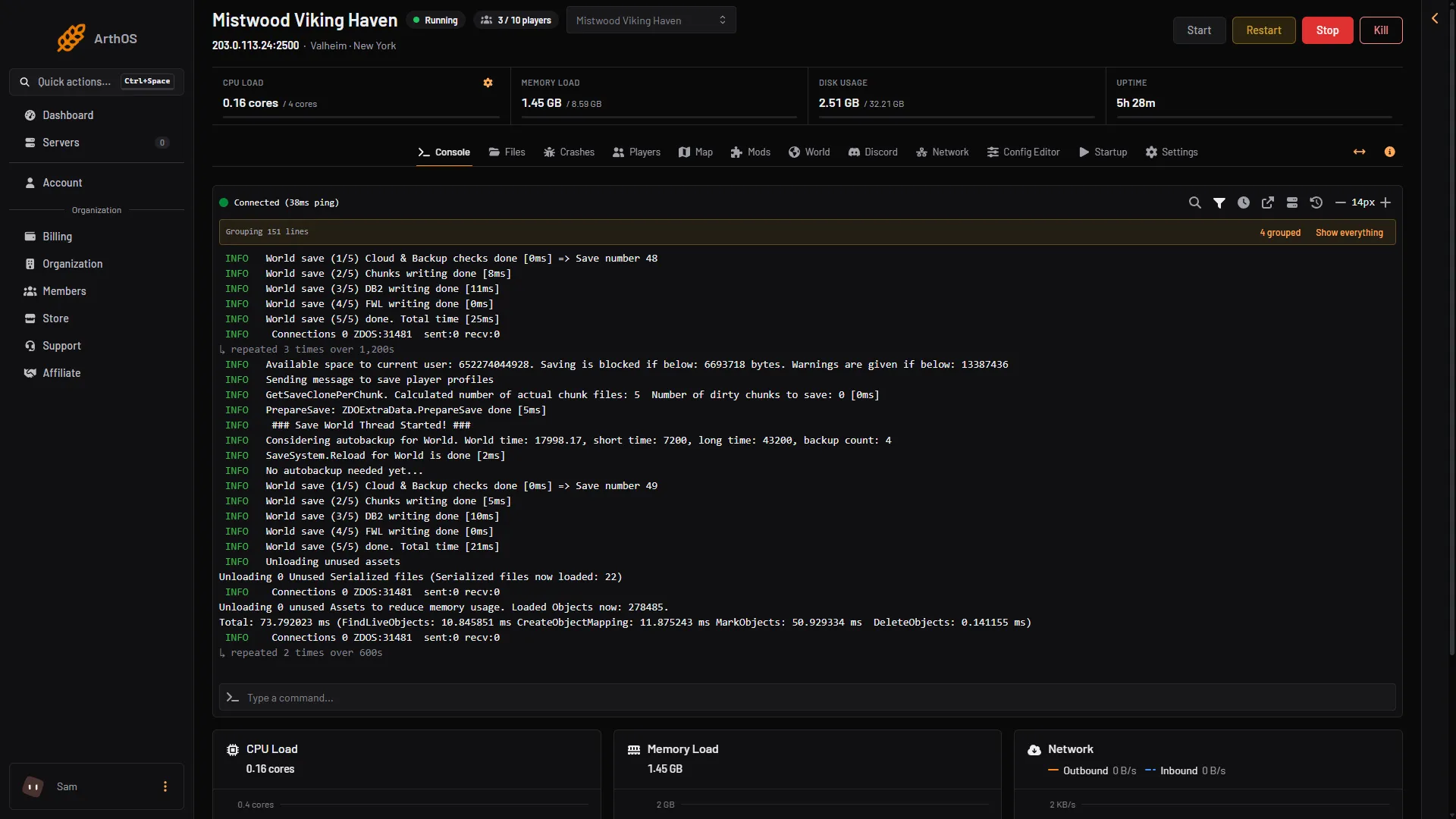
To restart your Valheim server, choose Restart at the top of the server page. The panel stops the game the safe way, the game saves the world, and the server starts again. Players are removed and can join again when it is back.
Restart now
- Open your server. The buttons Start, Restart, Stop and Kill are at the top right of every server page.
- Choose Restart (1).
- Wait for the server to show as running. On the Console page the log says
Game server connectedwhen it is ready for players. About 17 seconds for a new server (one measured start), longer with mods or after an update.
- Restart
- Kill
The panel stops Valheim with an interrupt signal. That is the signal the game needs to save the world before it quits. The wiki warns that killing the server instead can lose recent progress. So use Restart or Stop, not Kill (box 2).
Warn players first
A restart removes everyone. Tell players before you press it.
With the panel tools on, open the Players page and use Message everyone. See send a message to players.
The game’s manual lists no admin command to send a message. Without the panel tools, tell players in Discord or ask them to save and leave.
Restart on a timer
A daily restart keeps the server fresh and applies updates.
- Open Settings, then the Schedules tab.
- Press Create Schedule and give it a name.
- Press Add Trigger and set the time you want. Times are server time.
- Press Add Step and choose Send Power Signal.
- Set Power Action to restart. The step reads “Restart the server”. It stops the game and starts it again.
- Save.
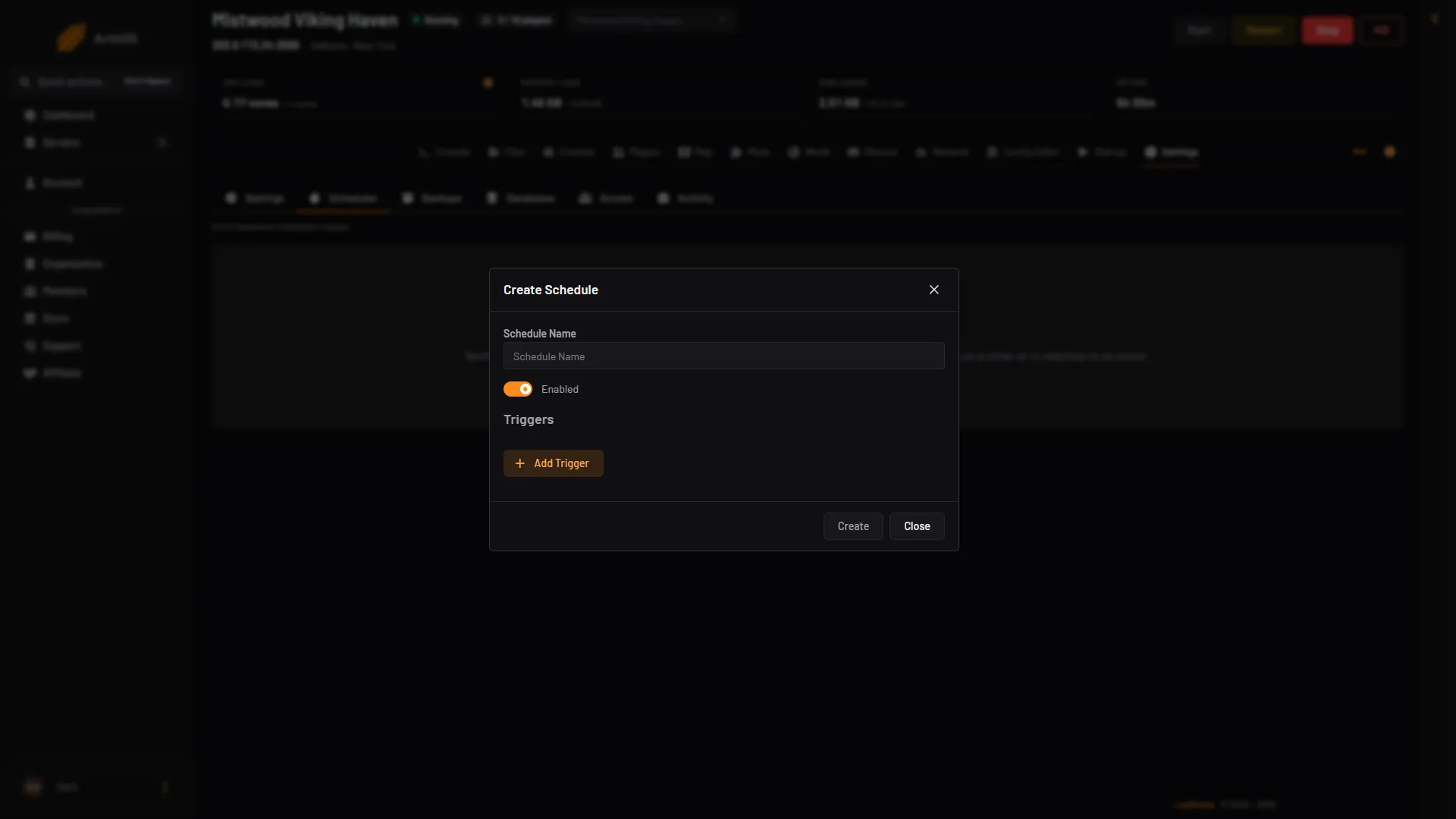
- Name the schedule
- Create
A schedule cannot warn players in the game: the game’s manual lists no command for it. Pick a time when players are rarely on. Steps are added after the schedule exists.
What a restart does to the game
- The world is saved at the stop. The game also saves every 30 minutes by default.
- With Update on start on, a restart also installs a newer game version. See update your Valheim server.
- Changes you saved in the Config Editor, such as the name or crossplay, apply at the next start. A restart applies them.
If it does not work
- Players see no server. A server nobody has played on for 3 days stops by itself (Standby, in Settings). Choose Start at the top of the server page, or use its wake link (Make link in the Standby card).
- The server does not come back. Open Crashes. It reads how each of the last ten starts ended.
- Players cannot join after it comes back. Wait for
Game server connectedin the Console. Then try again. - Progress went back a little. The world is saved every 30 minutes and at a stop. Anything since the last save is lost if the server was killed.
More about the game: Valheim servers.