









With the panel tools on, choose Message on a player, or Message everyone. The text shows on their screen in the game. Without the tools, a Valheim server has no way to message players. More about the game: Valheim servers.
Why the tools are needed
The Valheim server reads nothing you type into it, so the command box under the Console log does nothing for Valheim. The game’s own server manual lists four admin commands, and they are for admins inside the game: Kick, Ban, Unban and Banned. None of them sends a message. The wiki lists more: not checked on 1.0.20 as of 21 October 2026. A schedule cannot send one either.
The panel tools are a small plugin of Loafhosts that runs inside the server. Players install nothing. See the Valheim panel tools.
Message one player
- Open the Players page. Find the player under Online.
- Open their Actions and choose Message. A box titled “Message to (name)” opens.
- Type the Message (1). It can be 1 to 200 characters.
- Pick Where on their screen (2): Middle of the screen or Top left corner.
- Choose Send (3).
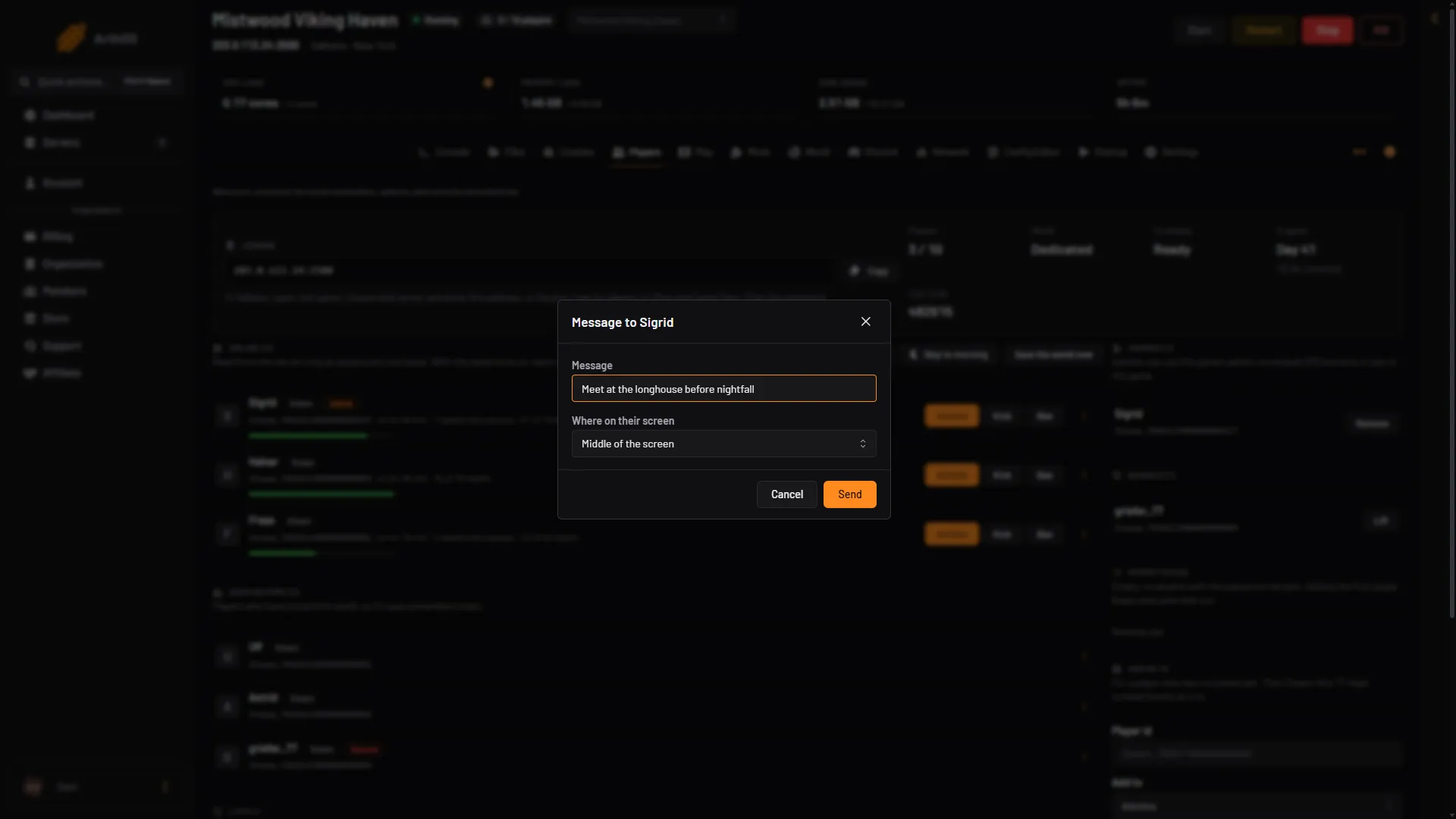
- Type the message
- Where it shows
- Send
The player sees the message at once. Use the middle of the screen for something they must read. Use the corner for a quiet note.
Message everyone
- On the Players page, find the world buttons: Message everyone, Skip to morning, Save the world now. The Map page has the same block.
- Choose Message everyone.
- Type the Message (1) and pick Where on their screen (2).
- Choose Send (3).
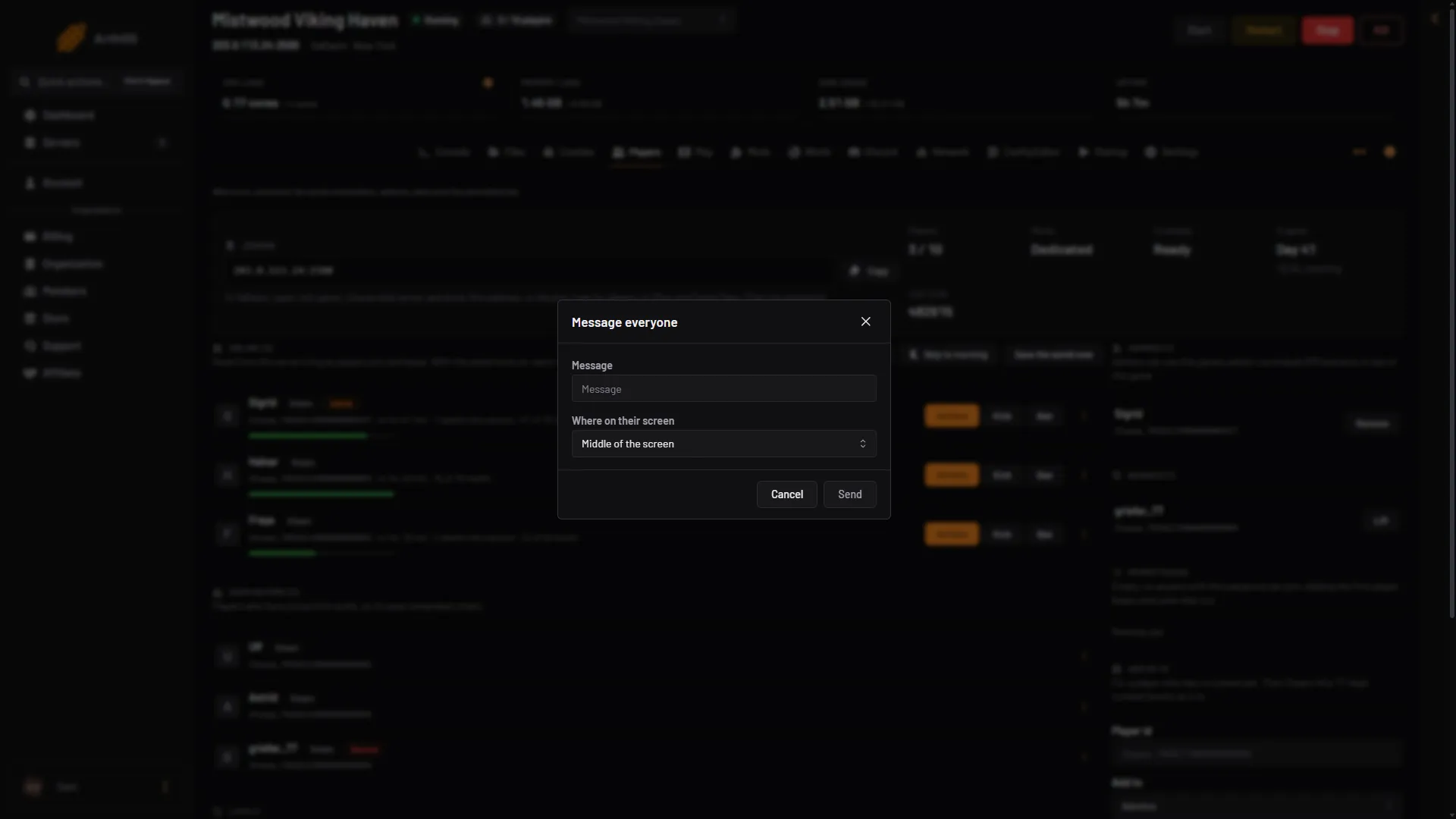
- Type the message
- Where it shows
- Send
Only players online at that moment see it.
Other ways to tell players things
- The Discord page can post a status message with the server’s name, the world and its day, the bosses beaten, who is on, the crossplay join code and the mods. Players check it when they want. See Valheim Discord integration.
- Your own Discord server or group chat, for anything that should reach players who are not in the game.
If it does not work
- The buttons are missing. The panel tools are off, or the server needs a restart to load them. The page says which. Your role may also not allow game actions.
- The message is refused. It must be 1 to 200 characters. Shorten it, or type something.
- “That player is not on the server any more”. They left. Pick another.