









To update your Valheim server, restart it. With Update on start on, the server checks Steam for a newer build at every start and installs it. New servers have it on.
Players must run the same game version as the server. When Valheim updates, players update through Steam and your server must update too. If the versions differ, players cannot join.
Before you update
- Make a backup. Open Settings, then the Backups tab, and create one. See world backups.
- If you use mods, read the part about mods below.
- Tell players. A restart removes everyone. See restart your server.
Update
- Open the Config Editor.
- In Server settings, find the Updates group and check Update on start is on (1). Save (3).
- Choose Restart at the top of the server page.
Wait for Game server connected in the Console. It takes about 17 seconds for a new server, longer with mods or after an update. Then the server is ready on the new build.
With Update on start on, a restart pulls the newest server build at once, so if Valheim has just updated, players cannot join until they have updated the game through Steam too.
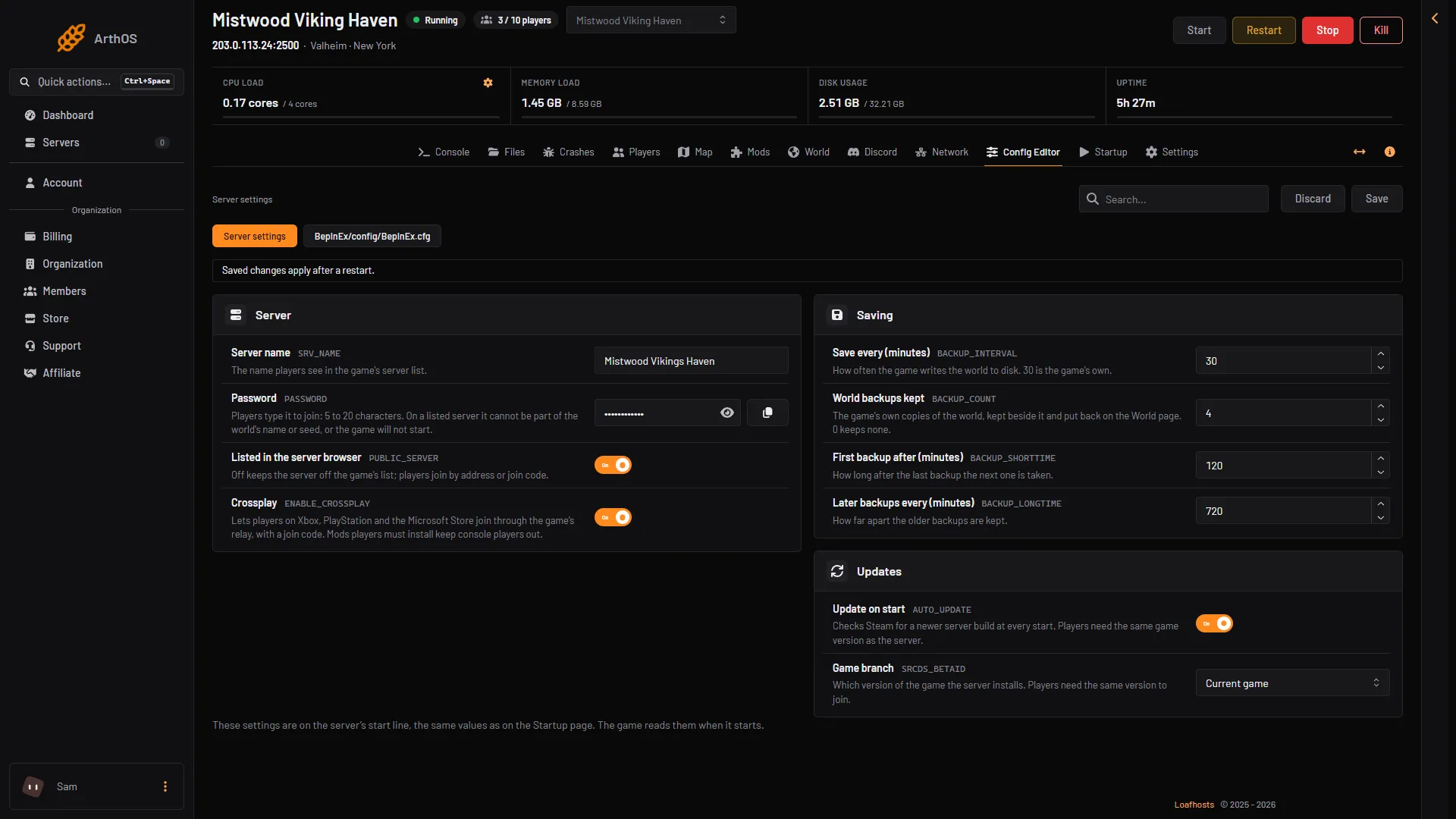
- Update on start
- Game branch
- Save
To see which version the server runs, open Crashes and read Game version on the latest start.
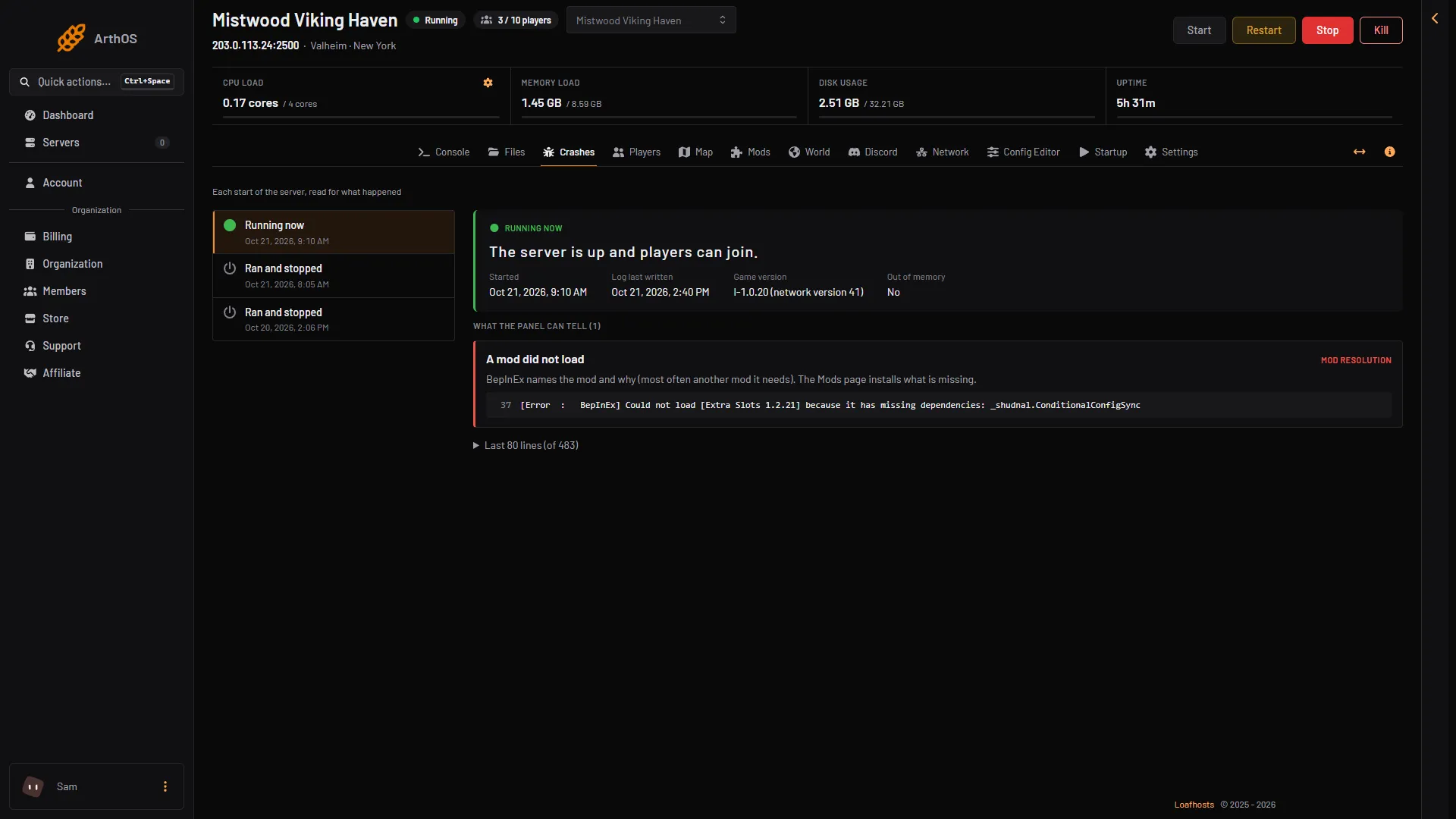
- Game version
You can set the same thing on the Startup page. The variable is Update on start: 1 checks at every start, 0 does not.
Turn updates off
Set Update on start to off and the server stays on the build it has. Do this only if you must. When the game updates, your players will move to the new version and your server will not, and they will not be able to join. Turn it on again and restart to catch up.
Players cannot join after an update
A “different version” message in the Lately list on the Players page means a player’s game and the server do not match. Either the player has not updated, or the server has not. See version mismatch.
Mods and updates
A game update can break mods. A mod made for an older version may not load. After an update, open the Mods page and look for the Did not load chip. Update the mod, or turn it off until its author fixes it.
Turning off Load mods runs the plain game and removes nothing.
Which build you get
The default Game branch is Current game, the normal public build. To run the test version from Iron Gate, the studio that makes Valheim, instead, see the public test branch.
The newest version at the time of writing is 1.0.20, from 15 October 2026. Iron Gate lists its patches in its Steam news.
On a server you run yourself
The wiki gives this command, run again after each Valheim update:
steamcmd +force_install_dir /path/to/server +login anonymous +app_update 896660 -beta public validate +quit
Not checked on 1.0.20 as of 21 October 2026: the public test branch on a server run with SteamCMD.
If it does not work
- The version did not change. Check Update on start is on, then restart again.
- The server does not start after an update. Open Crashes and read the last start.
- A mod stopped working. Update it, or turn it off.
Sources: valheim.fandom.com: Dedicated servers, store.steampowered.com: 892970