











These are the settings on the Advanced game settings card of the Server page. The game calls the whole set creative mode. Saving any change makes the save a creative one for good, and achievements stop for it. See creative mode on a server for the steps and the warning.
The card lists what the game offers, so a name on your server may differ a little from this list.
Gameplay
- No build cost. Building and customizing cost no resources. Taking a building apart returns nothing. It affects only the player who uses it.
- Flight mode. A player flies without limit. Double-tap Space to start or stop. Hold Space to rise and C to go down. It affects only that player.
- God mode. A player takes no damage from anything except the world border. It affects only that player.
- No power. Buildings run with no power at all, not even power lines. It affects everyone.
- No fuel cost. Vehicles need no fuel. It affects everyone.
- No unlock cost. Milestones, MAM research, AWESOME Shop purchases and Space Elevator phases need nothing to unlock. It affects everyone.
- Unlock instant alt recipes. An alternate recipe unlocks the moment the thing that lets you find it is unlocked, with no Hard Drive search. It affects everyone.
Creatures
- Disable arachnid creatures. Stingers do not appear at all. That also makes Stinger Remains impossible to get the normal way. It affects everyone.
Progression
- Give all tiers. Unlocks every milestone.
- Unlock all research schematics. Unlocks every research node in the MAM.
- Unlock all resource sink schematics. Unlocks every permanent purchase in the AWESOME Shop, which is the building and Customizer schematics.
- Set game phase. Sets the Project Assembly phase, which is the Space Elevator phase.
- Starting tier. Sets the tier a game begins at, or unlocks all tiers. The game says it can only be set when a new game starts.
Progression settings affect everyone on the server.
Change them
- Open the Server page while the server is running.
- In Advanced game settings, switch settings on or off. Number settings take whole numbers. The picture shows where Give all tiers (1), No build cost (2), Flight mode (3) and Starting tier (4) sit.
- Choose Save advanced settings (5).
- The first time, confirm the warning with Turn on and save.
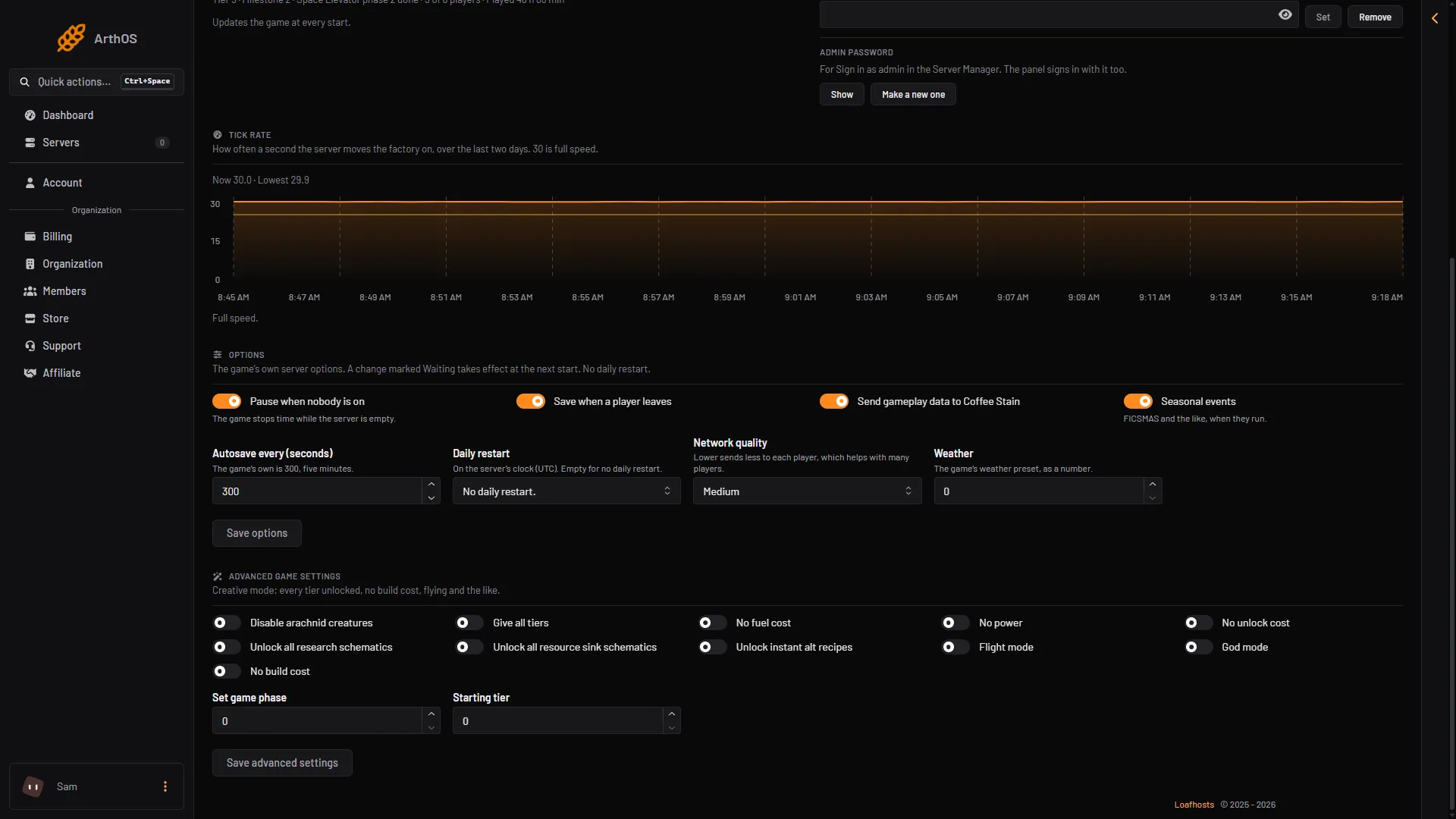
- Give all tiers
- No build cost
- Flight mode
- Starting tier
- Save advanced settings
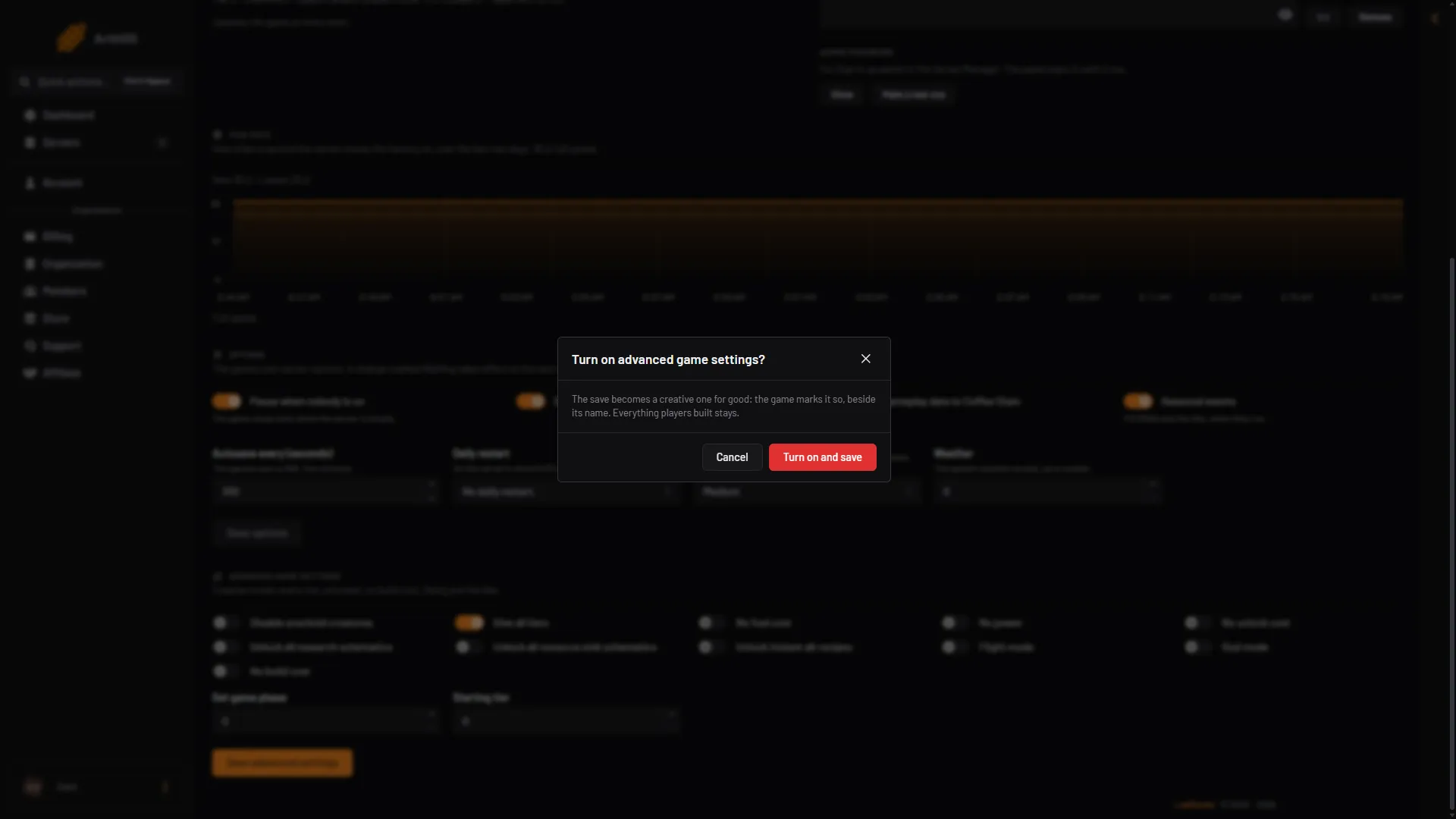
- The save becomes creative for good
- Turn on and save
Not checked on 1.2 as of 27 October 2026: whether switching a setting off again undoes what it already unlocked. Unlocked tiers and research are part of the save.
If it does not work
- The card is not there. The server is stopped, still starting, or has no game loaded. Choose Start at the top right of the server page, or start a game on the Saves page.
- There is no Save advanced settings button. Seeing or changing anything on the Server page needs a role that may change the startup settings.
- Starting tier changes nothing. The game says it can only be set when a new game starts, so it does nothing to a game already running. Not checked on 1.2 as of 27 October 2026 whether New game on the Saves page uses it.
- A player wants to turn one on for themselves. Once creative mode is on, players can switch the individual settings from the Esc menu in the game.
More about the game: Satisfactory servers.
Sources: satisfactory.wiki.gg: Creative Mode