






The join password is the ServerPassword line in Server.cfg. Set it in the Config Editor. Leave it empty for a public server.
In the ArthOS panel
- Open your server and go to Config Editor.
- In the group Server list, find Join password. Its help text says: “Players need this to join. Leave it empty for a public server. A licensed server may not have one.”
- Type the password in the Join password row (box 1), or clear the field to remove it, and choose Save.
- Restart the server. The game reads
Server.cfgat start.
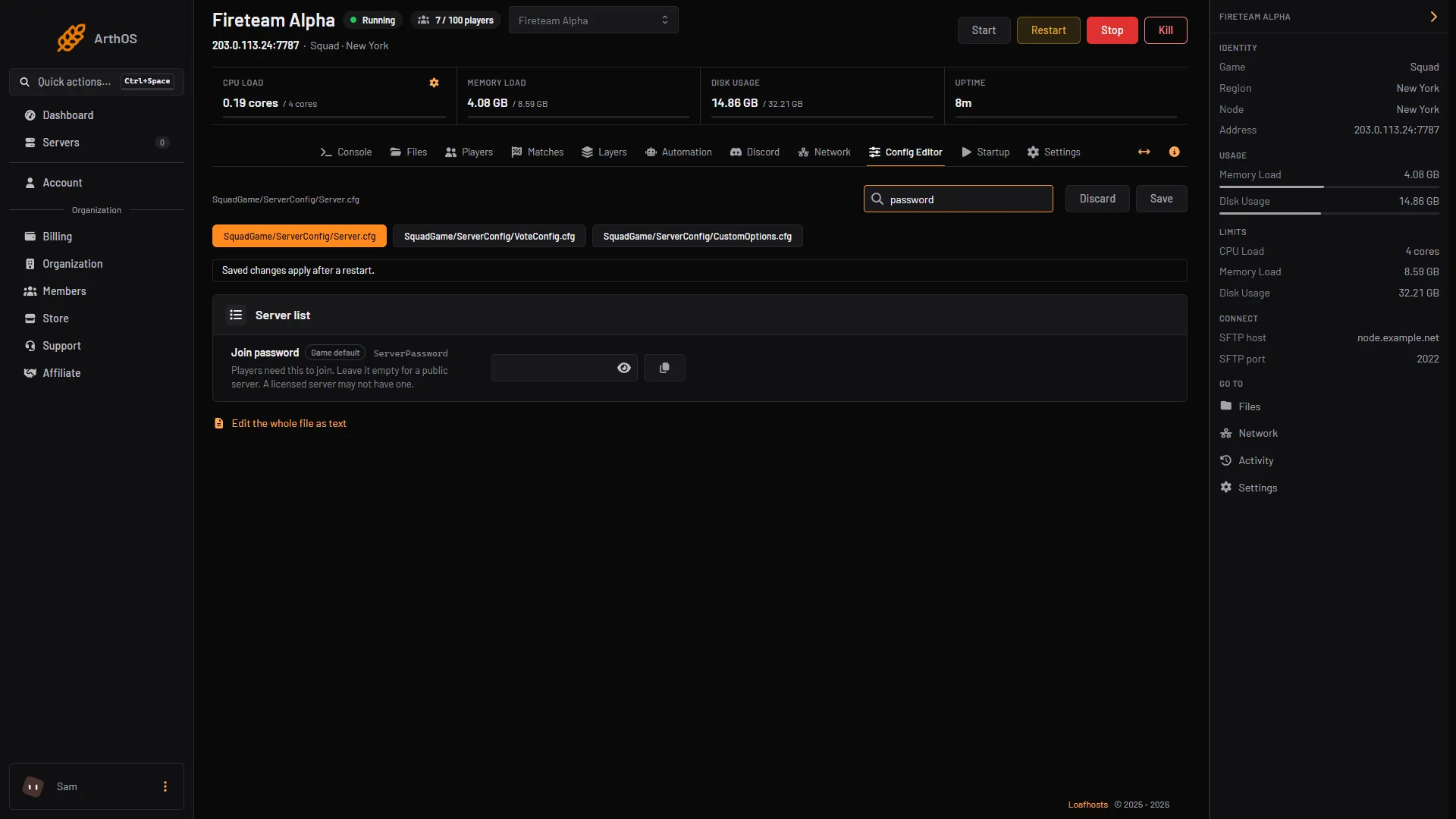
- Join password
The Players page shows a Password tag on the How players find it card when a password is set.
Licensed servers
If the server has a licence key, the Join password row is locked. The panel locks it because a licensed server may not have a password. To use a password, remove the key first: on the Players page, choose Remove on the licence card. The server runs unlicensed after its next start and is listed on the Custom tab. See Squad server licence.
By hand
- Open Files and open
SquadGame/ServerConfig/Server.cfg. - Set
ServerPassword=yourpassword, or leave it asServerPassword=for none. - Save and restart.
If it does not work
- The row is locked. The server has a licence key. See above.
- Players are not asked for a password. Restart the server. The old setting stays until the next start.
- Players join without one after a change. Check you saved, then restart.
More about the game: Squad servers. Players join as described in connect to a Squad server.
Sources: squad.fandom.com: Server Configuration, squad.fandom.com: Server licensing