






The server name is the ServerName line in Server.cfg. Change it in the Config Editor, save, and restart the server.
In the ArthOS panel
- Open your server and go to Config Editor.
- In the group Server list, find Server name. The help text says: “The name in the server browser.”
- Type the new name in the Server name field (box 1) and choose Save. The editor says “Saved changes apply after a restart.”
- Restart the server. The game reads
Server.cfgwhen it starts, so players see the new name after the restart.
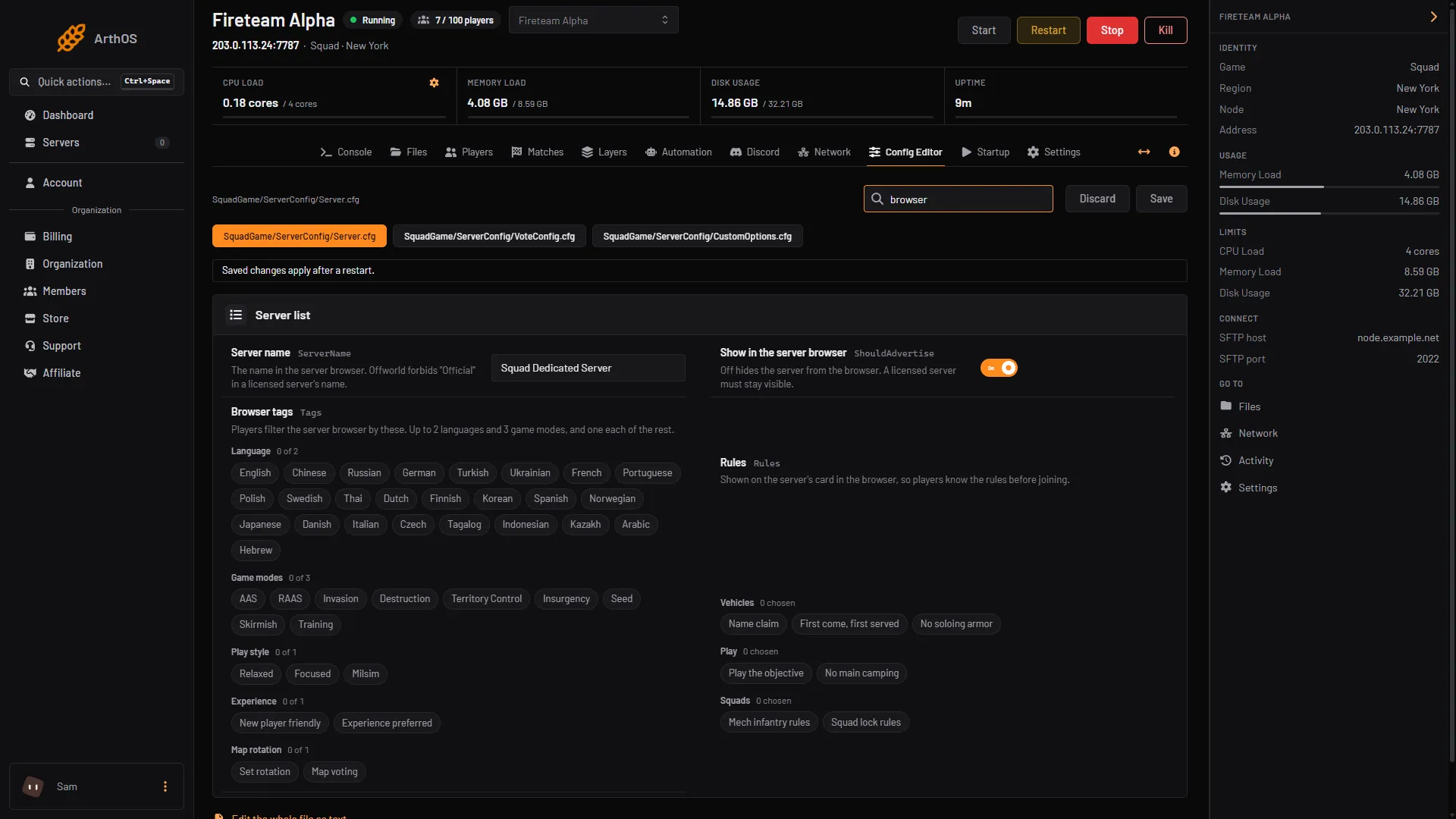
- Type the new name
Rules for the name
- Do not use “Official”. Offworld forbids it in a licensed server’s name, because players mistake the server for one run by Offworld. Keep it out of the name even on an unlicensed server.
- Special characters. If a special character shows as
????in the server browser, Squad’s wiki suggests this fix: type the character in a word processor, copy it, and paste it into the name. In the file it looks likeServerName="Test Server Λ".
By hand
- Open Files and open
SquadGame/ServerConfig/Server.cfg. - Change the line
ServerName="Squad Dedicated Server"to your name, in quotes. - Save and restart.
Do not edit a line the panel writes at each start. ServerName is not one of them, so a file edit stays.
If it does not work
- The old name still shows. Restart the server. The name changes at the next start, not at once.
- Players cannot find the server by the new name. Search the Custom tab if the server has no licence. See connect to a Squad server.
More about the game: Squad servers.
Sources: squad.fandom.com: Server Configuration, squad.fandom.com: Server licensing