









A Valheim password has rules. It must be at least 5 characters. On a server shown in the game’s server list, it must not be part of the world’s name or the world’s seed. If it breaks a rule, the game refuses it and quits. If the password is fine and a player still cannot join, they are typing a different one.
The game refused the password
Signs: the server starts and stops again, and never lets players in.
- Open the Crashes page.
- Open the newest start in the list on the left.
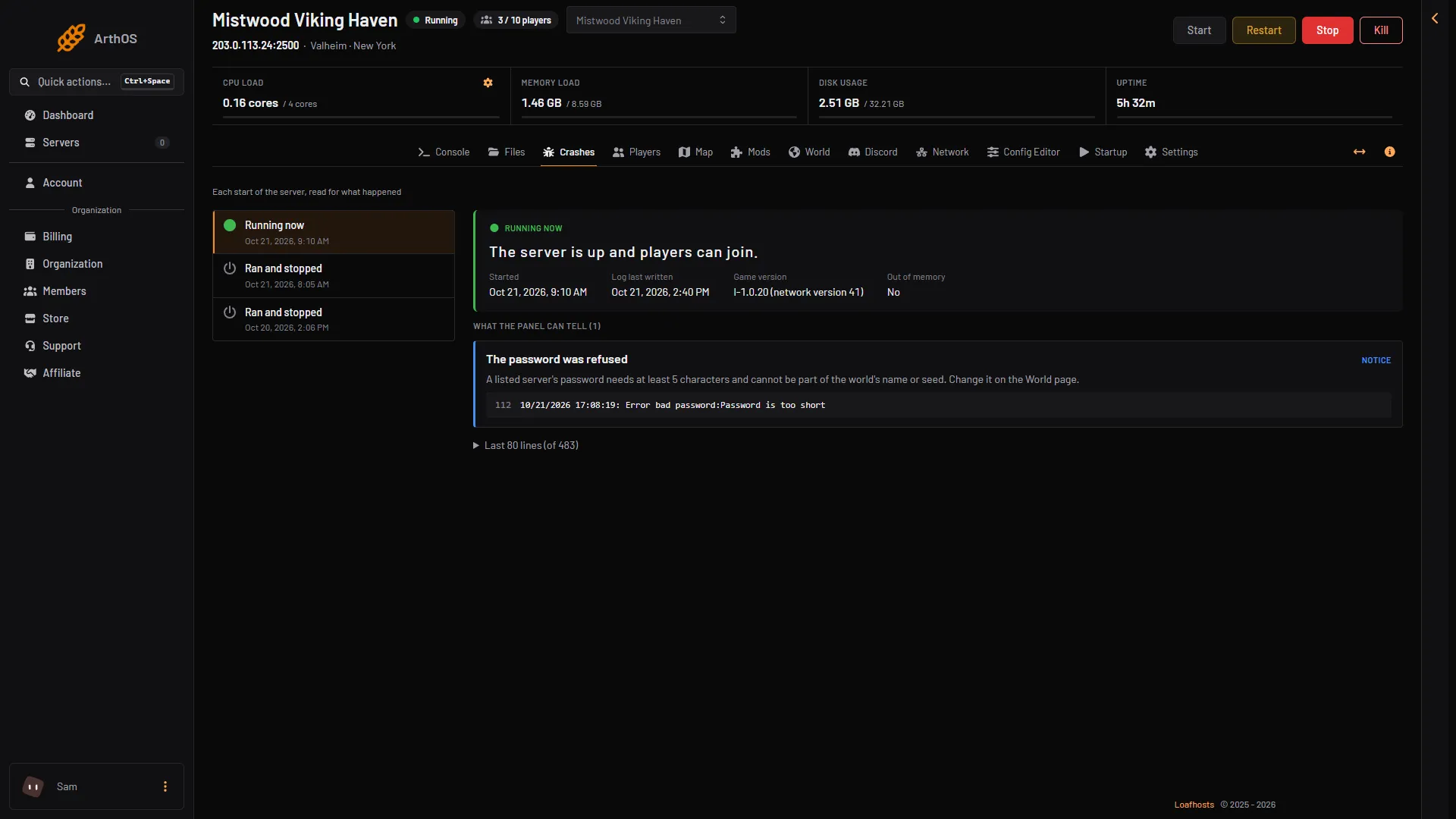
- Under What the panel can tell, look for The password was refused (1). The game’s log line behind it (2) begins
Error bad password:.
- The finding
- The log line
The game’s own check sets the rule, and the panel follows it: at least 5 characters, and not part of the world’s name or seed. The comment in the start script that ships with the server says “server name”: that is older wording. On Loafhosts the panel also keeps the password to 20 characters, with no double quotes.
Choose a new password
- Open the Config Editor page and the Server settings source.
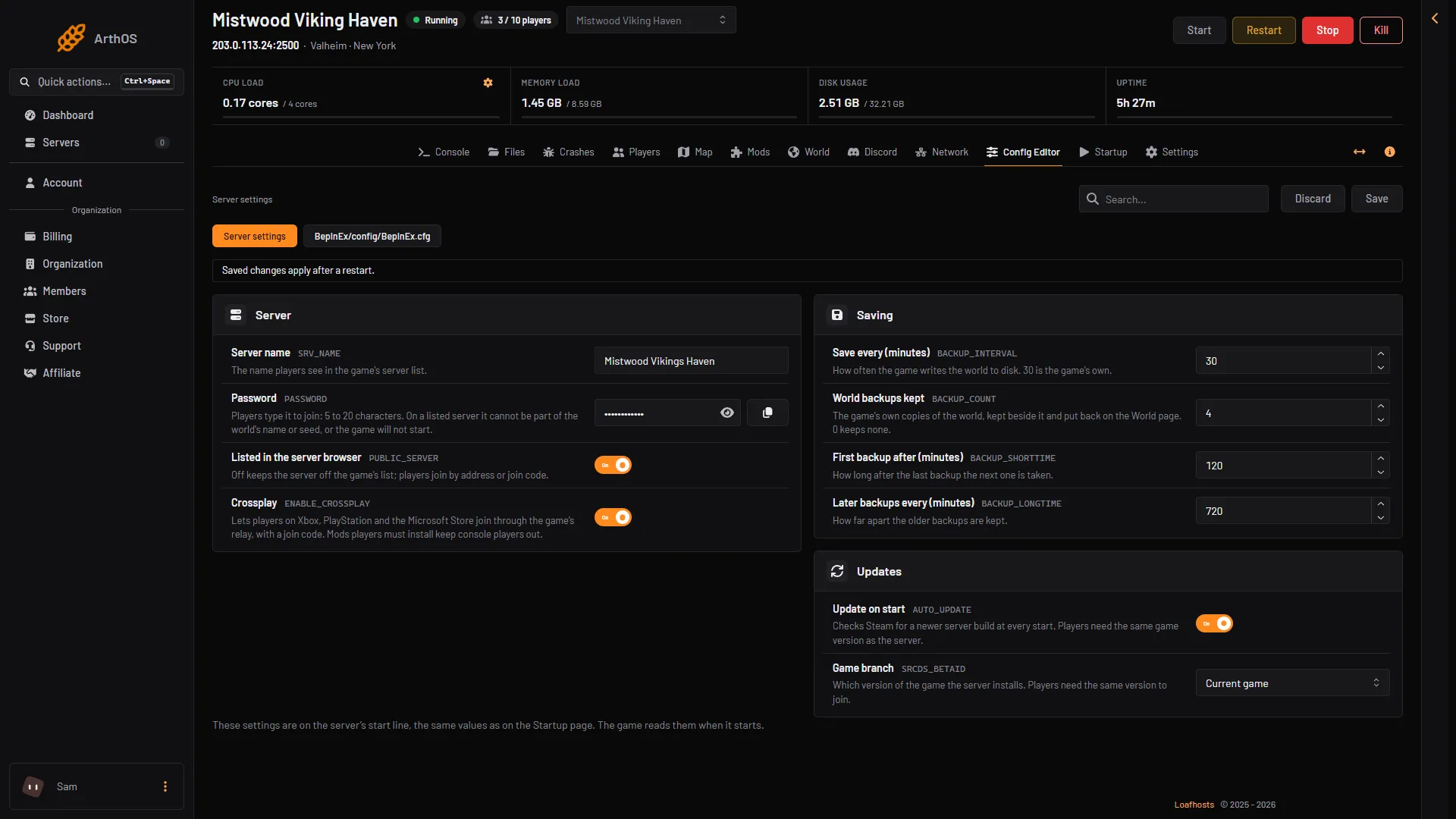
- In the Server group, type a new value in Password (1). Use at least 5 characters, and nothing that appears in the world’s name or seed. A simple test: do not use a word from your world’s name.
- Choose Save. The panel refuses a password the game would refuse, and tells you why.
- Choose Restart at the top of the server page.
- Password
- Listed in the server browser
The new password applies at the next start. On the Startup page the same value is called Server password. Change it in the Config Editor, under Server settings.
Why the world name matters
The check only applies to a listed server. Listed in the server browser (2) is in the same group. If it is off, the game does not run the world name and seed check. The length rule still applies. The world’s name and seed are on the World page.
A player gets the password wrong
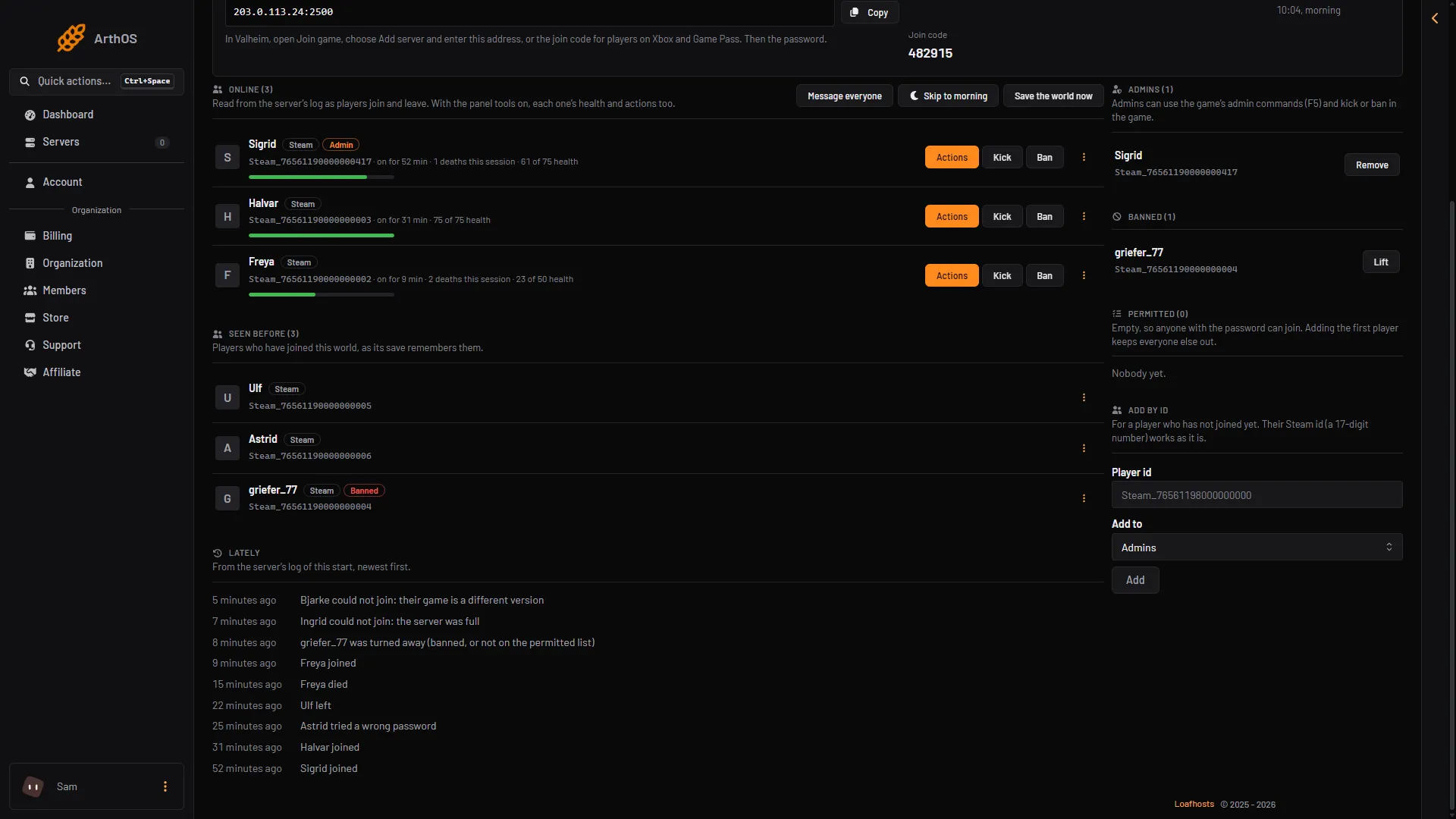
Open the Players page. In the Lately list, a wrong password shows as “(name) tried a wrong password”.
- Wrong password
- Read the current password in the Config Editor, under Password. The row is hidden: choose the show button beside it to see it, or the copy button to copy it.
- Send it to the player again, exactly as it is.
- The player types it in the game when they connect.
The server compares what the player types with the saved password. If you change the password, tell the players. Anyone with the old one will fail.
If it does not work
- You saved a new password and nothing changed. The server uses it from its next start. Restart the server.
- The panel will not save the password. It is shorter than 5 characters, longer than 20, holds a quote mark, or is part of the world’s name or seed. Pick another.
- You do not know where to change the password. It is in the Config Editor, under Server settings, not on the World page.
- The password is correct but the player still cannot join. Check the version: see version mismatch. Other causes are in cannot connect.
To set a password for the first time, see set a server password. More about the game: Valheim servers.