






A chat command is a short word that players type in chat after an exclamation mark. When someone types !rules, the server answers with text you wrote. The panel runs this itself. You do not need an extra tool.
In the ArthOS panel
- Open Automation.
- Find the Chat commands card. It says: “Players type ! and a word in chat, like !rules, and get your reply.”
- Choose Add a command.
- In Command, type the word. For
!rules, typerules. - In Reply, write what the server should say.
- Turn on Show to everyone if the whole server should see the reply. Leave it off to answer only the player who asked.
- Choose Save. The panel says “Automation saved. It applies within a minute.”
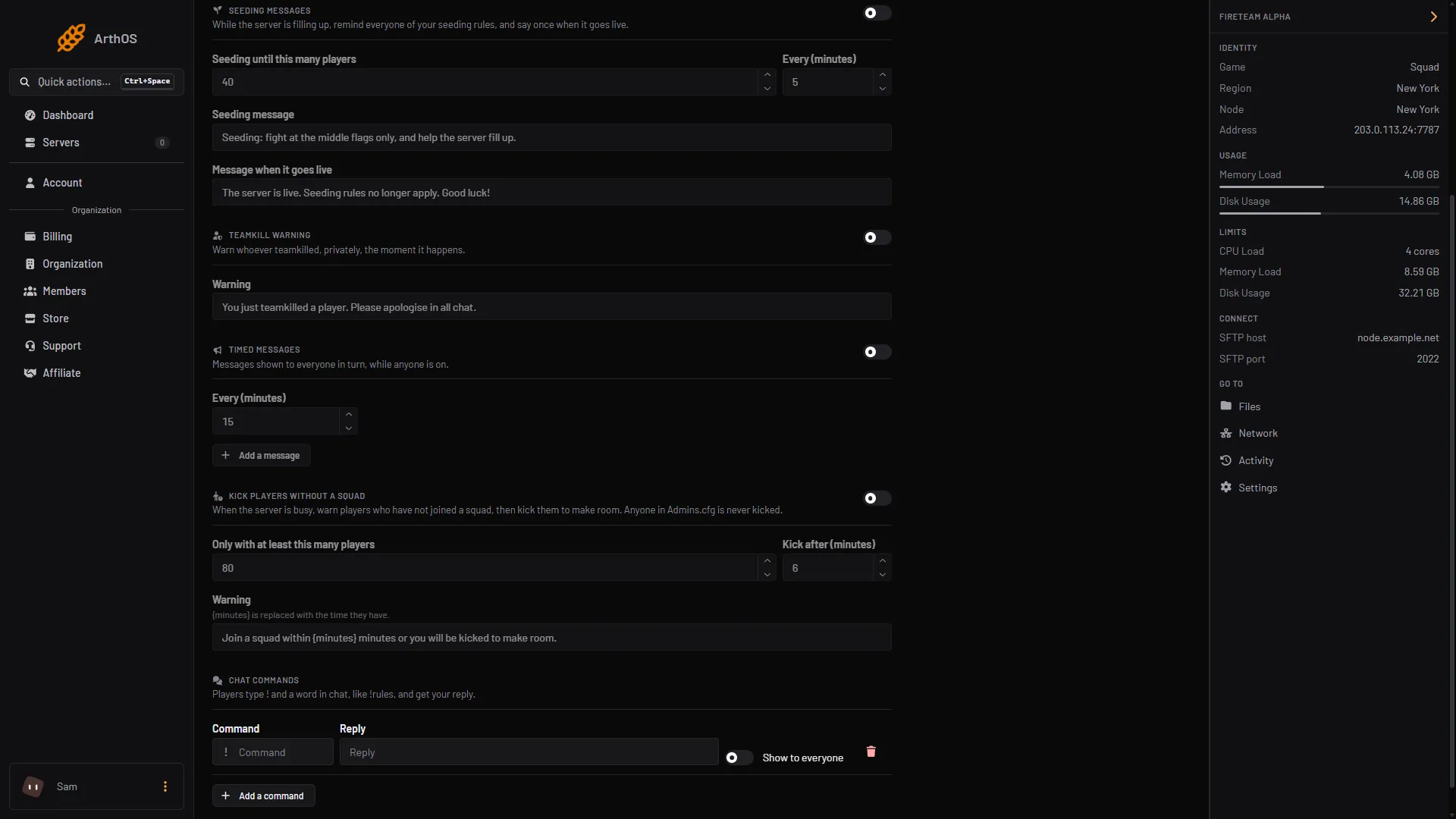
- Command word
- Reply text
- Show to everyone
- Add a command
Type the word in Command (1) and the answer in Reply (2). Switch on Show to everyone (3) for a public answer. Add a command (4) adds another row. Save is at the top of the page.
Two examples:
| Command | Reply |
|---|---|
rules | Play the objective. No main camping. Name your squad to claim a vehicle. |
discord | Join our Discord: discord.example.com |
Use your own text. discord.example.com is a made-up address.
How replies reach players
- Show to everyone off: the player gets a private warning. It shows in the middle of their screen and nobody else sees it.
- Show to everyone on: the reply is sent as a message to the whole server.
Rules for commands
- A command is one word of letters and digits, up to 20 characters. A leading
!is dropped for you, and capitals become lower case. - You can add up to 10 commands. Each word can appear once.
- A reply is required and can be up to 200 characters.
- Players can add words after the command, as in
!rules please. Only the first word counts. - A command answers at most once every 10 seconds, however many players type it. This stops one player from filling the screen.
If it does not work
- Nothing happens when a player types the command. The server must be running and the panel must be connected to it. Give it a minute after saving. The player must type
!first, with no space before the word. - Save is refused. The message names the problem: a command with a space or symbol, a command listed twice, or an empty reply.
- A private reply is missing. It is sent as a warning to the player who asked. If the game does not report who typed the command, the panel sends no private reply.
- Your role cannot change it. You can read Automation, but saving needs the game control and player moderation permissions.
More about the game: Squad servers.
Sources: github.com: Rcon.js