






There are three ways to show a message to everyone on a Squad server. Send one now from the Players page. Let the panel show a list of messages in turn. Or fill ServerMessages.cfg, and the game rotates the lines itself.
Send one message now
- Open Players.
- Find the box Message everyone (1). Its placeholder reads “Message everyone on the server”.
- Type your message. It can be up to 200 characters, on one line.
- Choose Send.
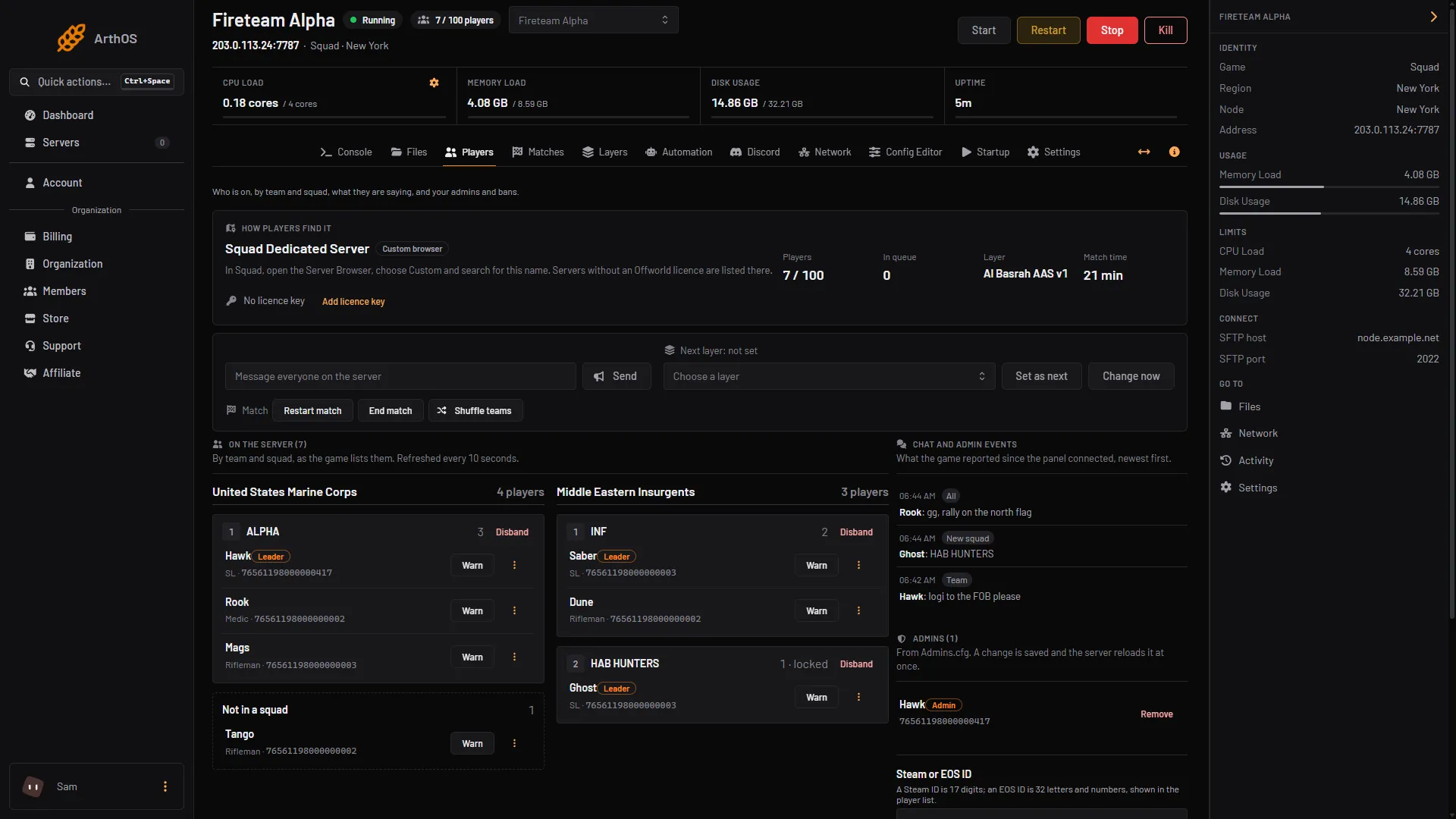
- Message everyone and Send
The server must be running. Behind the button, the panel sends the game’s AdminBroadcast command.
Show messages in turn with Timed messages
- Open Automation.
- In the Timed messages card, turn it on. The card says: “Messages shown to everyone in turn, while anyone is on.”
- Set Every (minutes). It can be 1 to 240. The starting value is 15.
- Choose Add a message, then write Message 1. Repeat for each message. You can add up to 10, each up to 200 characters.
- Choose Save. The panel says “Automation saved. It applies within a minute.”
The panel sends one message each time the interval passes, then the next one on the following interval. After the last, it starts again from the first. It sends nothing while the server is empty.
Rotate lines from ServerMessages.cfg
ServerMessages.cfg is a game file. Each line is one message. The game shows the next line every so many seconds. The Squad wiki says to use it for server rules and contact information. A new server already has this file with a few default lines, so replace them with your own.
- Open Files and open
SquadGame/ServerConfig/ServerMessages.cfg. - Write one message per line. Save the file.
- Open Config Editor and choose
Server.cfg. - In the Messages group, set Server messages every (seconds). It can be 10 to 86400. The help says: “How often the next line of ServerMessages.cfg is shown to everyone.” The stock
Server.cfguses 300. - Save and restart the server.
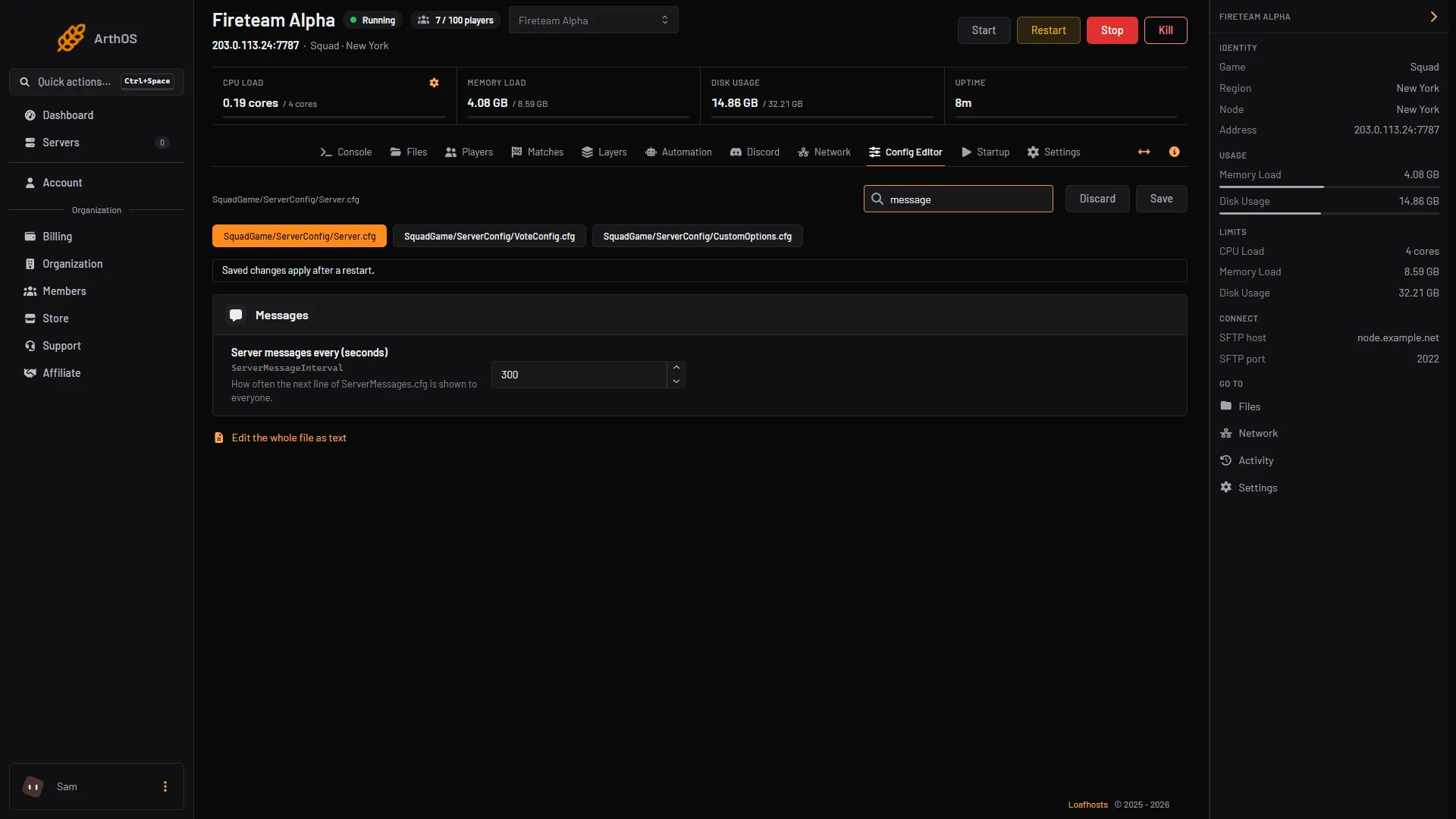
- Server messages every (seconds)
Which one to use
- Use Message everyone for something that cannot wait, such as a restart warning.
- Use Timed messages for reminders that you want to change from the panel without a restart.
- Use
ServerMessages.cfgfor rules that rarely change.
By hand
Over RCON, a tool can send the same message with the AdminBroadcast command followed by your text:
AdminBroadcast Server restarts in 10 minutesFor the file, put one message per line in SquadGame/ServerConfig/ServerMessages.cfg, and set ServerMessageInterval in Server.cfg:
ServerMessageInterval=300The Console Type a command… box on the panel does not answer admin commands, so use an RCON tool or the Message everyone box above. See Squad RCON port and password for how to connect a tool.
If it does not work
- The message is refused or does not appear. The server must be running. A message is at most 200 characters on one line.
- Timed messages never appear. The card must be on and saved. It sends nothing while nobody is on the server.
- ServerMessages.cfg lines do not rotate. Check the file has one message per line and that you restarted after changing the interval.
More about the game: Squad servers.
Sources: squad.fandom.com: Server Configuration, github.com: Rcon.js