






A layer rotation is a fixed list of layers your server plays. Set How the next layer is chosen to In order to play the list top to bottom, or Shuffled to play it in random order. Then fill the Rotation list.
In the ArthOS panel
- Open your server and choose Layers.
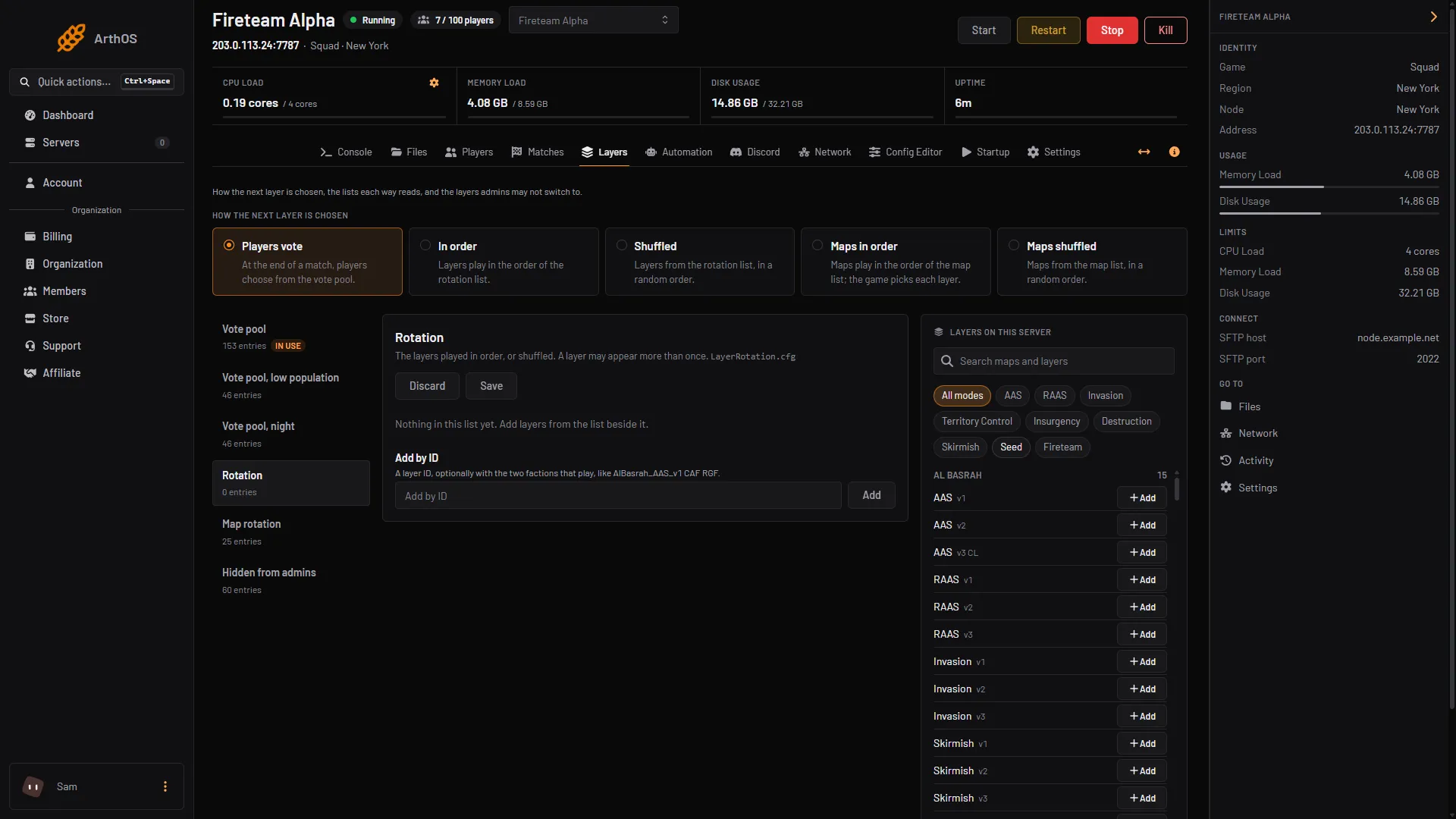
- Under How the next layer is chosen, pick In order (1) or Shuffled. A new server starts on Players vote. A message says “Saved. It takes effect when the server restarts.” Restart the server to use the new mode.
- In the list on the left, choose Rotation. It shows the file
LayerRotation.cfg. - Add layers in one of two ways:
- Search Layers on this server (3) and press +Add beside a layer. This list needs the server running.
- Type a layer ID in Add by ID (2) and press Add, for example
AlBasrah_AAS_v1.
- Press the up and down arrows on a row to move it. Press the remove button to take a row out. A layer may appear more than once.
- Press Save. A dot beside the list name means you have unsaved changes. Discard throws them away.
- In order
- Add by ID
- Search layers
A new server has an empty Rotation list, so add layers before you switch to a layer mode.
Under In order, the number beside each row is its place in the order. Under Shuffled, the order is random and the numbers do not matter. The list marked In use is the one the current mode reads.
Choose the factions
To pick the two factions for a row, put them after the ID in Add by ID, separated by spaces: AlBasrah_AAS_v1 CAF RGF. Team 1 comes first. The row then reads “Plays CAF vs RGF”. Without factions, the layer uses its own defaults. Offworld’s wiki says the same faction cannot play itself, and a bad setup is fixed by changing the second team.
By hand
Edit SquadGame/ServerConfig/LayerRotation.cfg in Files. Put one entry per line:
Anvil_AAS_v1
AlBasrah_AAS_v1 CAF RGF
Lines that start with // or # are notes. Then set the mode in Server.cfg:
MapRotationMode=LayerListUse LayerList_Randomized for the shuffled version. Restart the server so the mode applies.
If it does not work
- A row says “Not in this server’s layer list”. The game does not have that layer. Offworld’s wiki says records for removed layers are skipped. Take the row out.
- The panel refuses an entry. An ID has only letters, digits, underscores and hyphens. A map name with spaces is not an ID.
- Nothing changed. The mode needs a restart. Check that In use is on the Rotation list.
More about the game: Squad servers.
Sources: squad.fandom.com: Server Configuration, store.steampowered.com: 393380