






Squad words matter here. A map (also called a level) is the place, such as Al Basrah. A layer is one map in one game mode, such as AlBasrah_AAS_v1. A layer rotation lists layers, so you decide the mode of every match. A map rotation lists maps, and the game picks the layer.
The four modes
On the Layers page, under How the next layer is chosen:
| Mode | Plays | List it reads |
|---|---|---|
| In order | Layers in the order you wrote them | Rotation |
| Shuffled | Layers from the Rotation list, random order | Rotation |
| Maps in order | Maps in the order you wrote them, game picks each layer | Map rotation |
| Maps shuffled | Maps from the Map rotation list, random order | Map rotation |
There is a fifth, Players vote, which reads the vote pool. See layer voting.
Which to use
- Pick a layer mode when you care about the game mode. For example, a server that only plays RAAS.
- Pick a map mode when you only care about the places and are happy to let the game choose the layer.
In the ArthOS panel
- Open Layers and choose a map mode under How the next layer is chosen (1). A new server starts on Players vote. A message says “Saved. It takes effect when the server restarts.”
- Choose Map rotation in the list on the left. It shows
LevelRotation.cfg. - Add maps from Maps on this server, or type a map in Add by ID, for example
AlBasrah. Use the arrows to reorder and press Save. - Restart the server.
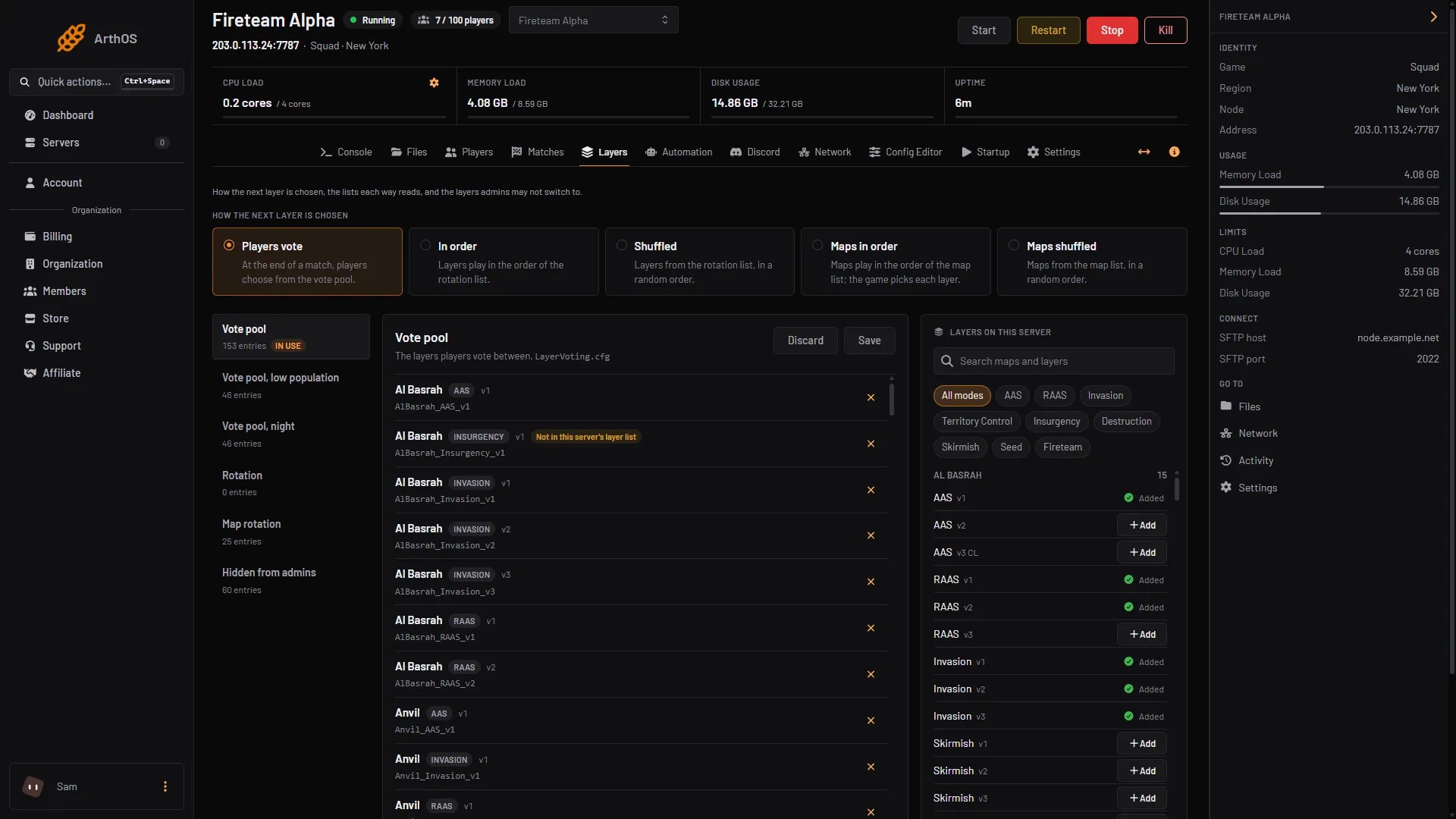
- The five mode buttons
Map names in this list differ from layer IDs: they have no mode or version. Use the browser’s Add button where you can. The panel marks layer rows the server does not offer, but it does not do so for the map list.
By hand
In Server.cfg set MapRotationMode to one of these:
MapRotationMode=LayerList
MapRotationMode=LayerList_Randomized
MapRotationMode=LevelList
MapRotationMode=LevelList_Randomized
The layer modes read LayerRotation.cfg. The map modes read LevelRotation.cfg. Restart afterwards.
If it does not work
- The wrong list is in use. Look for the In use label. It follows the mode.
- A map never shows up. It may be in
ExcludedLevels.cfg, which hides maps from every rotation. See hidden layers and factions. - The mode did not change. It applies at restart.
More about the game: Squad servers.
Sources: squad.fandom.com: Server Configuration, store.steampowered.com: 393380