






With Players vote, the match ends and each player chooses the next layer from a short list. That list comes from your Vote pool. Offworld’s wiki says layer voting is optional.
In the ArthOS panel
- Open your server and choose Layers.
- Under How the next layer is chosen, choose Players vote (1). A new server already uses it, and its Vote pool holds 153 entries. If you changed the mode, restart the server so it takes effect.
- Choose Vote pool (2) in the list on the left and add the layers you want players to see. Use +Add from the layer browser or type an ID in Add by ID. Press Save.
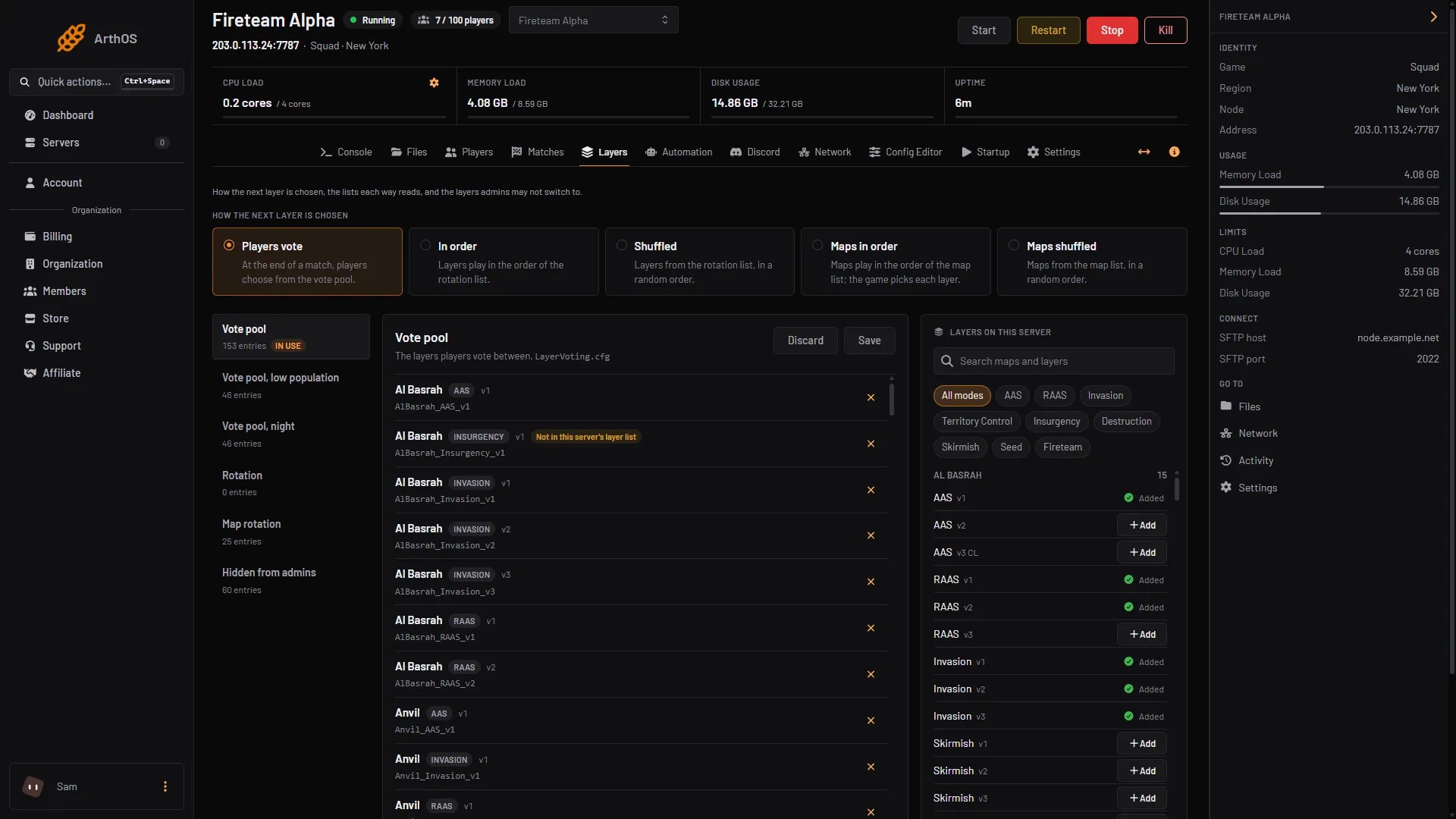
- Players vote
- Vote pool and other lists
Two more pools
- Vote pool, low population is used instead while fewer players are on than the Low population setting. Offworld suggests seeding and skirmish layers here. If it is empty, the vote pool is used.
- Vote pool, night is used during the night hours you set. If both apply, the low population pool wins, says Offworld’s wiki.
Tune the vote
Open Config Editor and choose the VoteConfig.cfg tab (1). The rows include:
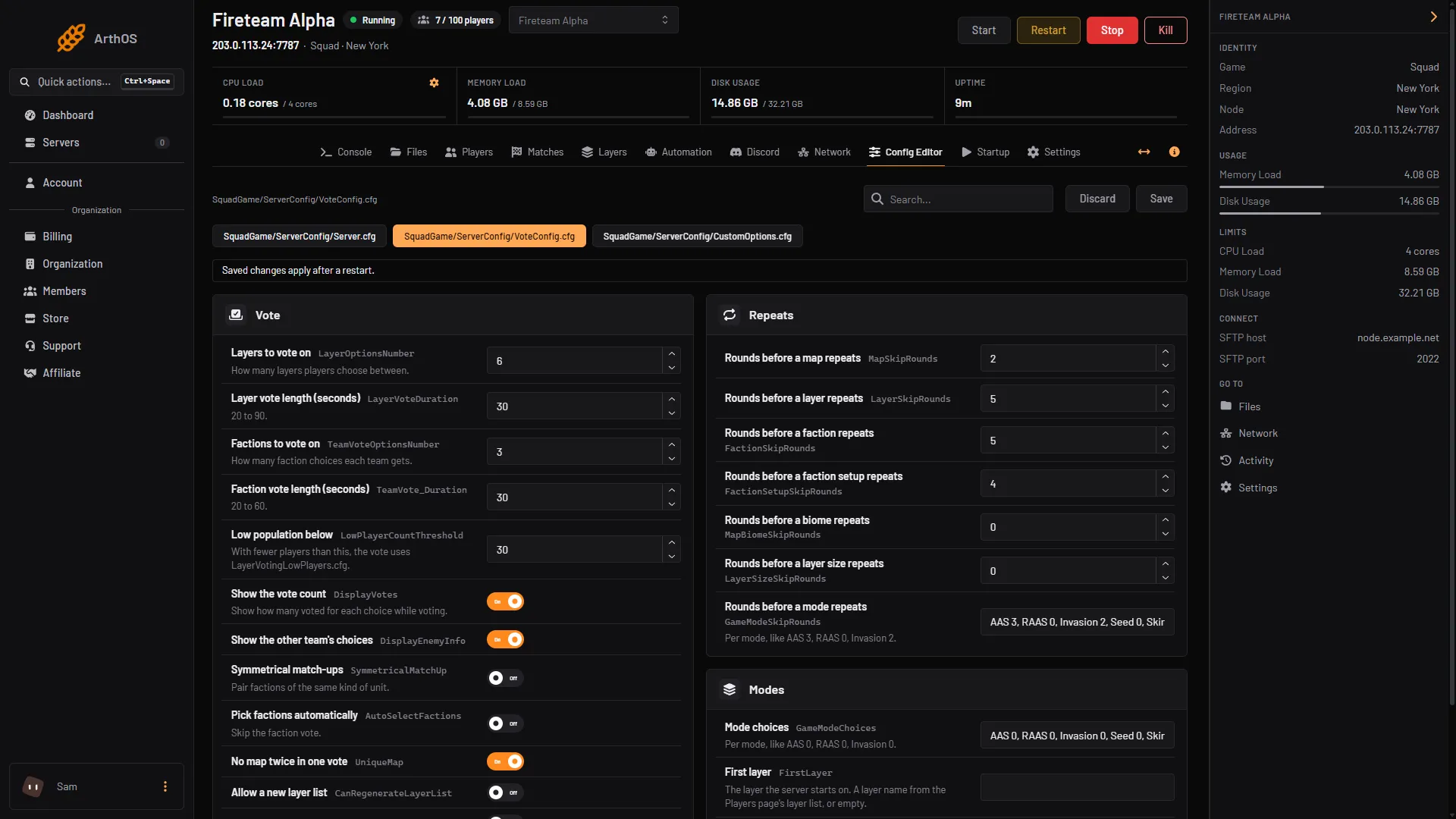
- VoteConfig.cfg tab
- Layers to vote on
- Low population below
- Layers to vote on (2): how many layers players choose between, 2 to 6.
- Layer vote length (seconds): 20 to 90.
- Factions to vote on and Faction vote length (seconds): the faction choice after the layer vote.
- Low population below (3): with fewer players than this, the low population pool is used.
- Night time: hours like
18:00-04:00, in the server’s time zone (UTC). Empty turns the night pool off. - First layer: the layer the server starts on. Leave First layer empty to use Squad’s own choice.
- The Repeats rows: how long a map, layer or faction waits before it can appear again.
Save your changes in the Config Editor, then restart the server so the new vote settings are used.
Leave factions out of a vote
A pool row can name factions to leave out, for example AlBasrah_AAS_v1|CAF|RGF. See hidden layers and factions.
By hand
In Server.cfg set:
MapRotationMode=LayerList_VoteThen edit LayerVoting.cfg, LayerVotingLowPlayers.cfg and LayerVotingNight.cfg in SquadGame/ServerConfig, one layer per line, and the settings above in VoteConfig.cfg.
The older Server.cfg keys UseVoteFactions, UseVoteLevel and UseVoteLayer are false in the stock file. These are the VoteConfig.cfg keys with their stock values, from the wiki:
LayerOptionsNumber=6
LayerVoteDuration=90
TeamVote_Duration=60
TeamVoteOptionsNumber=6
LowPlayerCountThreshold=30
FirstLayer=
NightTime=
Leave FirstLayer= empty to use Squad’s own choice.
If it does not work
- The vote does not start. A next layer is set. Offworld’s wiki says setting one skips the vote. See change the layer. Also check that Players vote is in use; if it still does not show, the three older
UseVote*rows are worth a look. - Players see the wrong layers. Check the In use label, and whether the low population or night pool applies.
- Low population does nothing. If the low pool is empty, the normal pool is used.
- A row is marked “Not in this server’s layer list”. The game does not have it. Remove it.
More about the game: Squad servers.
Sources: squad.fandom.com: Server Configuration, store.steampowered.com: 393380