
















If you try Give an item, Heal, an event or a similar action and the panel refuses, the message is: “Nobody is on the server, so the world is paused and the game does nothing until someone joins.” This is the game’s own behaviour, not a fault. Join the server, and the action works.
Why
An empty Terraria server does not run its world. The game’s own page says it hibernates when no players are online, and time only passes when players are connected. Since the update to 1.4.5.7, an empty server starts updating only when a player fully connects.
The panel’s tools live inside the game and act through that same world. With the world paused, there is nothing for them to act on. So the panel waits instead of pretending the action worked.
The Players page says the same thing in its tools line: “Nobody is on, so the world is paused: the panel’s tools act once someone joins.”
The actions live in the menu on each player’s row (the picture shows it open on a server with players on). With nobody on, the player rows are gone. Of the world-wide buttons, only the time buttons, Save the world now and Message everyone are not refused for this reason.
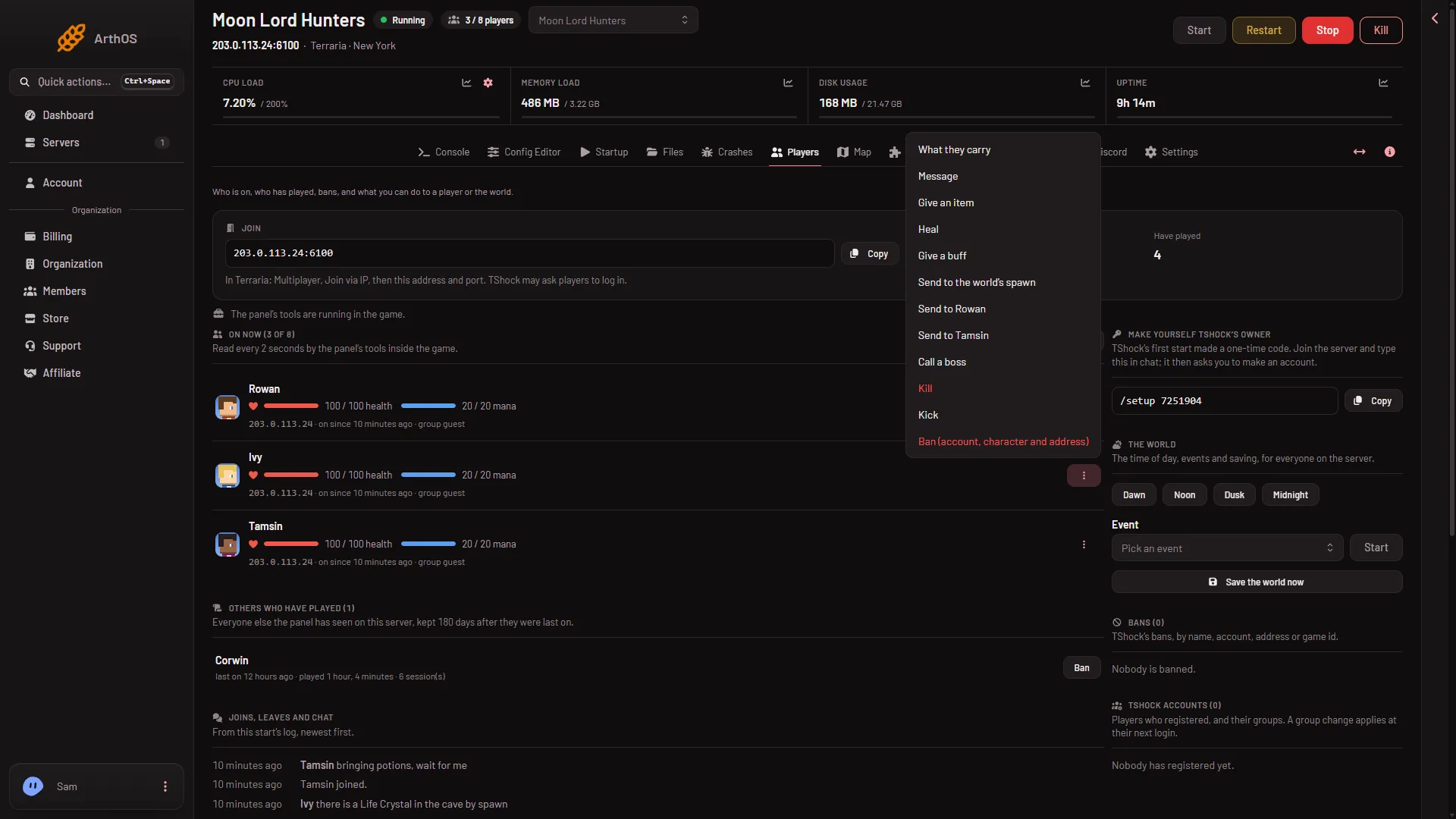
- Give an item
- Heal
- Call a boss
What waits and what does not
These need the panel’s tools and someone on the server. They are refused while nobody is on:
- Give an item, Give a buff, Heal, Kill
- Send to the world’s spawn and sending a player to another player
- Call a boss
- Events, with Pick an event and Start, are refused too, though they are world-wide
These are console commands, so the panel does not refuse them because nobody is on, and they work on Vanilla too. Not checked on an empty world on 1.4.5.8 as of 13 November 2026.
- Kick and Ban (they sit on a player’s row, so they need someone on)
- The time buttons Dawn, Noon, Dusk and Midnight
- Save the world now
- Message everyone
What to do
- Join the server yourself, or ask a player to join. Wait a few seconds for the On now list to show a name.
- Choose the action again: Give an item (1), Heal (2) or Call a boss (3) in the row menu.
If you are the player, you can act on your own row. The menu on a player’s row is named “What to do with” and the player’s name.
If it still does not work
- A different message: “the server is not running”. Start the server first.
- A message about the tools key or the tools not running yet. Restart the server once. See panel tools not running.
- A message that the tools run on TShock and tModLoader. This server runs Vanilla. Change the software on the World page.
- Nothing in the menu. Your role may not allow it. Ask the server’s owner to give your role the right.
More about the game: Terraria servers.
Sources: terraria.wiki.gg: Server