
















You can give a player 1 to 9,999 of any item from the Players page. The item drops at their feet and only they can pick it up. It needs the panel’s tools, so the server must run TShock or tModLoader, and the player must be on the server.
Before you start
- Software. The panel’s tools run inside TShock and tModLoader. A Vanilla server runs none, so Give an item does not work there. To change the software, see change the server software.
- Someone must be on. The Terraria server does nothing while nobody is connected, so the world is paused. The panel says so and the item waits until a player joins.
- Your role. You need a role that allows game actions. If the menu has no Give an item, ask the owner to change your role on the organization page (Settings, Access, Manage roles).
Give the item
- Open the Players page of your Terraria server.
- In the On now list, find the player. Open the menu on their row, named What to do with and their name.
- Choose Give an item. The box is titled Give (name) an item.
- Click Item and start typing the item’s name. The list is searchable and shows the first matches only, so type more letters to narrow it. On tModLoader, items from mods show with the mod’s name in brackets.
- In How many, type a number from 1 to 9,999.
- Choose Give.
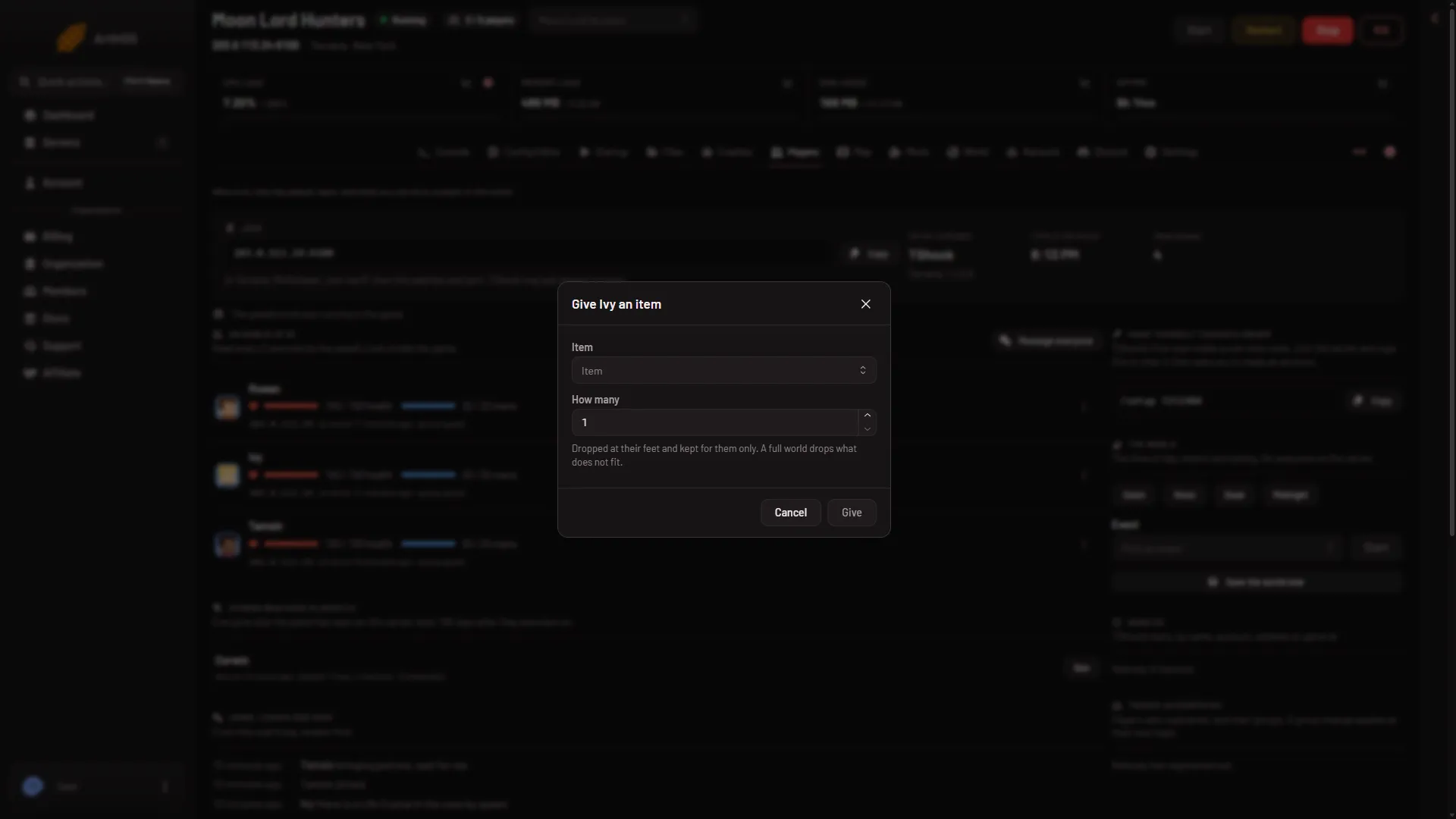
The box adds this note: “Dropped at their feet and kept for them only. A full world drops what does not fit.” Nothing needs a restart.
You can look at what a player carries before and after. Open the same row menu and choose What they carry. That view is read only.
Things to know
- The dialog has no field for a prefix such as Legendary. You give the plain item.
- The panel allows 60 actions of this kind a minute per server. The Activity tab inside Settings records each give with the player and the item.
If it does not work
- Give an item is missing from the menu. The server runs Vanilla, the panel’s tools are not running yet, or your role does not allow it. Look at the line under the page’s stats: it says which.
- “Nobody is on the server, so the world is paused”. Wait until a player joins, then try again.
- “The panel’s tools get their key at the server’s next start”. Restart the server once. The tools load at the next start after you switch to TShock or tModLoader.
- Item is not in the list. Type fewer letters, or a different part of the name. A mod’s item only exists while that mod is loaded.
See also: the Players page.
Sources: terraria.wiki.gg: Server