
















Open the menu on a player’s row on the Players page, choose Call a boss, pick a boss and how many. The boss appears near that player. It needs TShock or tModLoader, and the player must be on the server.
Call the boss
- Open the Players page of your Terraria server.
- In the On now list, open the menu on the player’s row.
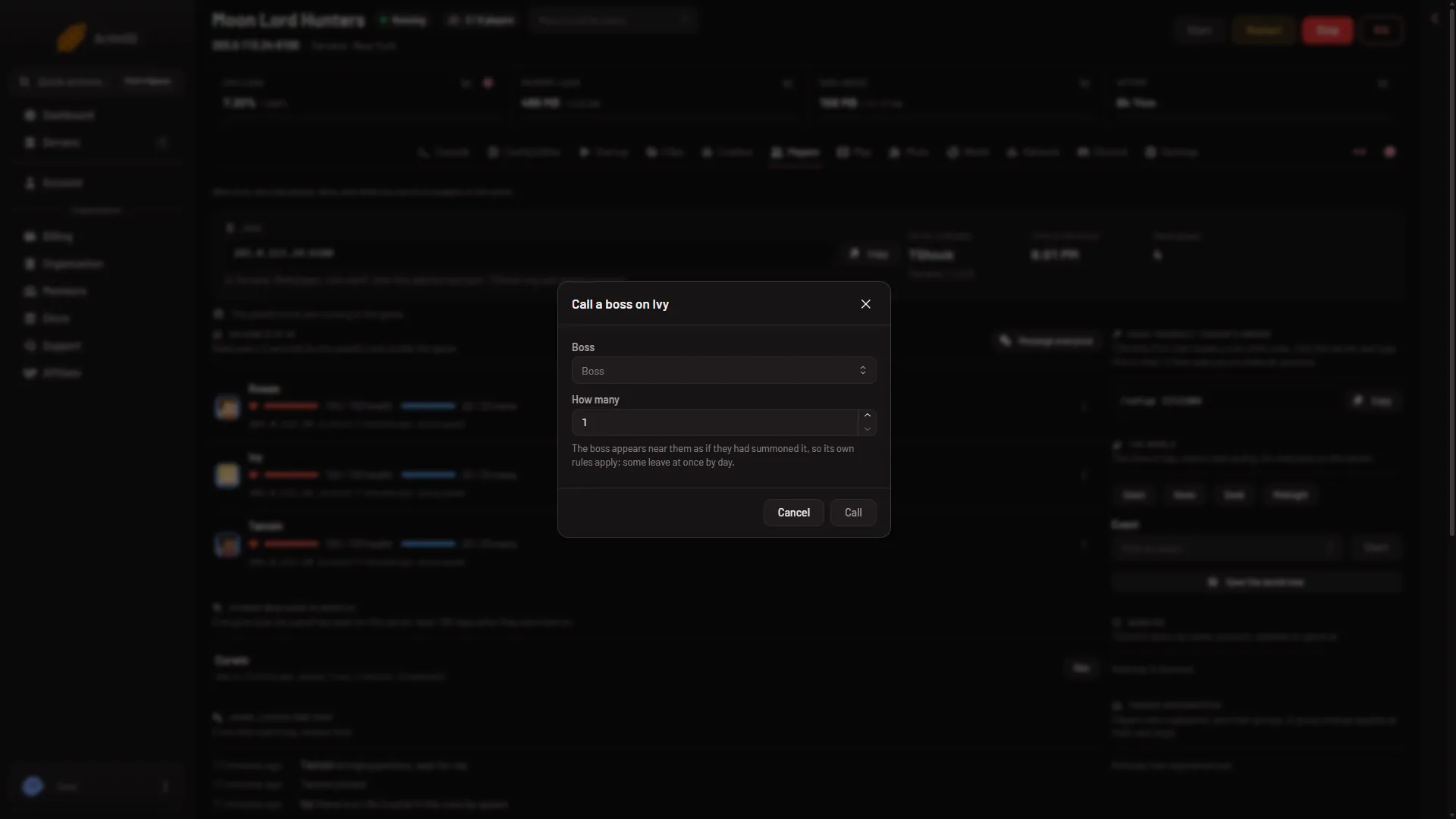
- Choose Call a boss. The box is titled Call a boss on (name).
- Click Boss and pick one from the list. You can type to search it. The list holds the game’s own bosses, such as Eye of Cthulhu. On tModLoader, bosses from mods show with the mod’s name in brackets.
- In How many, type a number from 1 to 5.
- Choose Call.
Nothing needs a restart.
Its own rules apply
The box says: “The boss appears near them as if they had summoned it, so its own rules apply: some leave at once by day.” So in daytime, some bosses leave at once. Before you call one, you can set the time of day for everyone with Dawn, Noon, Dusk or Midnight in the block named The world on the same page. Those buttons also work on Vanilla.
What you need
- TShock or tModLoader. Vanilla runs none of the panel’s tools, so Call a boss is missing there.
- A player on the server. A Terraria server with nobody on is paused, and the game does nothing until someone joins. The panel says so and does not run the call.
- A role that allows game actions. The same role setting covers give, heal, buffs, teleport and bosses.
The panel allows 60 actions of this kind a minute per server. Activity, a tab inside Settings, records each call.
If it does not work
- Call a boss is missing from the menu. The server runs Vanilla, the tools have not loaded, or your role does not allow it.
- The boss left at once. It follows its own rules, and some leave by day. Set the time to Midnight and call it again.
- The Call button is grey. Pick a boss first.
- “The panel’s tools get their key at the server’s next start”. Restart the server once.
- “Call 1 to 5 at a time”. Use a number from 1 to 5.
See also: start an event.
Sources: terraria.wiki.gg: Server