
















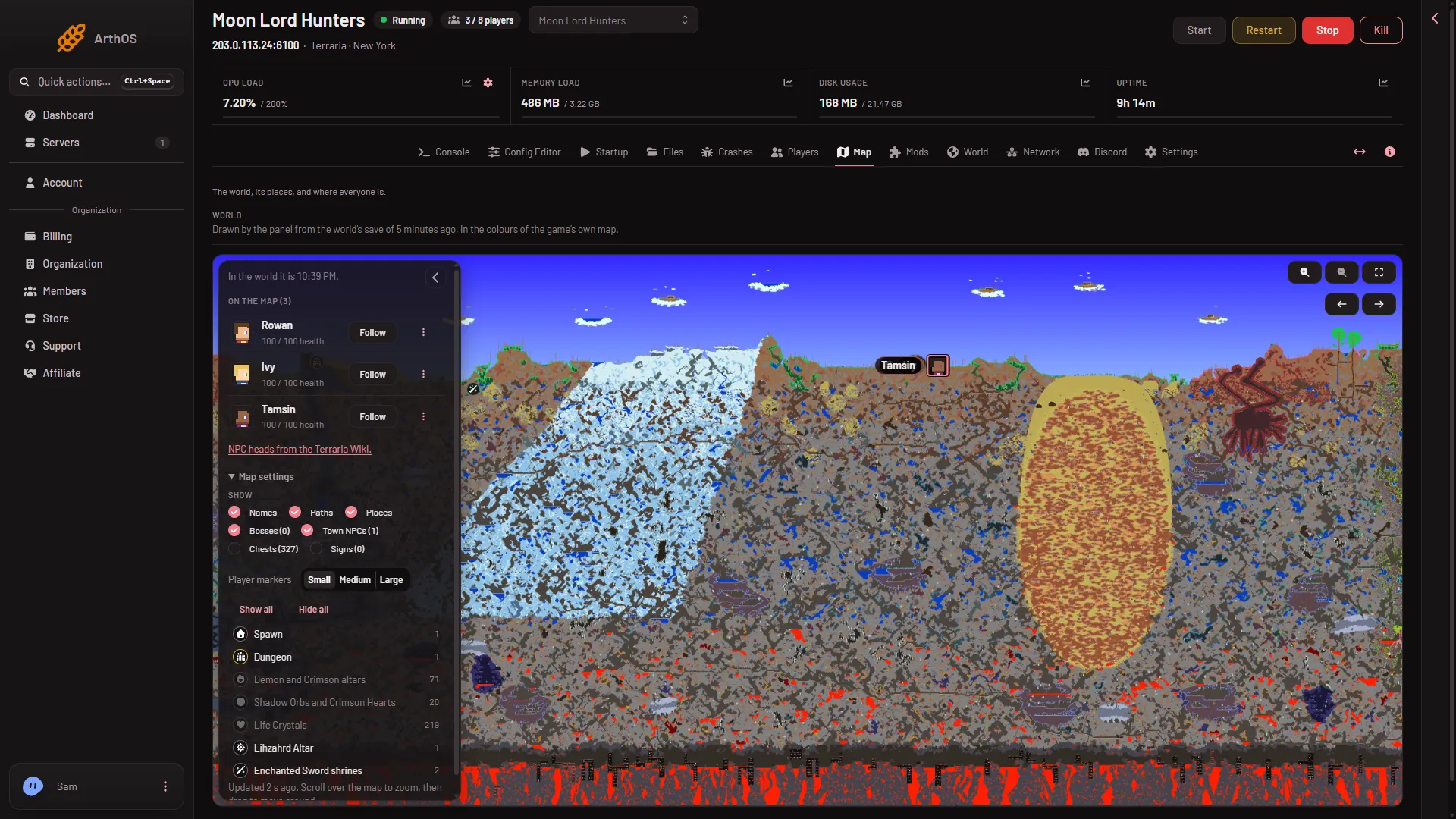
The list beside the Map has one filter for each kind of place. Turn a filter on to mark every place of that kind on the map, and off to hide them. The panel finds the places in the world’s save.
The filters
- Spawn: the world’s spawn point.
- Dungeon: the world’s Dungeon.
- Pylons: every pylon in the world.
- Demon and Crimson altars: every altar of either kind.
- Shadow Orbs and Crimson Hearts: every orb and heart.
- Life Crystals: every Life Crystal.
- Life Fruit: every Life Fruit.
- Plantera’s bulbs: every bulb of Plantera.
- Lihzahrd Altar: the Lihzahrd Altar.
- Enchanted Sword shrines: every shrine of the Enchanted Sword.
Use them
- Open the Map tab.
- In the panel on the left of the map, open Map settings.
- Below Show all and Hide all, find the list of places. Each row has a number: how many places of that kind the world has.
- Turn a filter on or off. The markers appear and disappear at once. Show all (2) turns every layer on and Hide all turns them off.
- A place filter, here off
- Show all
A dimmed row (1) is a filter that is off.
Three filters start off, because a world has many of them: Demon and Crimson altars, Shadow Orbs and Crimson Hearts and Life Crystals. Turn them on when you need them. Chests and signs also start off. They have their own guide: chests and signs.
Only places the world has
The list shows a filter only for a kind of place that the world has. Spawn and Dungeon are always there. A world without any Life Fruit has no Life Fruit filter. A kind may be missing from one world and present in another.
Fresh from the last save
The places are read from the save, so a place the players made or broke after the last save is not shown yet. See the map page for when the map is drawn again.
If it does not work
- A filter is missing. The world has none of that kind of place yet.
- A filter is on and nothing shows. The place may not be in the last save yet. Wait for the next save and redraw.
- The whole map is empty. Read map not showing.
More about the game: Terraria servers.
Sources: terraria.wiki.gg: Server