
















The Map tab shows your whole world, drawn by the panel from the world’s save in the colours of the game’s own map. It opens on the world’s spawn. The picture is the world as of the last save. It is not a live view.
Open the map
- Open the Map tab of the server.
- Wait a moment the first time. The page says “The panel is drawing the world from its save.” A small world takes a few seconds at most. A large one takes longer.
- The map opens on the spawn point, with the whole height of the world in view.
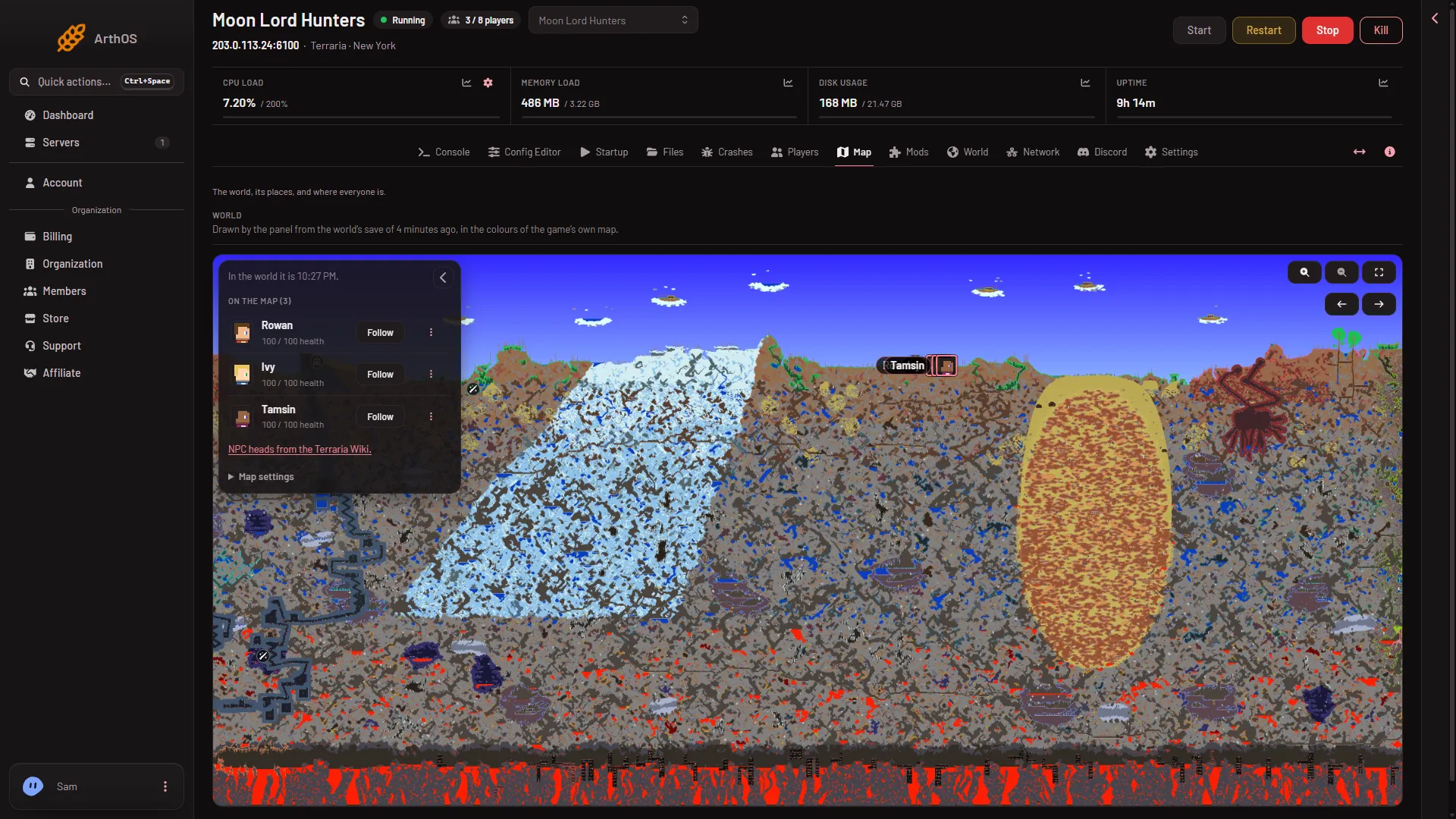
- Which save is drawn
- On the map list
The line above the map (1) says which save you are looking at. The list (2) holds the players on the map.
Your role must allow seeing the live map, or the tab does not show.
Move and zoom
- Drag the map to move it, or use the arrows.
- Zoom in with the magnifier buttons at the top right of the map, or scroll over it. The map zooms in up to 8 times.
- The list beside the map has filters for places, covered in places on the map.
When the map changes
The panel draws from the world file, not from the running game. After the game saves the world, the panel draws it again. It does this at most once every 5 minutes. While it draws, the old picture stays and the page says “A newer save is being drawn and shows here when it is ready.”
The game saves the world now and then. It also saves when the server stops with exit. So a building you finished a minute ago may not show yet. The page states which save you are looking at: “Drawn by the panel from the world’s save of (time), in the colours of the game’s own map.”
If a drawing fails, the page says “The map could not be drawn. It is tried again in 10 minutes.”
What is live
Only the markers move on their own. On a TShock or tModLoader server with someone online, the map shows each player and any boss that is up. See live players on the map. A Vanilla server has none of these markers, because it runs nothing of the panel’s inside the game. Switch the server software on the World page if you want them. TShock keeps the normal game for your players. tModLoader cannot open a world saved by Terraria 1.4.5 and players need tModLoader to join.
If it does not work
- It says the server has no world yet. The server makes one at its first start. Start it once.
- The map never appears. The world file may be too big: files over 160 MB are not read. Read map not showing.
- A new building is missing. Wait for the next save and the redraw that follows.
More about the game: Terraria servers.
Sources: terraria.wiki.gg: Server