









On a Valheim server you type commands in the game, not on the server. An admin presses F5 in the game to open the console. The game’s manual lists Kick, Ban, Unban and Banned. The Console page of your server shows the server’s log only. You cannot type into it.
Who can use the console
Only admins. An admin is a player whose id is in adminlist.txt on the server. Everyone else gets nothing from the console on your server. To become an admin, see make yourself admin.
Being an admin gives you the admin commands and nothing more. It does not give you cheat commands.
Open the console in the game
On Steam:
- In your Steam library, right-click Valheim and choose Properties.
- In the General tab, find Launch Options and type
-console. - Close the window and start Valheim.
- Join your server. Press F5.
Other platforms open the console in other ways. The official wiki page for the developer console lists them: Developer console.
The commands
The game’s manual lists exactly these four commands. Type the command, a space, and the player’s name.
| Command | What it does |
|---|---|
Kick PLAYERNAME | Removes the player from the server. |
Ban PLAYERNAME | Bans the player. |
Unban PLAYERNAME | Lifts the ban. |
Banned | Lists all banned players. |
The wiki gives kick, ban and unban as taking a name, an ip or a user id (kick [name/ip/userID]). With players who have similar names, an id is the safer choice. Not checked on 1.0.20 as of 21 October 2026: a name that contains spaces.
The wiki also lists save, which forces a save, and setworldmodifier, setworldpreset and resetworldkeys, which change the world’s difficulty. Not checked on 1.0.20 as of 21 October 2026: those four commands.
Cheat commands do not work
Commands such as god, fly, spawn and heal need devcommands. The wiki says they “are available in singleplayer or manually hosted mode only. They do not work on a dedicated server”, and Loafhosts runs your server as one. Not checked on 1.0.20 as of 21 October 2026.
The Console page in the panel
The Console page shows what the server writes to its log: starts, joins, saves, with a level tag on each line. It is useful to read what happened. A Valheim dedicated server reads nothing typed into it, so the command box under the log does nothing for this game.
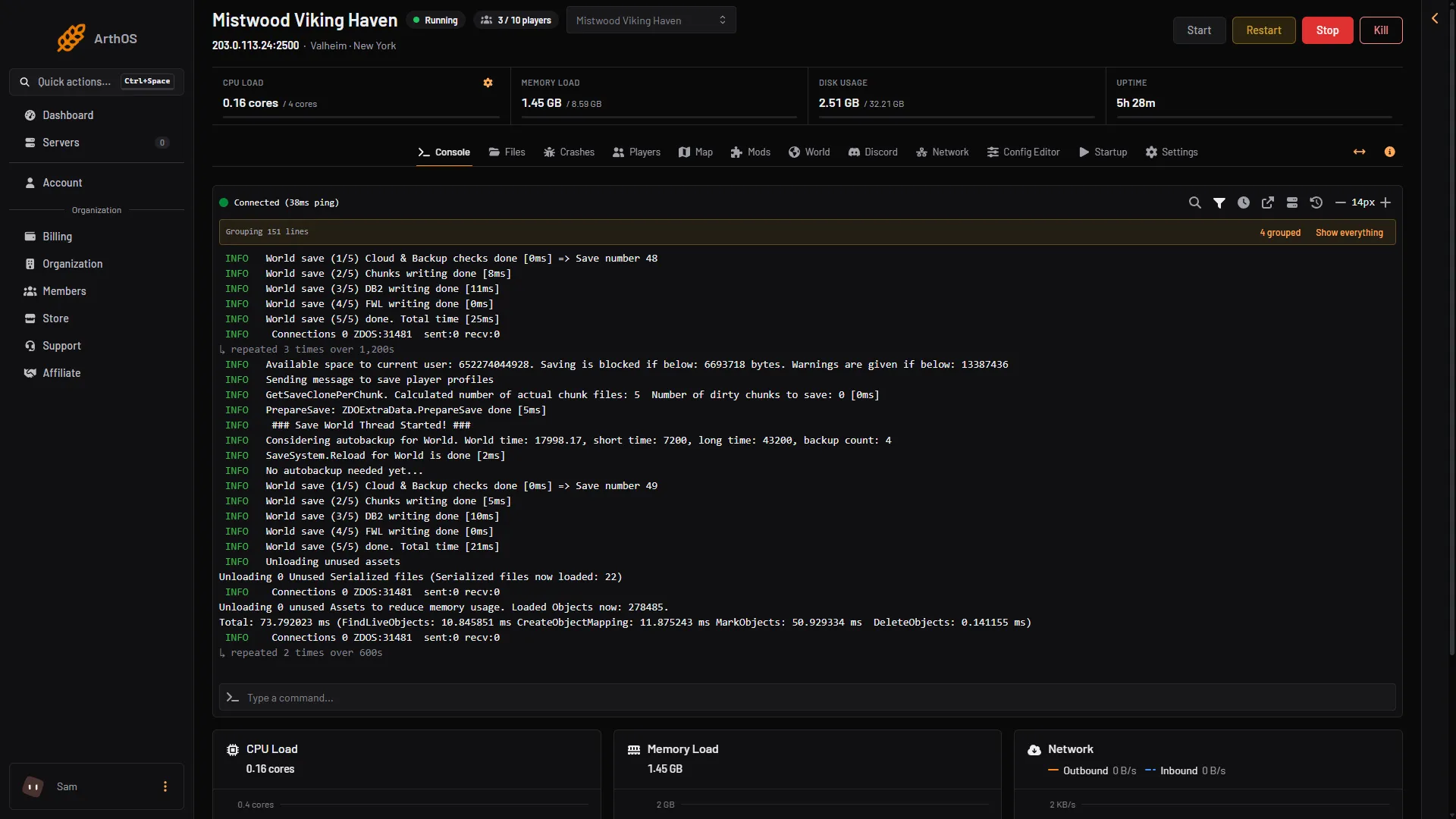
- Restart
- Stop
To restart the server, choose Restart (1) at the top of the server page. This works on every page, not only here.
The panel does the same jobs
You do not need the game console to kick or ban. Open the Players page:
- Kick and Ban are on each online player.
- Lift is on the Banned list.
- Add by id bans someone who is not on the server.
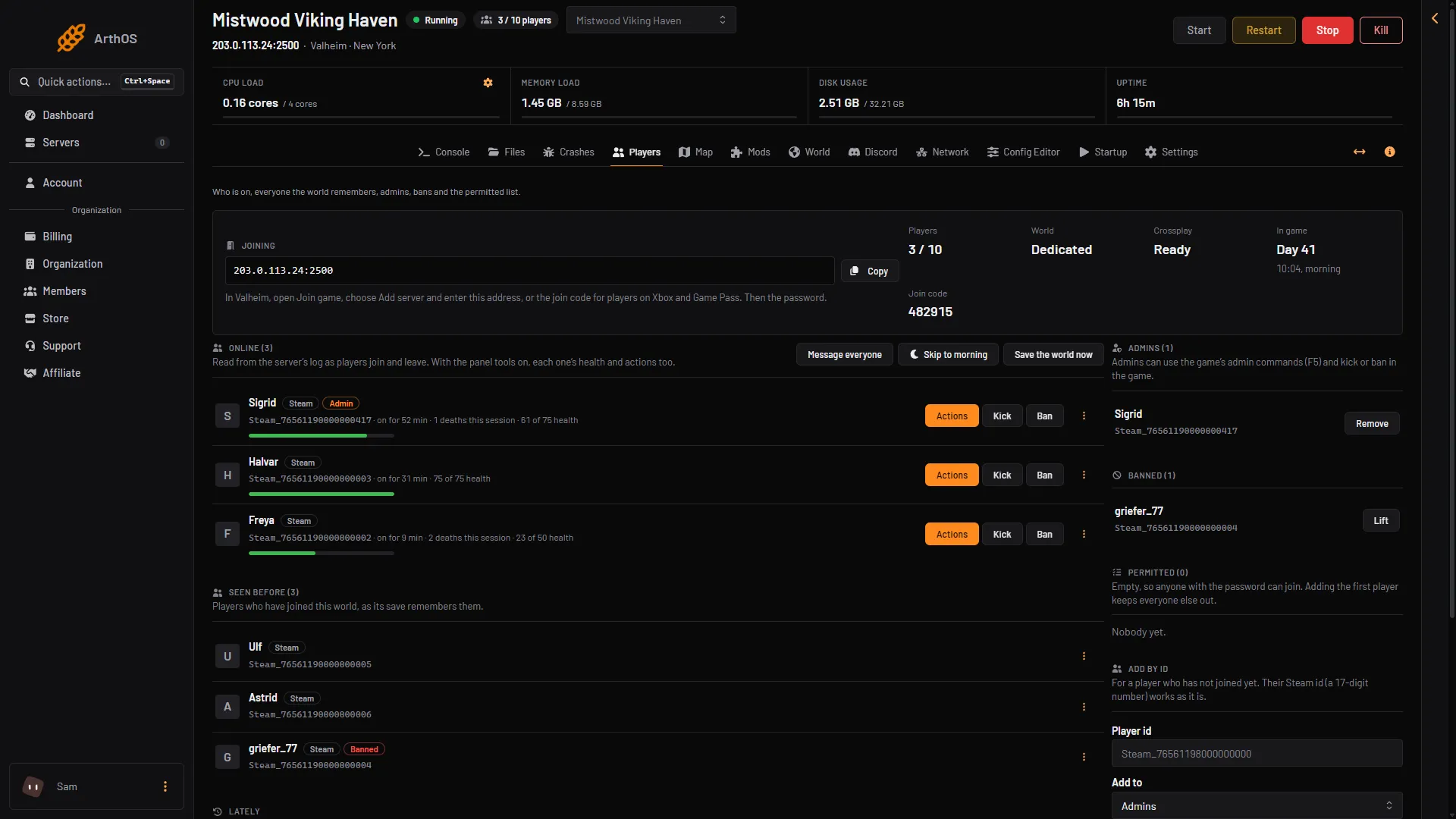
- Admins
- Banned
- Lift
Your id must be in the Admins list (1) before the game console accepts admin commands.
Every change applies at once. No restart is needed. Steps are in ban and kick players.
If it does not work
- F5 opens nothing. The console may not be switched on. On Steam add
-consoleto the launch options and start the game again. - You type
Kickand nothing happens. You are not an admin. Check that your id is on the Admins list of the Players page. - The game says the command is unknown. It may be a cheat command. Those do not work on a server.
- You want to type in the panel. The command box under the log does nothing for Valheim, because the server reads nothing typed into it. Use the Players page.
More about the game: Valheim servers.
Sources: valheim.fandom.com: Developer console, valheim.fandom.com: Dedicated servers