









When crossplay does not work, the Players page shows Not connecting next to Crossplay. Choose Restart at the top of the server page. If it keeps failing, turn Crossplay off and restart again. Steam players then join by the server address. Players on Xbox and Game Pass cannot join until crossplay works again.
What the message means
With crossplay, players do not connect straight to your server. They connect through a Microsoft service that passes the traffic on, called a relay (run by Microsoft’s PlayFab service). The game uses the address and port only to find that relay. Players on Xbox and Game Pass can only join this way.
When the server cannot get into the relay, it keeps trying. After four tries the panel shows Not connecting. The Crashes page also shows a finding called “Crossplay could not reach its relay”. One try is normal while the relay is set up, so a single line in the log is not a fault.
While it is stuck there is no Join code, so players on Xbox and Game Pass have nothing to type. The address does not help anyone either: the wiki’s Dedicated servers page says a crossplay server has no inbound listening ports.
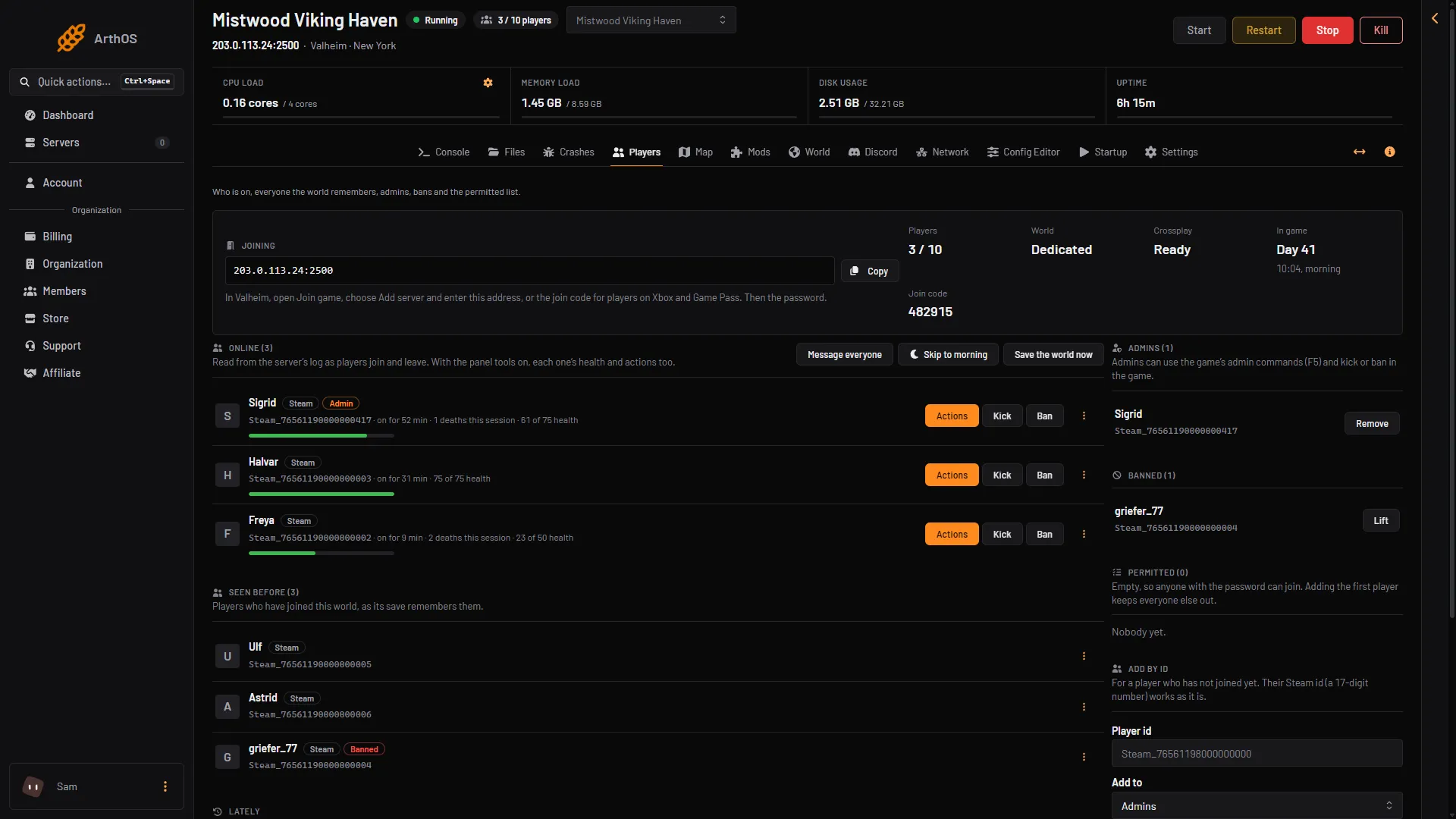
- Crossplay
- Join code
Fix it
- Choose Restart at the top of the server page. Wait about a minute. A new server takes players about 17 seconds after it starts (longer with mods or after an update), and crossplay is ready about half a minute after the start.
- Open the Players page. Crossplay (box 1) should say Ready, and Join code (box 2) should show a number.
- If it still says Not connecting, open the Config Editor and choose Server settings.
- Turn Crossplay off and choose Save. Restart the server. Saved changes apply after a restart.
- Check the Players page. Steam players join by the address in the Joining card, then the password.
- To try crossplay again later, turn Crossplay on, save and restart.
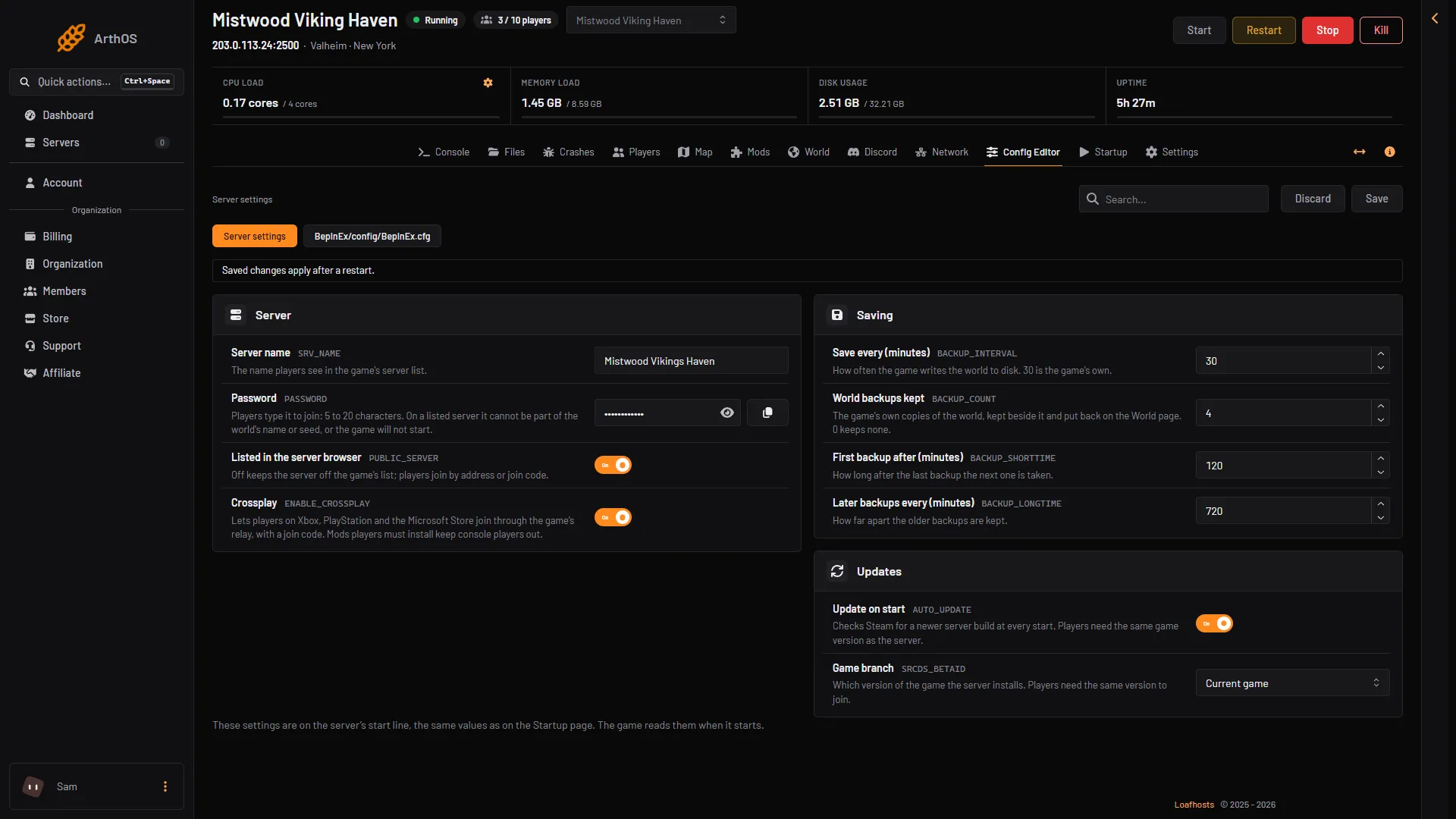
- Crossplay
- Save
If it keeps saying Not connecting with crossplay on, the problem is the server’s network, not your settings. Ask support.
Who can join meanwhile
- With crossplay off, Steam players join by the address in the Joining card, then the password. Players on Xbox and Game Pass cannot join.
- With crossplay on and Ready, players on Xbox and Game Pass open Join game, enter the Join code and then the password. The code can change at every start, so always read it from the Players page. Never use an old message.
- With crossplay on and Not connecting, nobody joins until it is fixed.
Mods keep players on Xbox and Game Pass out
Players on Xbox and Game Pass cannot install mods. If the server runs a mod that players must also install, those players cannot join, even when crossplay is Ready. The Mods page warns about this and asks you to confirm before it installs such a mod.
To let them back in, remove the mod players need (a server-only mod is fine), or turn Load mods off on the Mods page. See players need the mod too.
If it does not work
- Crossplay says Ready but a player on Xbox or Game Pass cannot join. Check the join code is the current one. Then check for a mod players need.
- Nobody can join. Everyone needs the same game version as the server. See cannot connect.
- You turned crossplay off. Only Steam players can join, by the address. That is how the game works without crossplay.
To set crossplay up from the start, see crossplay on a Valheim server. More about the game: Valheim servers.