









Open the Players page, choose Actions on the player and choose Give item. Pick the item, set How many and Quality, and choose Give. The items drop at the player’s feet and the player picks them up. The player must be online, and the panel tools must be on. More about the game: Valheim servers.
Before you start
- Turn on the panel tools. See Valheim panel tools.
- The player must be online. Actions shows only for players who are on the server now.
- Your role must be allowed to act in the game.
Give an item
- Open the Players page.
- Find the player under Online (N).
- Choose Actions, then Give item. A box called “Give (name) an item” opens.
- Type in the search box, for example “iron sword”, “mead” or “wood”. The list is the game’s own, with its pictures.
- Choose the item. The box says how many fit in one pile, for example “Wood: up to 50 in one pile.”
- Set How many. It can be 1 to 10,000.
- Set Quality. The list goes from 1 to the highest quality that item has. An item with no upgrades has only 1.
- Choose Give.
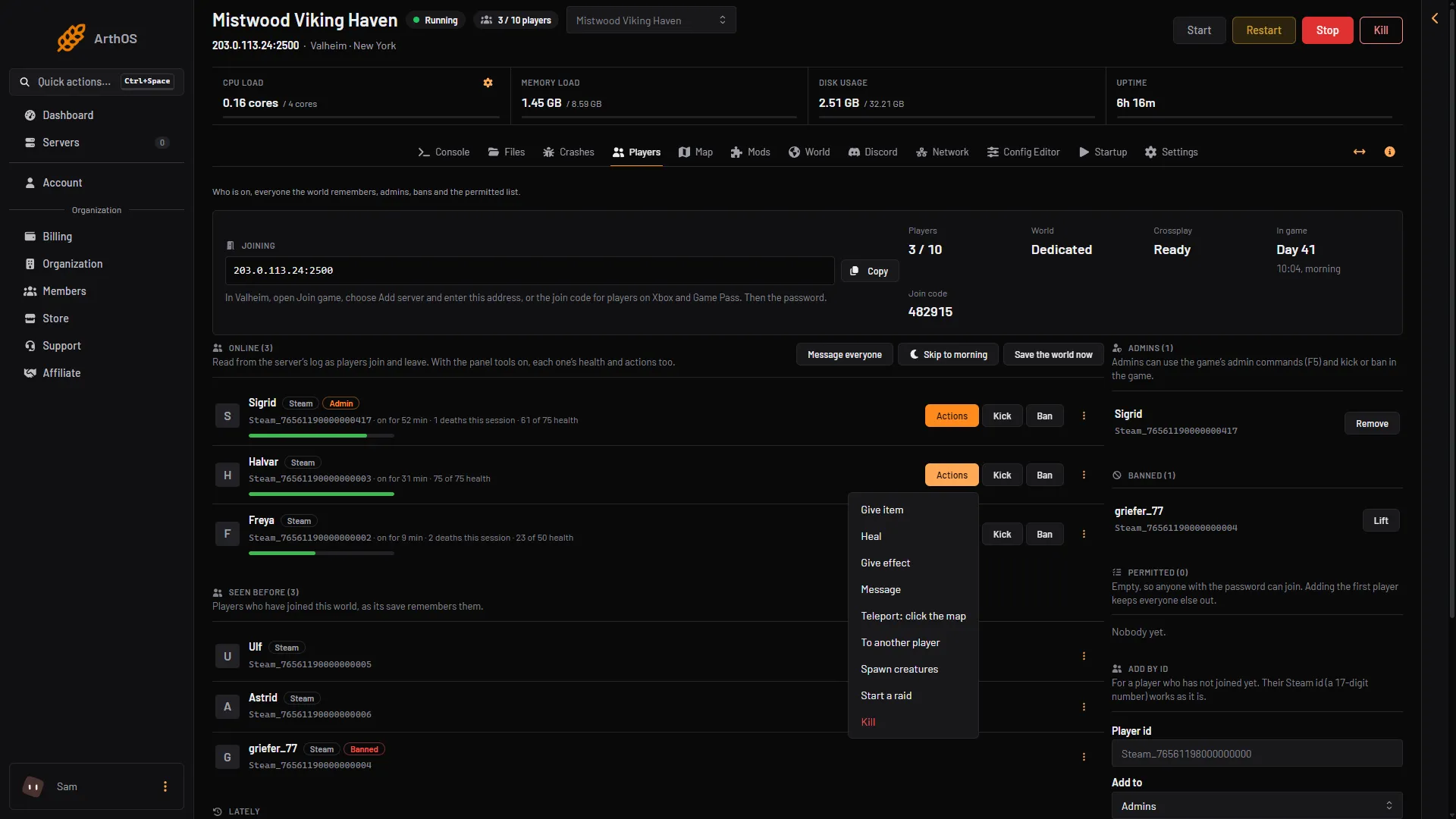
- Give item
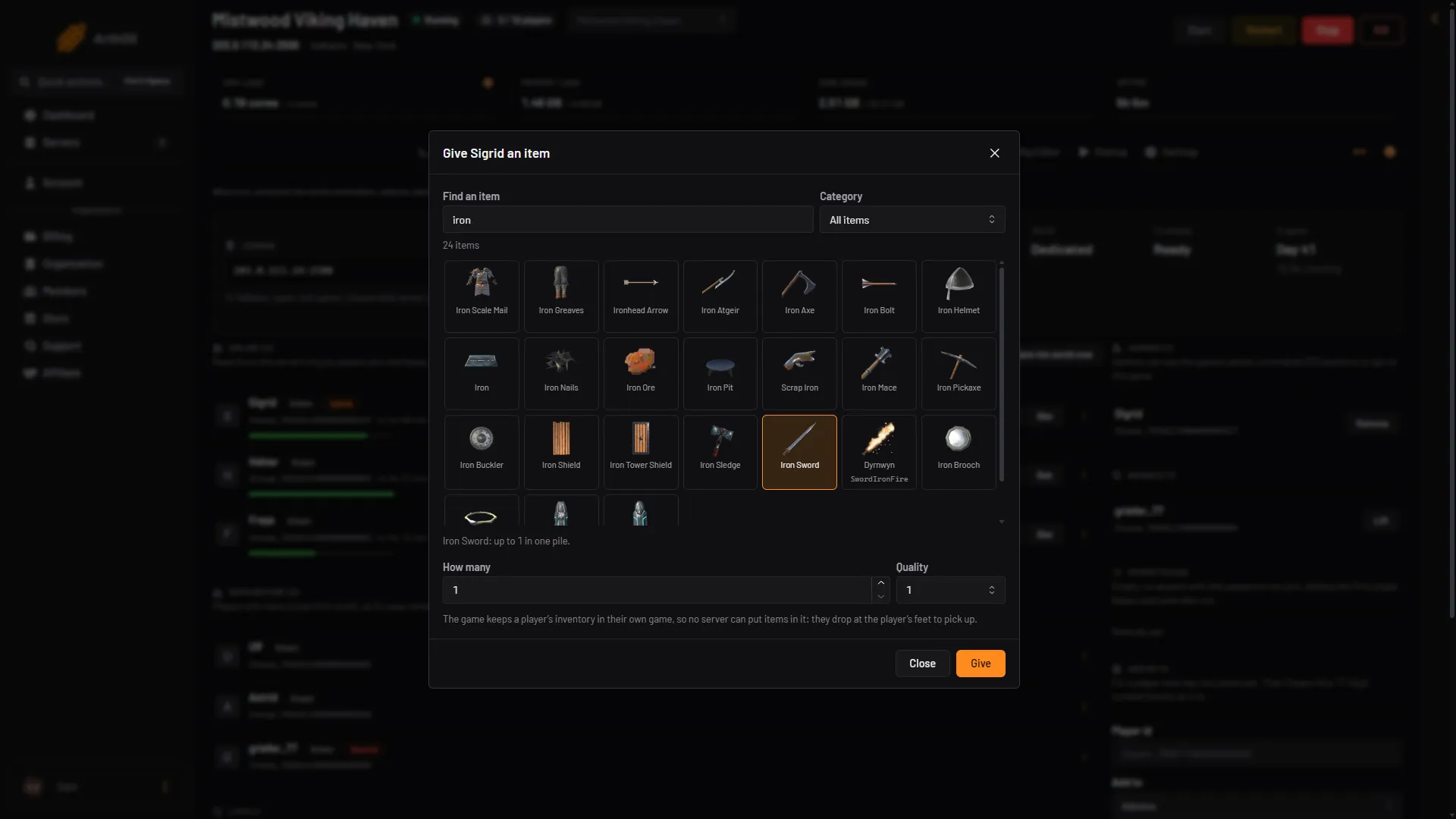
- Find an item
- An item
- How many
- Quality
- Give
Choose Give item (1 in the first picture). In the second, type in Find an item (1), pick a tile (2), set How many (3) and Quality (4), then choose Give (5).
The panel tells you what was dropped, for example “50 Wood dropped at (name)‘s feet.” The box stays open, so you can give another item. Choose Close when you are done.
The first time the panel shows the list for a new game version, it makes the pictures. This takes a few seconds, and the list fills in by itself.
Why the items drop at their feet
The game keeps a player’s inventory in the player’s own game, on their own computer. A server cannot put items in it. Items given this way are real objects in the world. The player walks over and picks them up. A large amount comes as several piles, one pile for each full stack, up to 50 piles in one go.
In the game
Valheim’s own cheat commands, such as spawn, do not work on a dedicated server. The Valheim wiki says they are for single player or manually hosted mode only. On a Loafhosts server, use Give item.
If it does not work
- There is no Actions button. The panel tools are off, or the player is not online. Turn on the tools, or wait for the player to join.
- There is no Give item in the menu. Your role may not be allowed to act in the game.
- “That player is not on the server any more.” The player left. Try again when they are back.
- The item list is empty or slow. Wait a few seconds. The panel is making the pictures for this game version.