









Open the Players page. The list called Online shows who is on your Valheim server right now. The server cannot hand out a list of players, so the panel builds it by reading the server’s log as people join and leave. More about the game: Valheim servers.
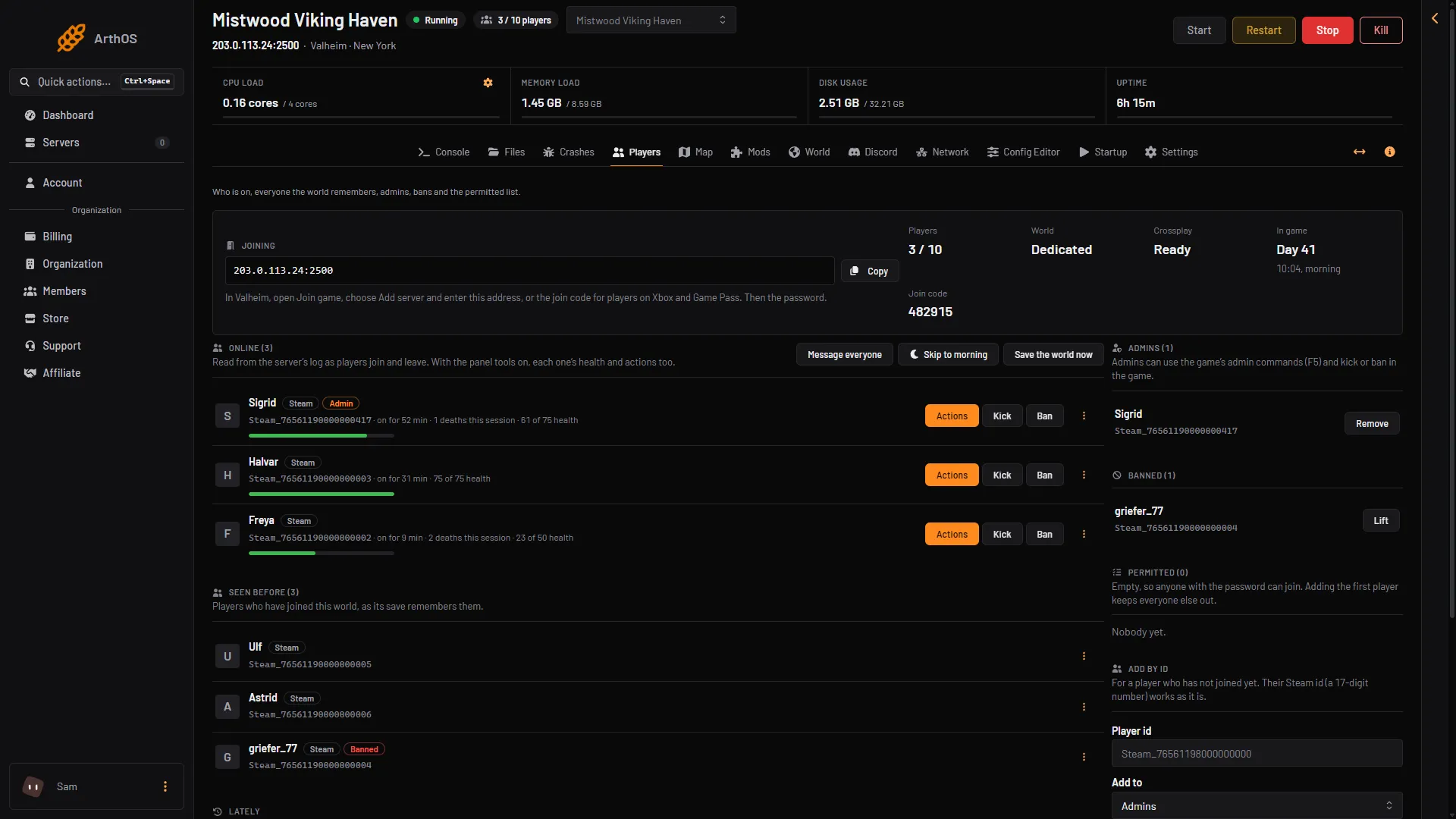
- Online
- Seen before
Who is on now
- Open the Players page.
- Find Online (N) (box 1). N is how many players are on.
- Each row shows the player’s name, a tag for where they play from (Steam, Xbox, Crossplay or Other) and how long they have been on, like “on for 12 min”.
- A row also says how many times the player died, like “2 deaths this session”.
Admins, banned players and players on the permitted list carry a tag too: Admin, Banned or Permitted.
If nobody is on, the page says “Nobody is online.”
The player count
The stat called Players shows the number on and the most the server takes, like 3 / 10. Ten is the game’s own limit for a dedicated server. The panel shows the same count beside the server in your server list and at the top of the server page.
The game also writes its own count into the log every ten minutes, in a line that starts with Connections. The panel uses that count to put its list right if it missed someone leaving.
Seen before
Seen before (N) (box 2 above) lists players who joined this world and are not on now. It comes from the world’s save, so it still has people after a restart. Each of them has the same menu as an online player, so you can ban someone who has left. See ban and kick Valheim players.
Lately
Lately is a short history of this start of the server, newest first. It shows:
- who joined, left or died
- a player who tried a wrong password
- a player who could not join because the server was full
- a player who could not join because their game is a different version
- a player who was turned away because they are banned or not on the permitted list
- a player who was removed
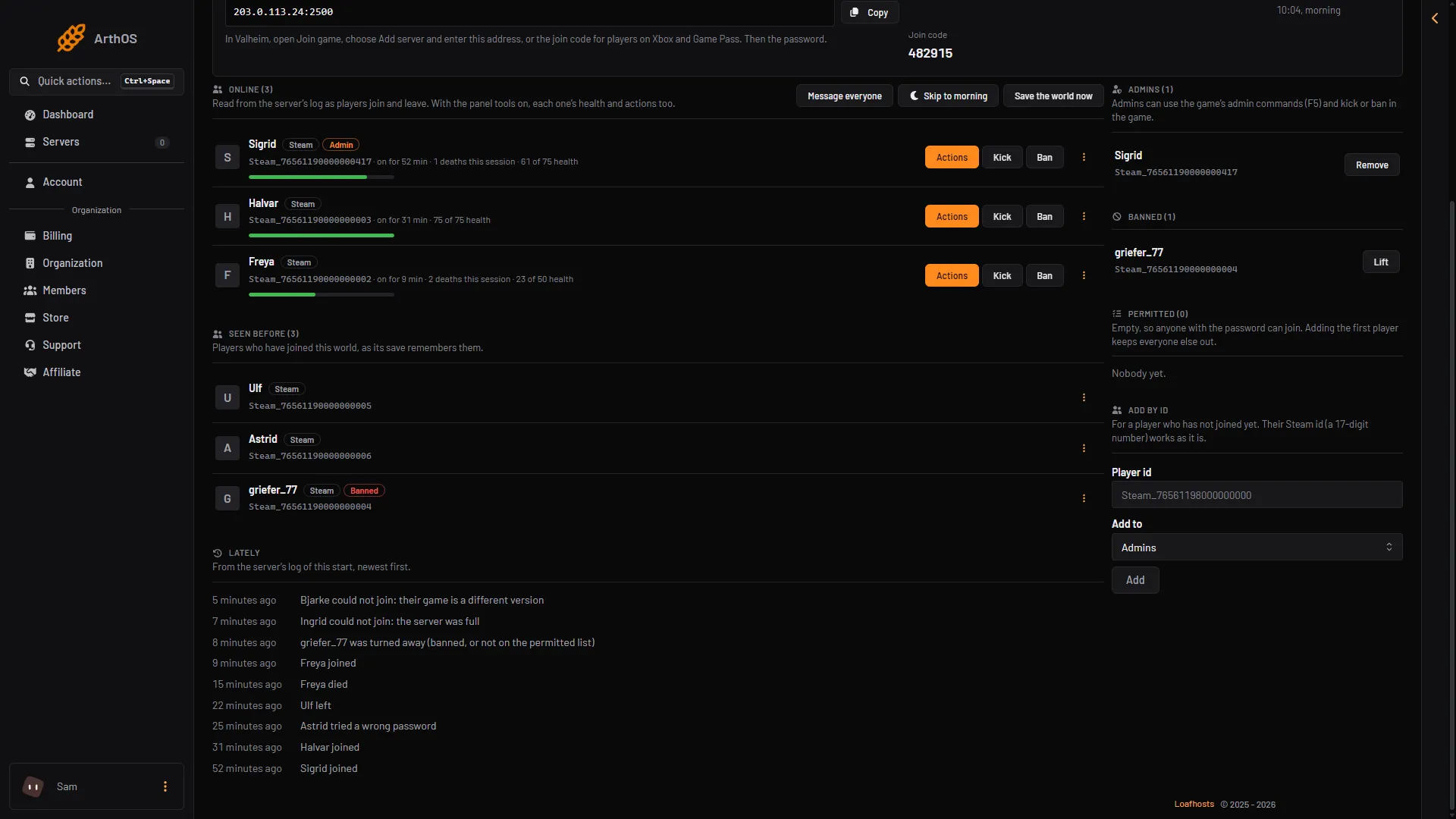
- Different version
- Server full
- Wrong password
A player who cannot join shows here with the reason: a different game version (box 1), a full server (box 2) or a wrong password (box 3).
Not checked on 1.0.20 as of 21 October 2026: how fast a player who loses their connection, without choosing to leave, drops off the list.
If it does not work
- The page says the server is running from an older start line. The server was started before the panel could read its log. Restart it once. Players show from then on, and nobody is listed until that restart.
- The page says the server is starting. Wait until it has loaded its world. That takes about 17 seconds for a new server (one measured start), longer with mods or after an update.
- The page says the server is stopped. Start it. You can still change the lists while it is stopped, and they apply at the next start.
- A player is on in the game but not in the list. Reload the page. The panel reads the log as it grows, so a player shows once their character appears in it.
- You need a player’s id. See find a Valheim player id.