









If the Crashes page shows “The server ran out of memory”, the server needed more memory than it has. Raise the server’s memory in Billing, or remove a mod you do not need. Large worlds and big mods need more.
What uses memory
Valheim loads the whole world into memory, so a Valheim server uses a lot of it. The game’s wiki lists three things that make it grow:
- The world itself. A fresh world usually uses about 1.8 to 2.4 GB.
- Loaded areas. Every area where players are active takes about 100 to 300 MB. Players who spread out load more areas at once.
- Many built pieces. An area with a huge base can take a lot more than the average.
Mods add to this. A big modpack needs a bigger server. The wiki says a modded server needs better hardware.
For a sense of scale: on Loafhosts’ busier Valheim servers with players on, memory in use was about 1.5 to 2.2 GB over a day, as measured on 21 October 2026. The wiki’s lowest figure for a server is 2 GB, which is not a minimum: it can be too little once players are on. A world with a big base, many players or many mods goes higher.
Check that it was memory
- Open the Crashes page.
- Open the start that ended badly.
- Look for Out of memory (box 1) and the finding “The server ran out of memory” (box 2). Its log line (box 3) names OutOfMemoryException.
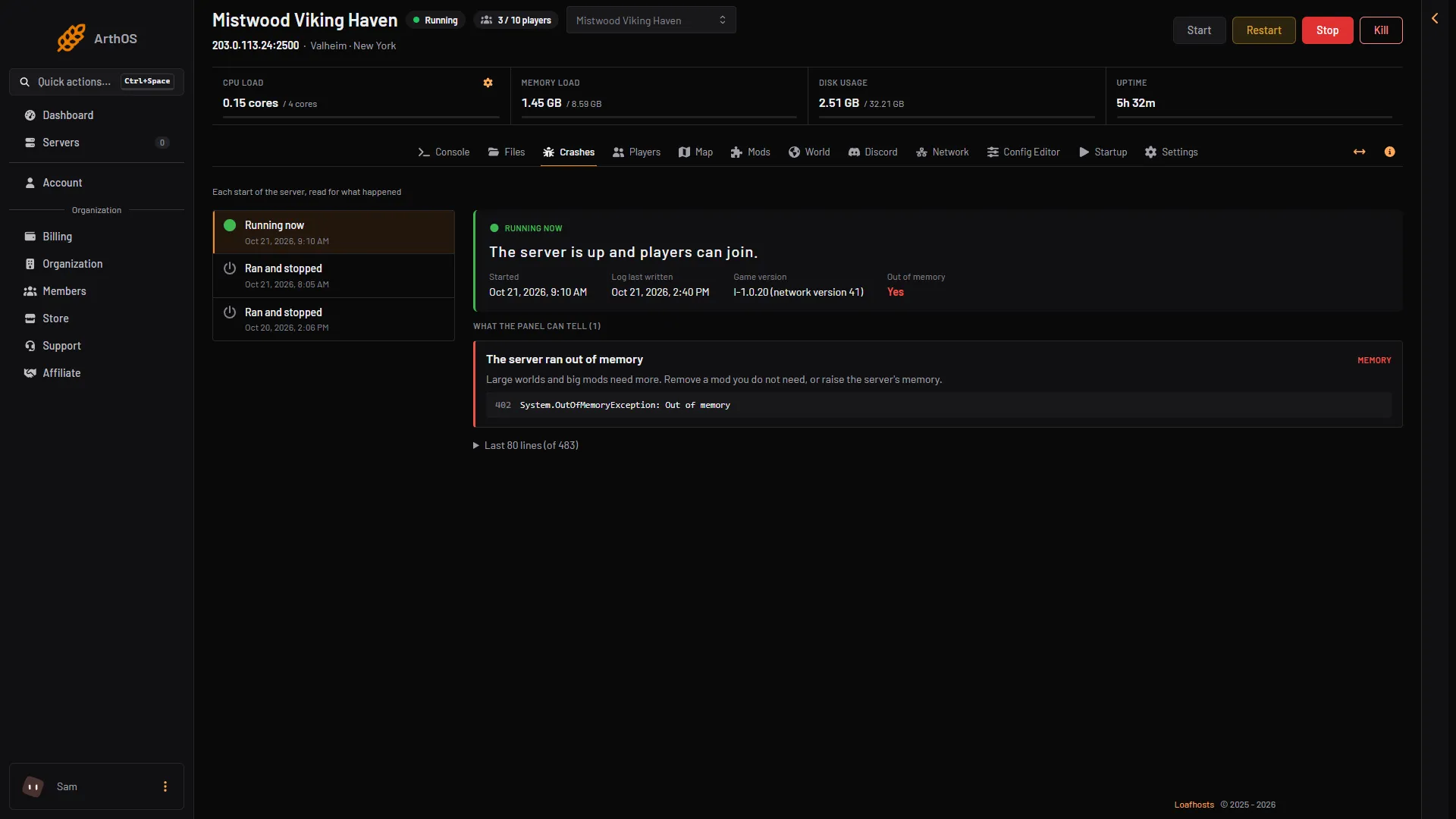
- Out of memory
- The finding
- The log line
The Memory load tile at the top of the server page shows the memory the server uses now, against its limit. After a restart it starts low, so it will not show the peak that caused the crash. The picture is demo data, not a real fault. The finding itself is read from the game’s own log.
If the finding is not there, see server crash.
Raise the server’s memory
- Open Billing and find the service for this server.
- Choose Customize.
- Pick a size with more memory. The page shows the size as cores, GB of memory and GB of storage.
- Pay the difference. A bigger size is charged for the rest of the current period, and the server changes size as soon as it is paid.
You need permission to order and pay for the organization. If the buttons are missing, ask the owner of the account. See server requirements.
Use less memory
If you do not want a bigger size, take load off the server.
- Open the Mods page. Remove mods you do not need. Choose Turn off to test one first, or Remove to delete it. Restart afterwards.
- To test without any mod, turn Load mods off and restart. Nothing is removed. See remove mods.
- Ask players to stay near each other. Fewer loaded areas means less memory.
- Restart the server. A restart gives the game a fresh start with only the areas players load.
If it does not work
- It runs out of memory again soon after a restart. The size is too small for the world and mods. Raise it, or remove more mods.
- The server stops with no finding. It may be something else. Read the start on the Crashes page.
- The world cannot be saved. That is a full disk, not memory. See progress lost.
More about the game: Valheim servers.
Not checked on 1.0.20 as of 21 October 2026: the exact memory needed for a given modpack.