









The Crashes page reads each recent start of your Valheim server and tells you how it ended. It lists the last ten starts. Each one has a plain headline, and a list of findings with a fix for each.
Read the Crashes page
- Open the Crashes page.
- In the list of starts on the left, pick one. The newest is first. A start that is up now is marked Running now (1), a finished one Ran and stopped (2).
- Read the outcome and the headline. The outcomes are Running now, Starting, Ran and stopped, Crashed, “Stuck, restarted” (one outcome, not two), Failed to start and Ended early.
- Read Started (3), Game version (4) and Out of memory (5), and the exit code when the start has one.
- Open What the panel can tell for the findings.
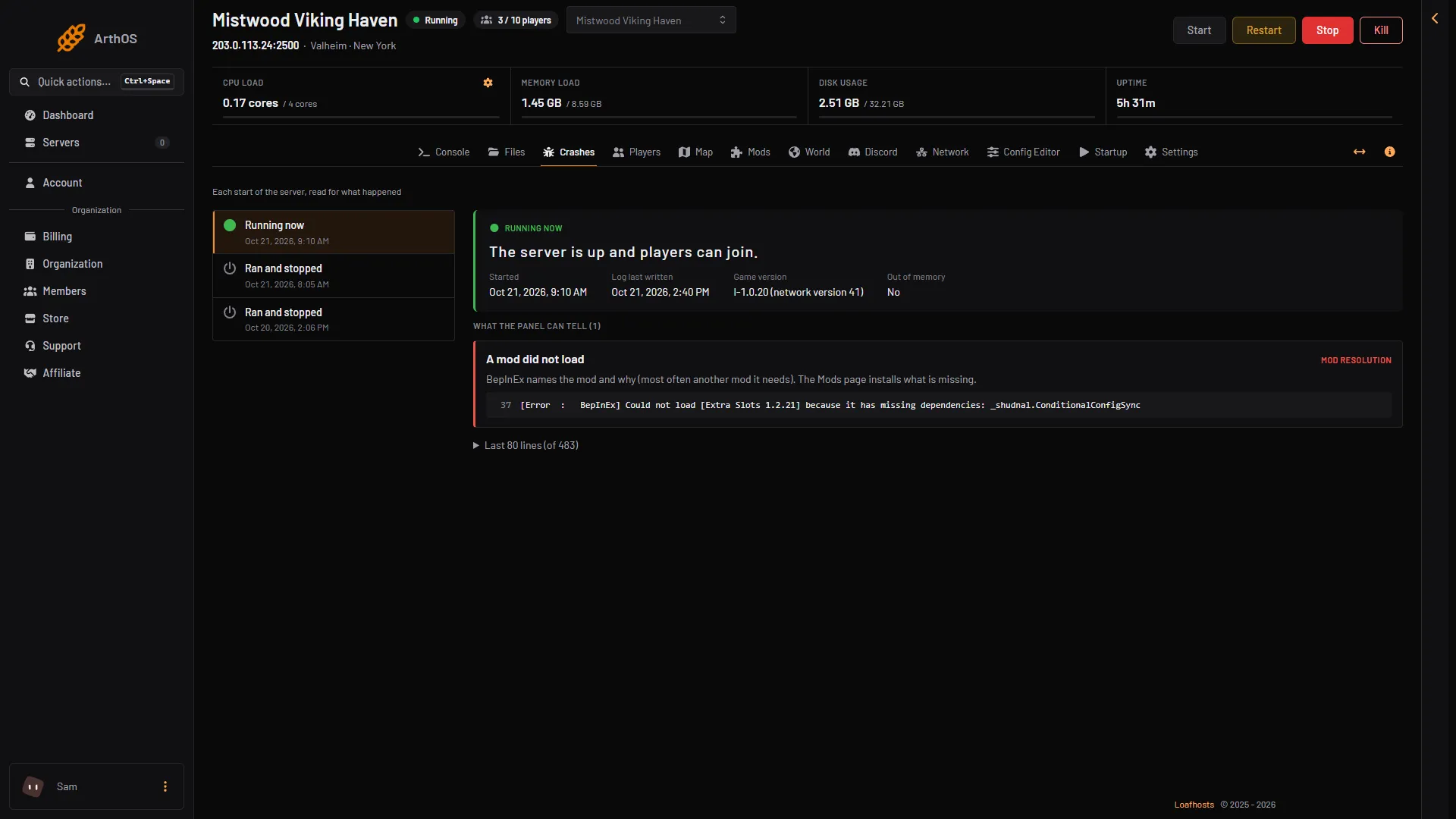
- Running now
- Ran and stopped
- Started
- Game version
- Out of memory
The headline “The server never got as far as letting players in” means the game stopped before the line Game server connected. “The game stopped without being asked to” means the game ended without a stop request.
The findings and their fixes
- The world could not be loaded. The game quit without saving, so the save is as it was. Put back a world backup. See the world will not load.
- The password was refused. A listed server needs a password of at least 5 characters, not part of the world’s name or seed. Change it in the Config Editor. See password not working.
- The world could not be saved. Usually a full disk. Check Disk usage at the top of the server page. Lower World backups kept in the Config Editor (the panel accepts 0 to 10), save and restart. With the server stopped, you can also remove old backup folders in Files, under
.config/unity3d/IronGate/Valheim/worlds_local: only folders named likeDedicated_backup_auto-20261021-171022, never the world’s own folder. The next save writes the world. - Crossplay could not reach its relay. The server kept asking the relay and never got in, so nobody joins through the address either. Choose Restart at the top of the server page. If it keeps failing, turn Crossplay off in the Config Editor and restart: Steam players then join by the address, and players on Xbox and Game Pass cannot join until crossplay is on and working again. If it still fails, tell support.
- A mod did not load. BepInEx names the mod and why, most often another mod it needs. The Mods page installs what is missing.
- The server ran out of memory. Large worlds and big mods need more. Remove a mod you do not need, or raise the server’s memory in Billing. See out of memory.
- A port the game needs was in use. Restart the server. If it happens again, ask support to check its ports.
- The game could not start its network. Reinstall the server from its Settings. The world stays.
- The game crashed inside its engine. Restart it. If it happens again at the same moment, remove the last mod you added first.
Lines that are not faults
Every Valheim start prints some lines that look bad and are not. The panel does not list them as findings. Do not chase them:
- Lines saying
Could not find material, about video shaders. - Lines saying
The referenced script on this Behaviour ... is missing!. - The line
Available space to current user, which ends withSaving is blocked if belowandWarnings are given if below. It only reports free disk space.
Read the last lines
At the bottom of an open start, a folded heading called Last (count) lines (for example “Last 80 lines”) holds the end of the log without the shader noise. Open it to read it. If nothing under What the panel can tell fits, the panel says none of the known causes are in the log, and these lines may still show what happened.
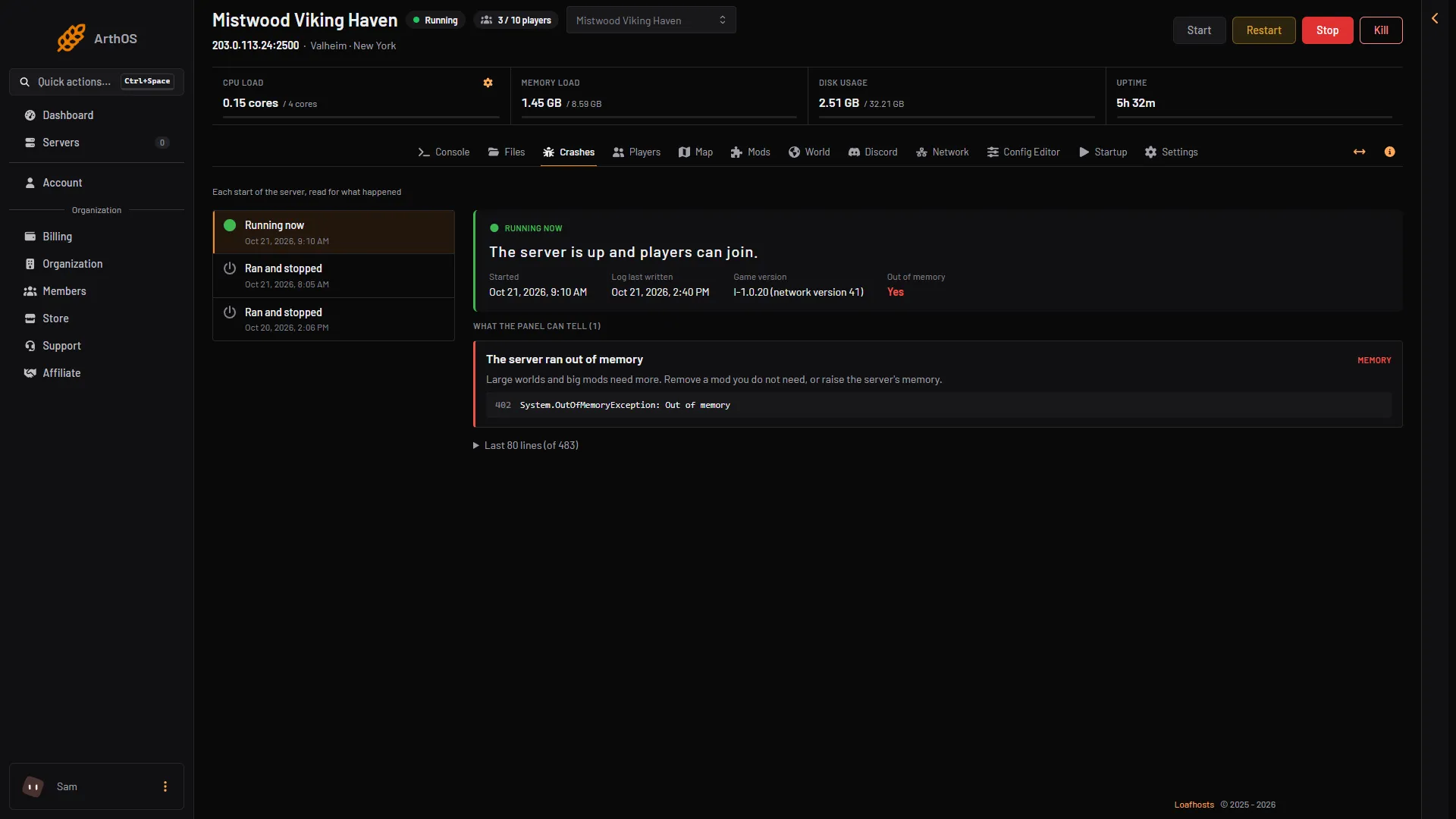
- A finding
- The log line
- Out of memory
The picture shows a start with the finding “The server ran out of memory”: the finding (1), the log line behind it (2) and the Out of memory field (3). The folded last lines are not open in the picture.
Stop the server the right way
The game saves the world when it is asked to stop. Use Restart or Stop at the top of the server page and let it finish.
What to send support
If the fix does not work, send:
- The name of the server and the time of the start.
- The outcome and headline of the start.
- Game version and the exit code.
- The titles under What the panel can tell.
- The last lines of the log (the folded heading “Last (count) lines”).
If it does not work
- There are no starts. The server has not started yet.
- Only ten starts are shown. The game keeps its ten newest logs. Older ones are gone.
- No finding, and the server still stops. Turn Load mods off on the Mods page. If the server then stays up, a mod is the cause.
More about the game: Valheim servers.