









A Valheim server that is not in the list is usually still starting, or it is not listed, or the players run another game version. Check these in order. You can also skip the list: any player can join with the server’s address or its join code. More about the game: Valheim servers.
1. Has it finished starting?
A new Loafhosts server takes players about 17 seconds after the start (one measured start), and longer with mods or after an update. With crossplay on, the join code appears about half a minute after the start (measured on 21 October 2026). A server with a big world takes longer.
On the Steam backend, Steam’s master server asks the server for its details about every 5 minutes and lists it once it answers, so a new or just restarted server can take a few minutes to show. Join by the address meanwhile.
If the server is stopped, it is not in the list at all. A server nobody has played on for 3 days stops by itself (Standby, in Settings), and players then see no server until it is started. Choose Start at the top of the server page, or use its wake link (Make link in the Standby card).
Open the Console page. The server is ready when it shows Game server connected. On the Players page, a server that is still starting says so, and the Crossplay stat reads Connecting. Wait until it reads Ready. Then look in the list again.
2. Is it listed?
A server that is not listed never shows in the list. It is made to be joined by address or join code.
- Open the Config Editor page.
- In Server settings, check Listed in the server browser (1). It must be on.
- If you changed it, press Save and choose Restart at the top of the server page. It applies at the next start.
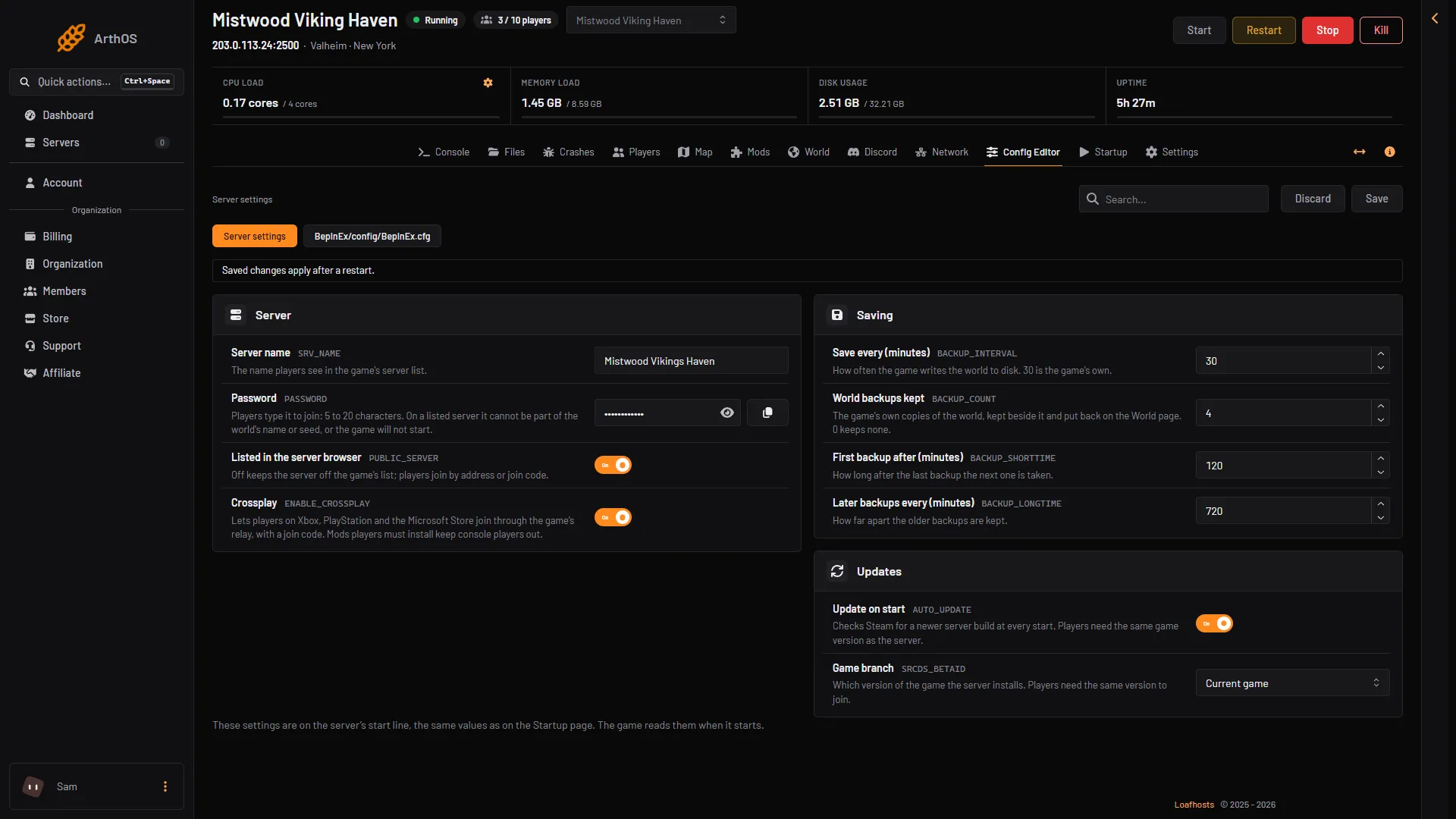
- Must be on
- Crossplay
The Startup page shows the same value as List the server: 1 is on, 0 is off. See list a Valheim server in the server browser.
3. Crossplay and Steam servers show in different places
The game’s manual says a crossplay server can be joined from the server list, with a join code, or with its public address and port. A server without crossplay uses the Steam backend, and only Steam players can see and join it.
If players on Xbox or the Microsoft Store need to join, turn Crossplay on. Not checked on 1.0.20 as of 21 October 2026: which tab of the game’s list shows a crossplay server, and which shows a Steam one. If you cannot find the server on one tab, search by its name on the other.
If Crossplay on the Players page does not reach Ready, or the Crashes page shows “Crossplay could not reach its relay”, the server cannot reach the relay. Then nobody joins it, not even by the address. With crossplay on, the address and port only help the game find the relay. Choose Restart at the top of the server page. If it keeps failing, turn Crossplay (2) off in the Config Editor, save and restart. Steam players then join by the address. Players on Xbox and Game Pass cannot join until crossplay is on and working again.
4. Is it the same version?
The game and the server must run the same version. A player on a different version may not see the server, or is refused when they try to join. The current version is 1.0.20.
- Update on start is on by default, so the server updates every time it starts. Restart it to update.
- A server on the Public test branch only works with players on the test version. Check Game branch in the Config Editor. See Valheim version mismatch.
5. Join without the list
- Open the Players page.
- In the Joining card, copy the address. With crossplay on, copy the join code too.
- In Valheim, open Join game, choose Add server and enter the address or the join code. Then enter the password.
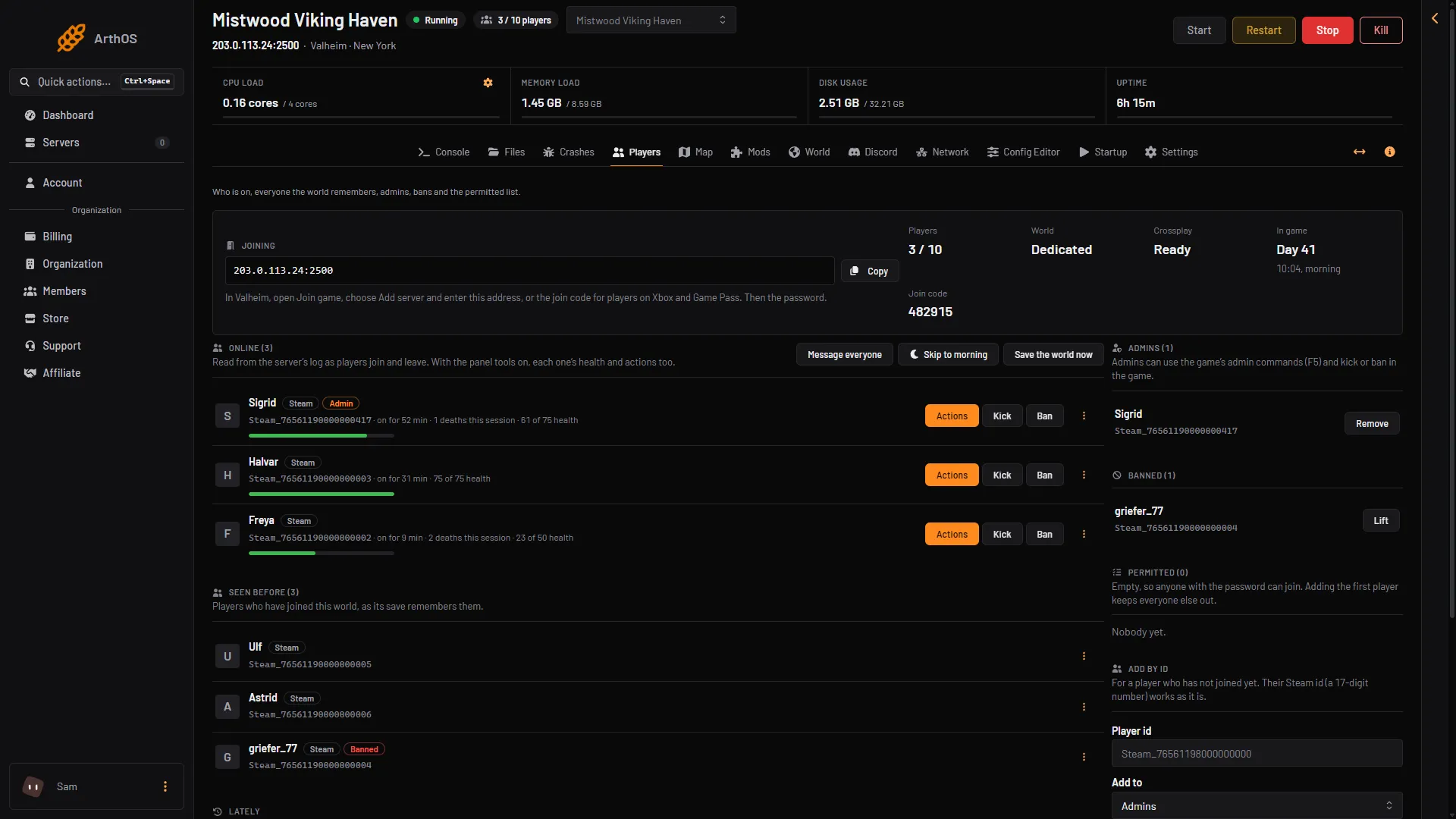
- Joining
- Copy
- Crossplay
- Join code
The join code can change during the first start. Read it from the Players page, not from an old message.
If it does not work
- Players are refused with the right address. See Valheim cannot connect.
- The server stops by itself. Open the Crashes page. Each of the last ten starts is read for how it ended.
- Mods are on. Players need the same mods. A mod that players must install keeps players on Xbox and Game Pass out of a crossplay server.