









To run the Valheim public test version, set Game branch to Public test in the Config Editor, put the test code from Iron Gate, the studio that makes Valheim, in Branch password on the Startup page, and restart the server with Update on start on. Players must run the same test build, or they cannot join.
The public test branch is Iron Gate’s early version of the next patch. It can have bugs. Iron Gate’s own notes tell players to back up first and not to move save files between the test and the normal version by hand.
Before you start
- Make a backup. Open Settings, then the Backups tab, and create one.
- Check that Update on start is on. The branch is installed when the server checks Steam at its start.
- Tell your players. They have to switch too.
Switch the server
- Open the Config Editor.
- In Server settings, find the Updates group.
- Set Game branch (1) to Public test (2). Save.
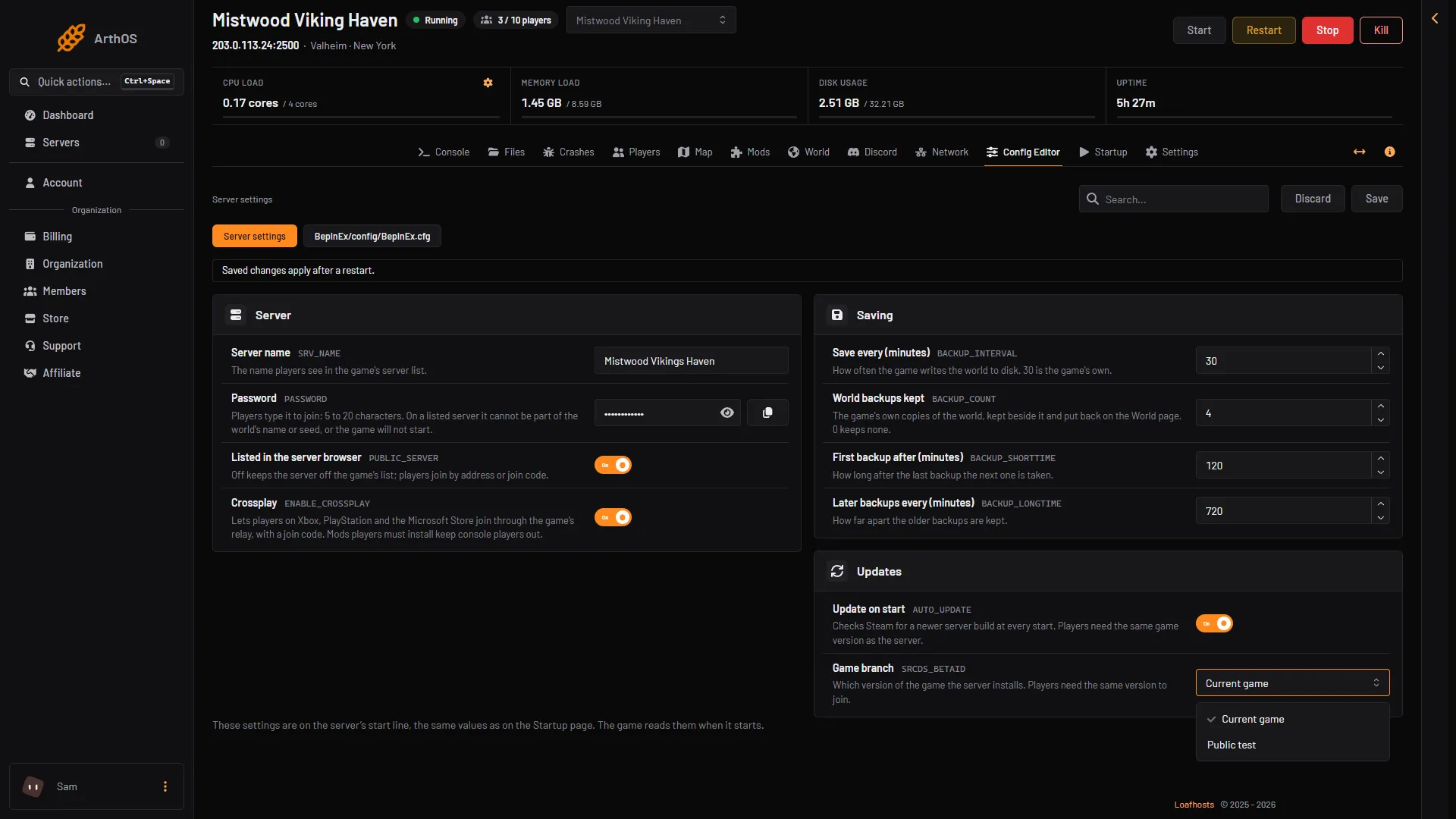
- Game branch
- Choose Public test
- Open the Startup page. In Branch password (3), type the code
yesimadebackups. The Config Editor has no row for it. On this page Game branch (2) holds the same value,public-test. Branch password shows empty with the hint “Only for a branch that needs one” until you type the code.
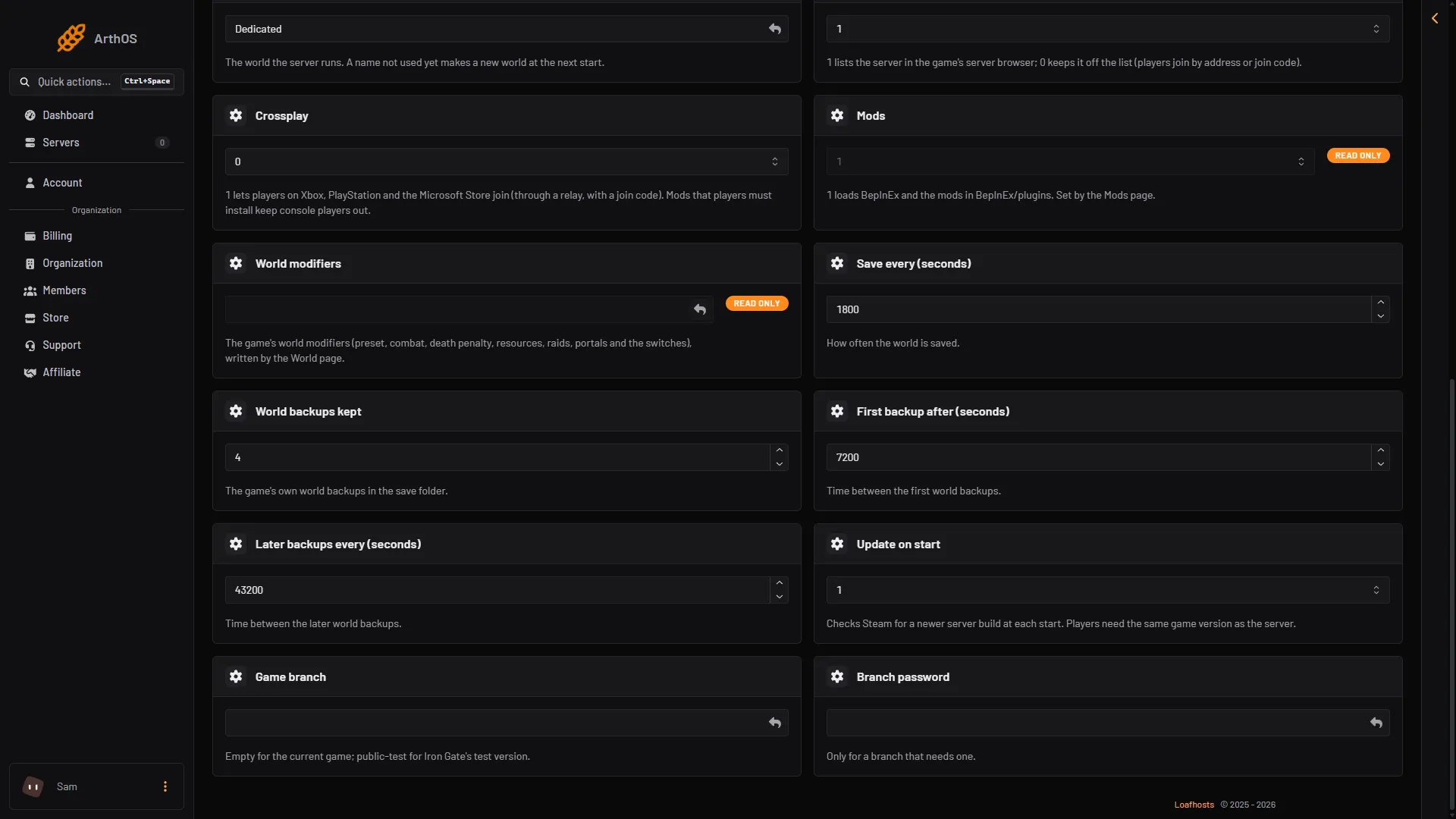
- Update on start
- Game branch
- Branch password
- Choose Restart at the top of the server page. The change applies at the next start. Wait for
Game server connectedin the Console.
What players must do
Players need the test version too. Iron Gate’s Steam announcements for each public test say: right-click Valheim in your Steam library, then select Properties. In the new window, select Betas and type in the code yesimadebackups. The Public Test branch then appears for you to select. Players do not apply on a website. The announcements are in Iron Gate’s Steam news.
If a player runs the normal game and the server runs the test version, they cannot join. The Lately list on the Players page shows “could not join: their game is a different version”. See version mismatch.
Go back to the normal game
- In the Config Editor, set Game branch back to Current game. Save.
- Empty Branch password on the Startup page.
- Restart the server.
Players switch back in Steam too. If the world will not load after you go back, put back the backup you made before you switched. See world backups.
On a server you run yourself
Not checked on 1.0.20 as of 21 October 2026: the public test branch on a server run with SteamCMD, and whether the dedicated server’s test branch uses this code. The wiki’s update command is in update your Valheim server.
If it does not work
- The server did not change version. Check Update on start is on and restart again.
- Nobody can join. Players are on the normal version. Both sides need the same branch.
- The server does not start. Open Crashes. If it cannot recover, set Game branch to Current game and restart.
More about the game: Valheim servers.
Sources: store.steampowered.com: 892970, valheim.fandom.com: Dedicated servers