









Players can only join a Valheim server that runs the same game version as they do. If the versions differ, the player cannot join. The fix is to bring the server and the player to the same version.
See that it is a version problem
Open the Players page. The Lately list shows what happened since the server started. A version problem shows as “(name) could not join: their game is a different version”. The panel reads this from the game’s log.
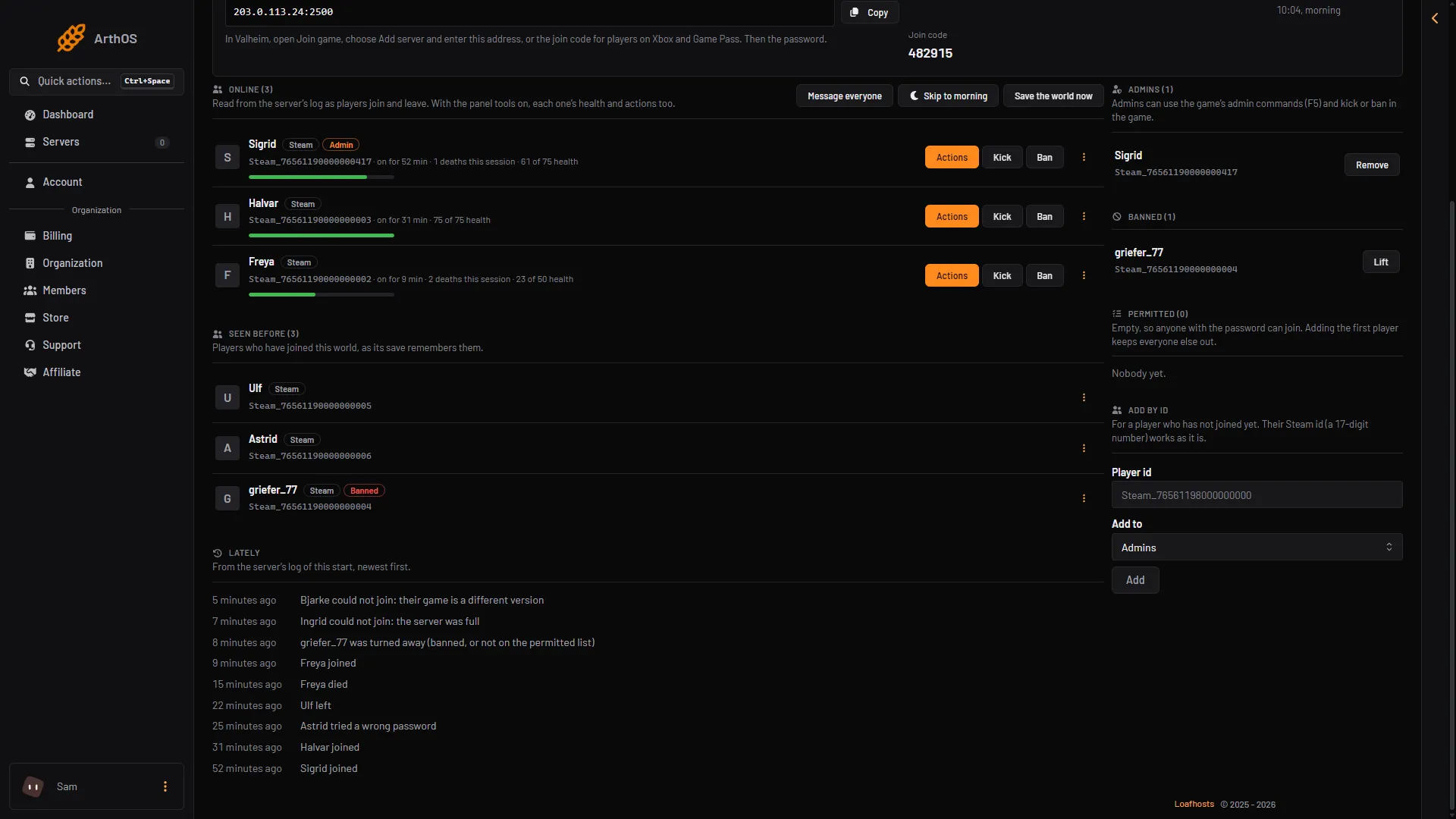
- Lately
- Different version
Find the server’s version
- Open the Crashes page.
- Open the newest start in the list on the left.
- Read Game version (1). It looks like
l-1.0.20 (network version 41).
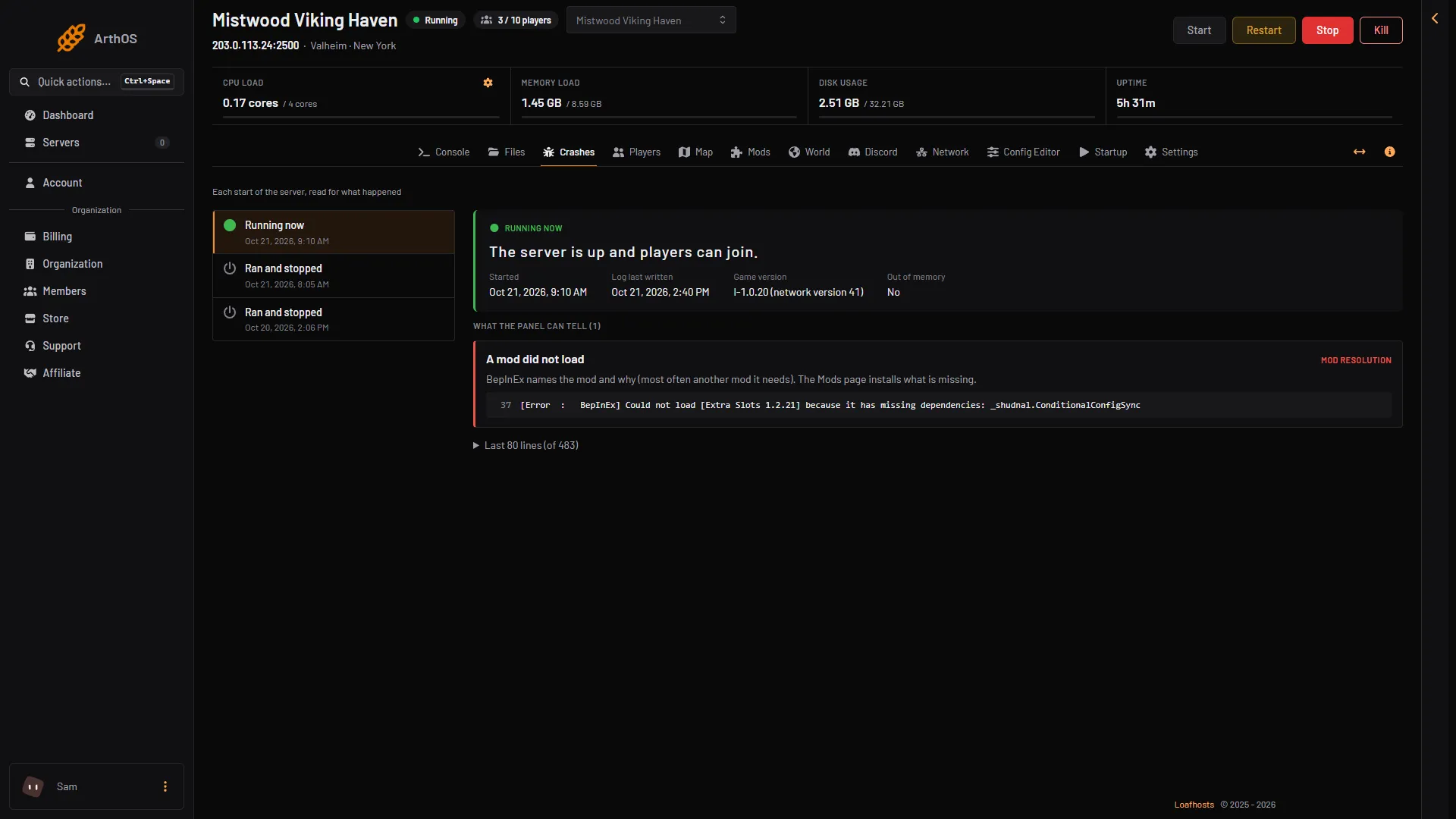
- Game version
The same text is in the server’s log as the line Valheim version:. The newest patch in Steam’s news for Valheim is 1.0.20, from 15 October 2026.
Update the server
The server checks for a new build at each start when Update on start is on. New Loafhosts servers have it on.
- Open the Config Editor page and the Server settings source.
- In the Updates group, check that Update on start (1) is on. Choose Save if you changed it.
- Choose Restart at the top of the server page.
- When the start finishes, open Crashes again and check Game version.
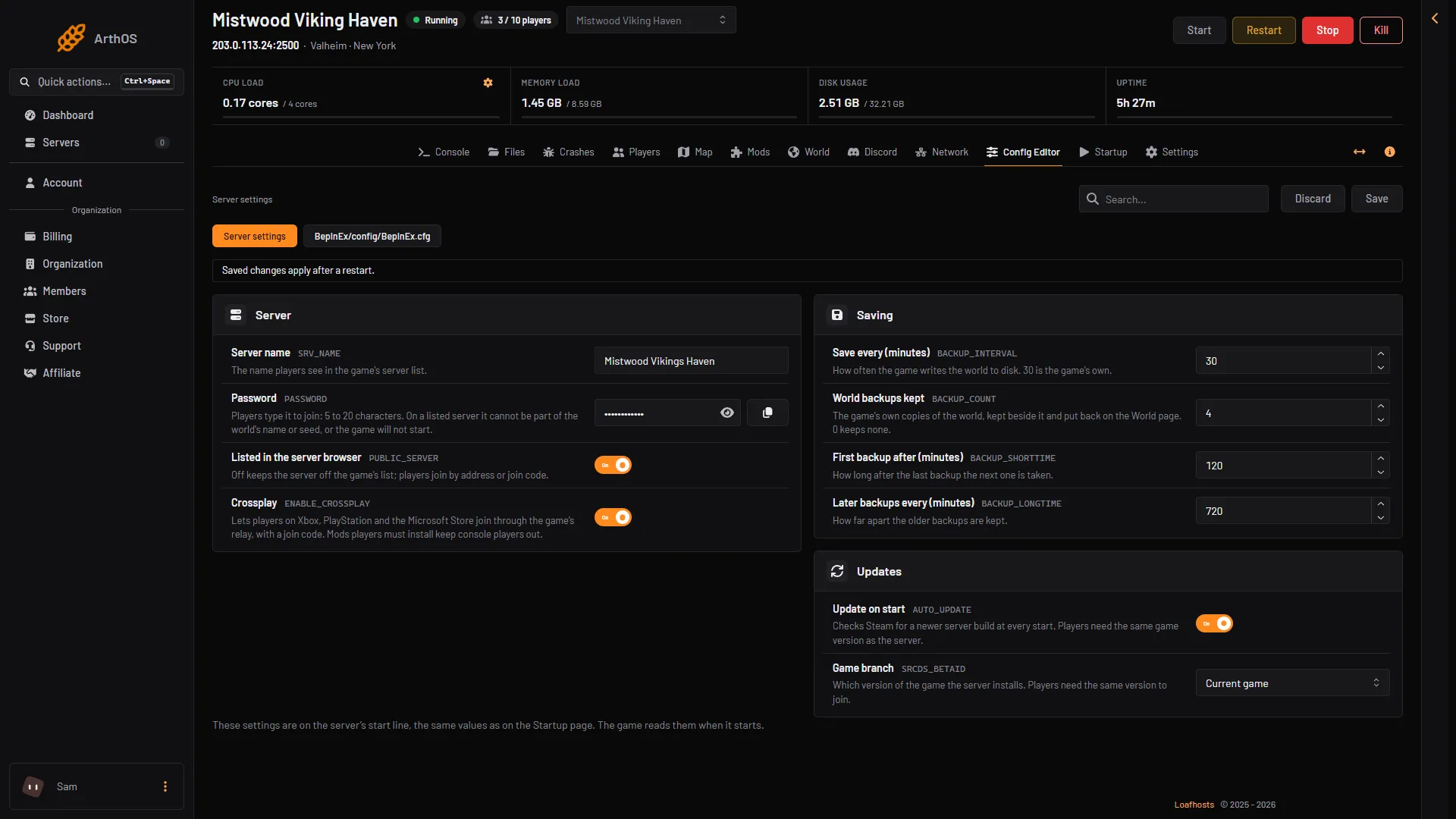
- Update on start
- Game branch
Update the player
If the server is already on the newest version, the player’s game is the one that is behind. Valheim is updated through Steam. Ask the player to let Steam finish updating the game, then start it again.
The test version
Game branch (2) in the Updates group chooses between Current game and Public test. Public test is Iron Gate’s test version. The server and every player must be on the same branch. A server on Public test refuses players on the normal game, and the other way round. See the public test branch.
If it does not work
- The server is on the newest version and a player still cannot join. Ask the player which branch they are on. A player on the test version in Steam cannot join a server on the current game.
- Nobody can join after a restart. The server may have taken a newer build than the players have. Players update through Steam, then try again.
- The versions match and a player still cannot join. With mods on, players need the same mods too. See mods players need to install.
- The row does not appear in Lately. The list only covers the current start. Players who tried before the last restart are not listed. See cannot connect for other causes.
- You do not want the server to update by itself. Turn Update on start off. The server then stays on the version it has, so players must stay on that version too. See update the server.
More about the game: Valheim servers.
Sources: valheim.fandom.com: Dedicated servers, valheim.fandom.com: Version history, store.steampowered.com: 892970