









Open the World page, find the Difficulty card and change Raids. The choices are None, Much less, Less, More and Much more. Save, then restart the server. The game reads world settings when it starts. If you start the game yourself, the start option is -modifier raids none (or muchless, less, more, muchmore), after any -preset. More about the game: Valheim servers.
What a raid is
A raid is an event. Enemies spawn around players and attack. Harder raids appear after you beat more bosses.
On the normal setting, the game checks every 46 minutes. Each check has a 20% chance to start a raid. The wiki says a raid only starts for a player who is:
- near a base: within 40 metres of at least 3 built pieces,
- not in a dungeon,
- in a biome the raid belongs to.
Change how often raids come
- Open the World page.
- In the Difficulty card, find Raids.
- Choose a value (1). As the preset sets it keeps the normal rate, or the rate your Preset gives.
- Choose Save. The panel says: “Saved. The game reads these when it starts, so restart the server to use them.”
- Choose Restart at the top of the server page.
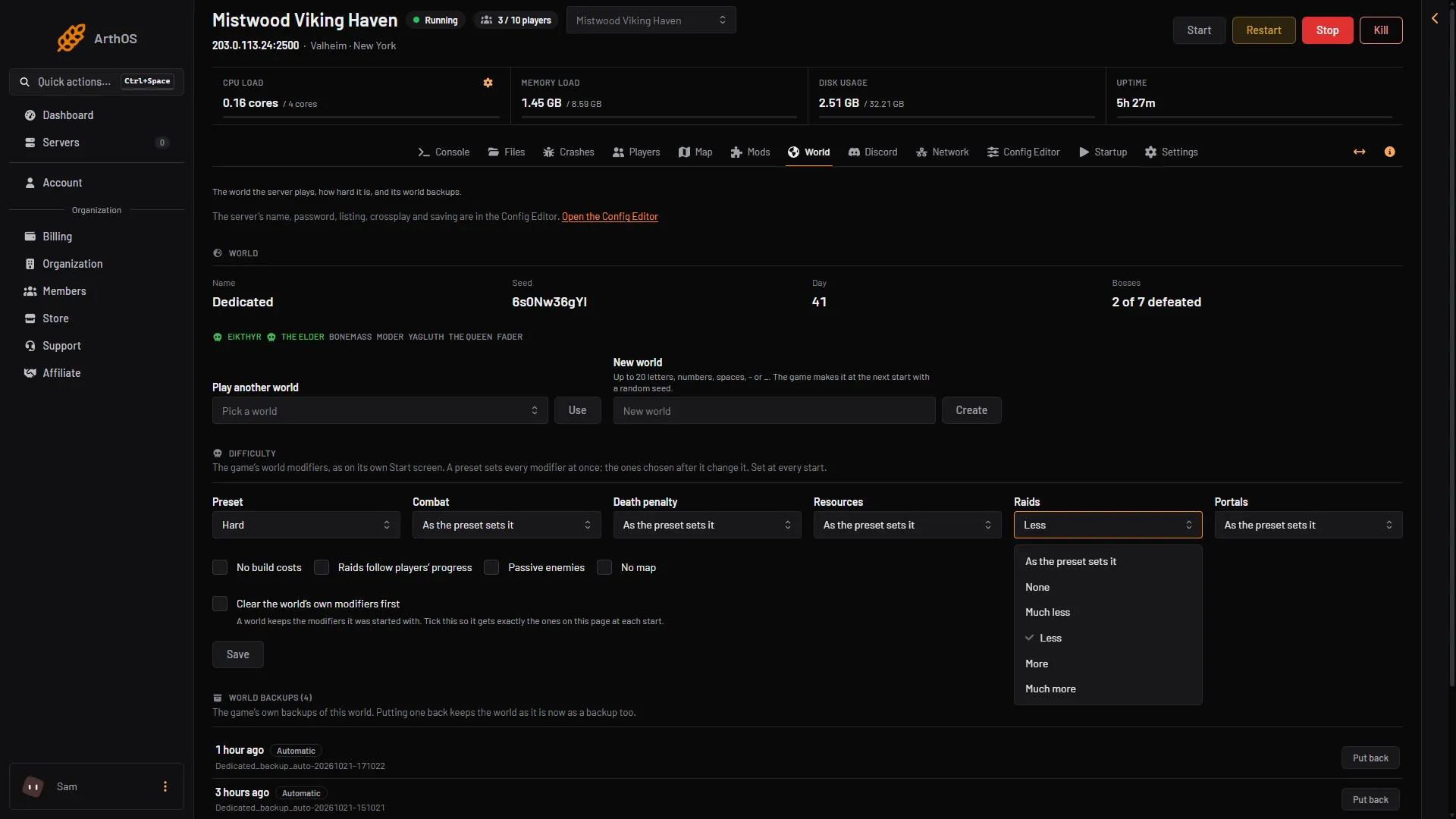
- Raids list
- None
- Much more
The wiki gives these figures for each choice:
| Raids | Time between checks | Chance per check |
|---|---|---|
| None | no raids | none |
| Much less | 92 minutes | 10% |
| Less | 69 minutes | 13.33% |
| As the preset sets it (normal) | 46 minutes | 20% |
| More | 27.6 minutes | 33.33% |
| Much more | 13.8 minutes | 66.67% |
If you pick a Preset as well, the panel puts the preset first and your Raids choice after it. Your choice wins for raids.
Make raids follow each player
The switch Raids follow players’ progress makes raids follow each player’s own progress, not which bosses the server beat. The wiki lists this as the player based raids option.
- On the World page, in Difficulty, tick Raids follow players’ progress (1).
- Choose Save (2), then restart.
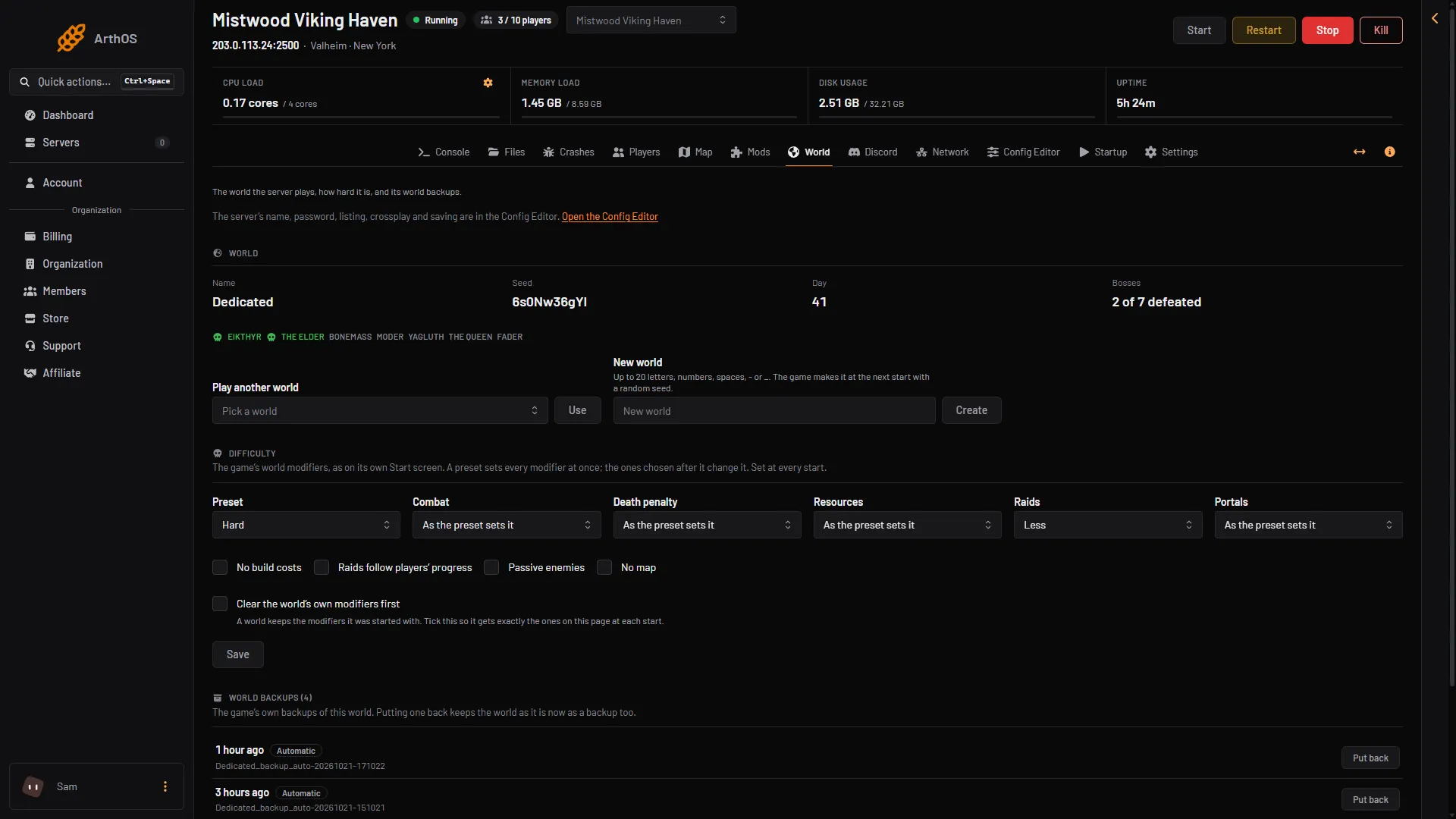
- Raids follow players’ progress
- Save
A world keeps its old settings
A world remembers the modifiers it was started with. If you later leave one out, the game does not undo it. The Difficulty card shows what the world remembers: “The world remembers: …”.
To go back to the normal raid rate or to turn the switch off, tick Clear the world’s own modifiers first as well. Then Save and restart. The world gets exactly what is on the page.
Start a raid yourself
The panel tools can start a raid on one player at once. This works only while that player is online, and only after you turn on the panel tools.
- On the Players page, choose Turn on panel tools if it is shown. The server stops and starts.
- Find the online player and open Actions.
- Choose Start a raid (1). A box titled “Start a raid around (player name)” opens.
- Pick one from the Raid list, then choose Start raid.
The game plays its own raid, with its warning, music and creatures, around that player. Not checked on 1.0.20 as of 21 October 2026: whether this respects None. See spawn creatures and raids.
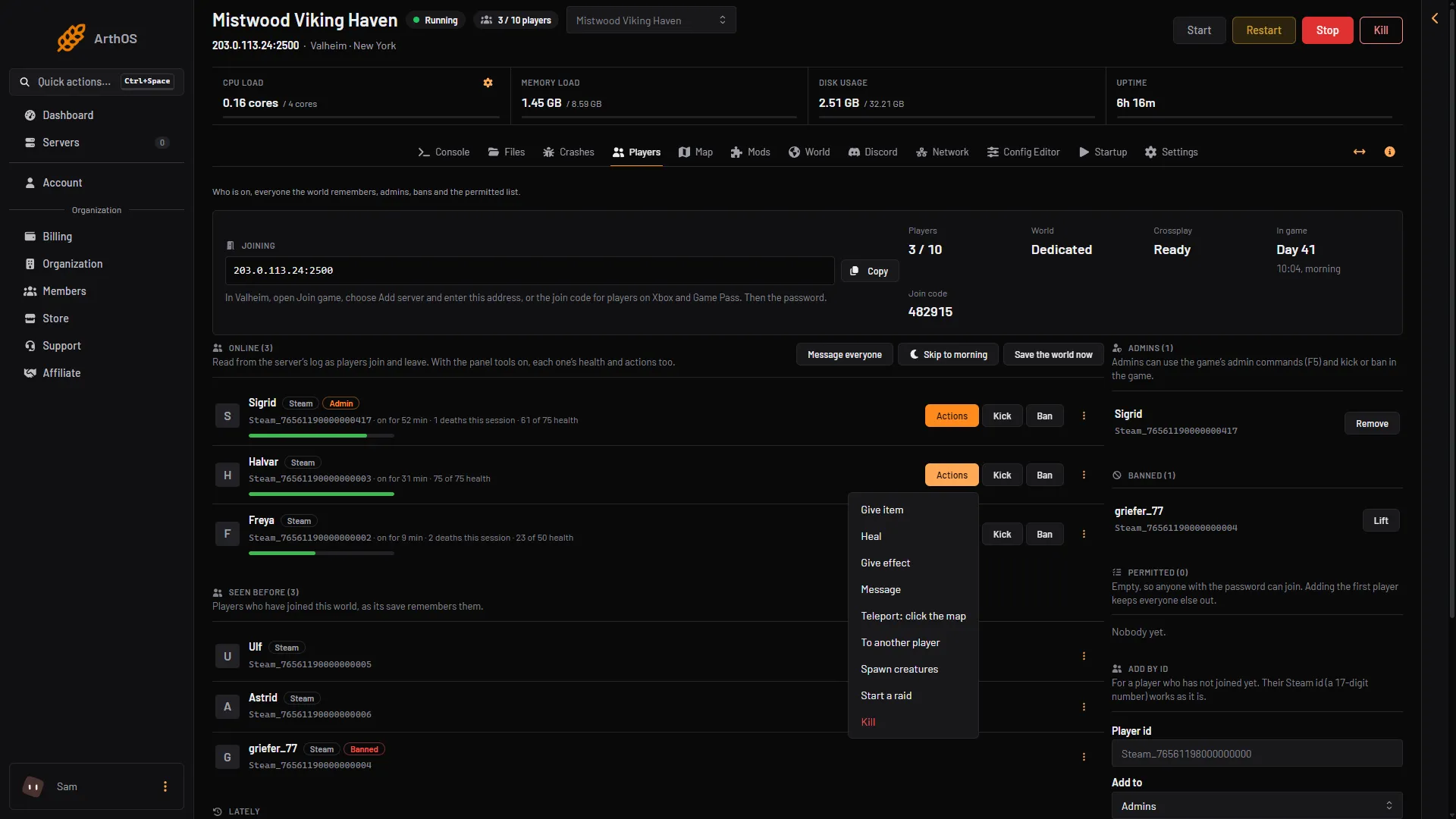
- Start a raid
By hand
The panel writes these words on the server’s start line. You can see the same words in the game’s own manual.
-modifier raids none, ormuchless,less,more,muchmore.-setkey playereventsfor the switch.- Put
-modifierafter-preset.
If it does not work
- Raids did not change. Restart the server. A saved change is read at the next start.
- Raids still come on None. The wiki says night raids can still happen.
- No Save button. Your role may not allow editing the startup settings.
- A setting will not turn off. Tick Clear the world’s own modifiers first, then save and restart.
- No raid comes at all. A raid needs a player near a base, outside a dungeon. See the list above.
More settings: world modifiers.
Sources: valheim.fandom.com: World Modifiers, valheim.fandom.com: Events